
Restaurant Guide
How to Get More Orders on Just Eat
Increase Just Eat orders with 10 proven strategies. Master the algorithm, optimise menu photos, use StampCards, and climb UK restaurant rankings faster.
How to get more orders on Just Eat
- Just Eat does not publish a full list of ranking factors. It does say that your Performance Score page shows its recommendations for how to improve your organic ranking.
- Just Eat says items with images go into baskets four times more often, and that an item with a photo gets on average 16% more orders. That makes photos one of the highest-impact changes for most restaurants.
- Your Performance Score is a number out of 100, built on five measures: item quality rating (aim for 4.3 out of 5), cancelled orders (below 1.3%), items with photos (80% of the menu), items with a description (71%) and on-time opening.
- StampCards is free to join. Just Eat says opted-in partners have seen up to 14% revenue growth in the first month, 21% more orders on average and up to 17% more returning customers per month.
- Just Eat does not publish a boost for new restaurants. Launch with a fully optimised listing and an introductory offer, because your first weeks produce your first ratings.
See the difference professional photos make
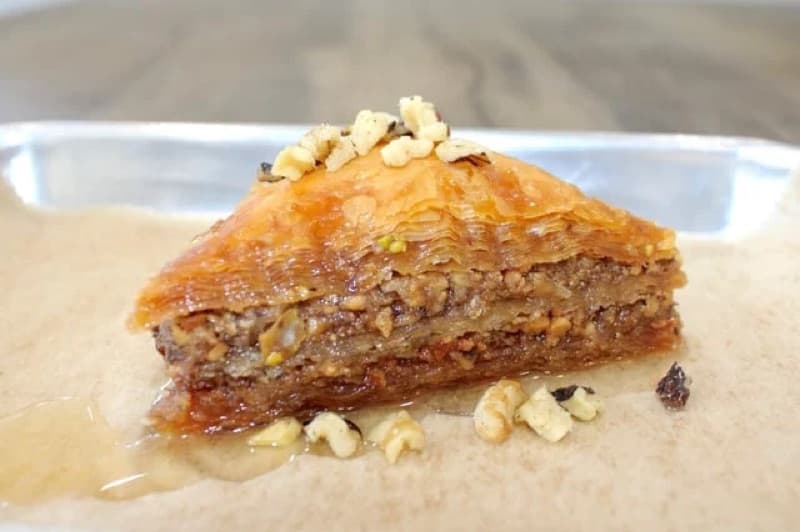
Before
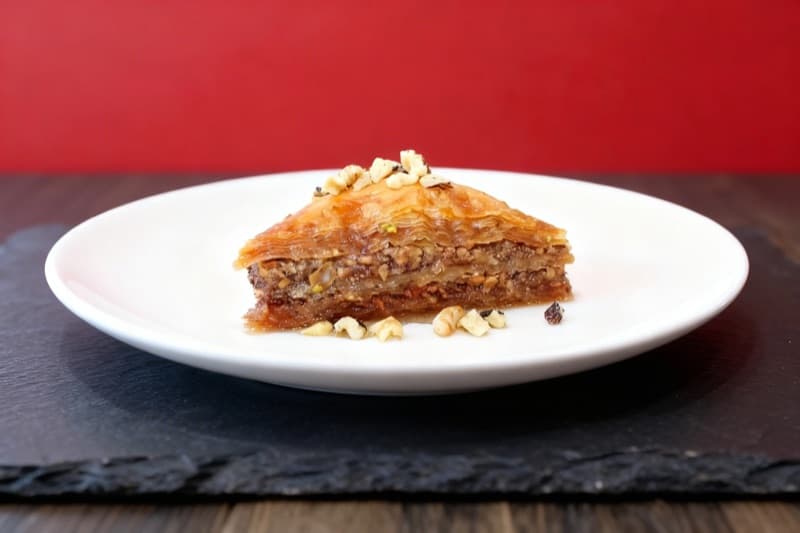
After

Before
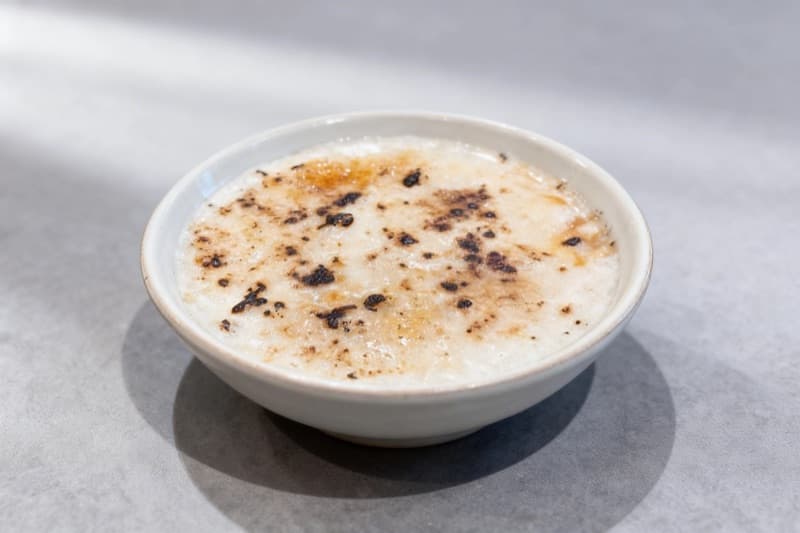
After
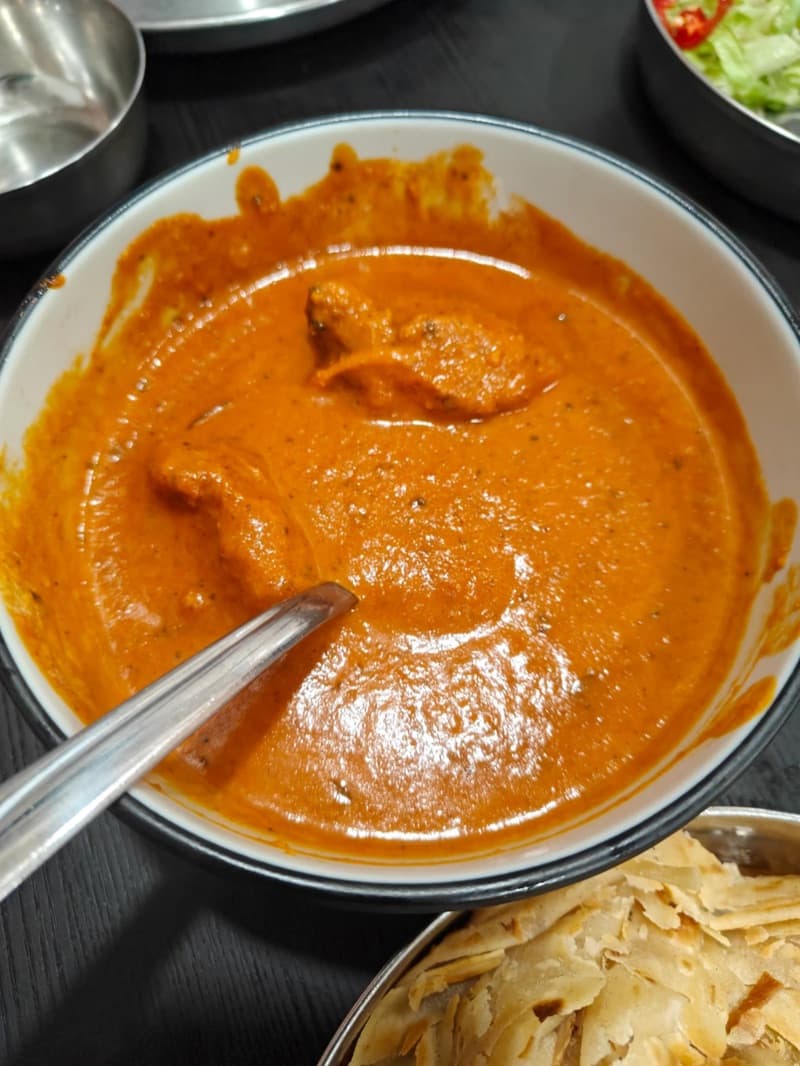
Before
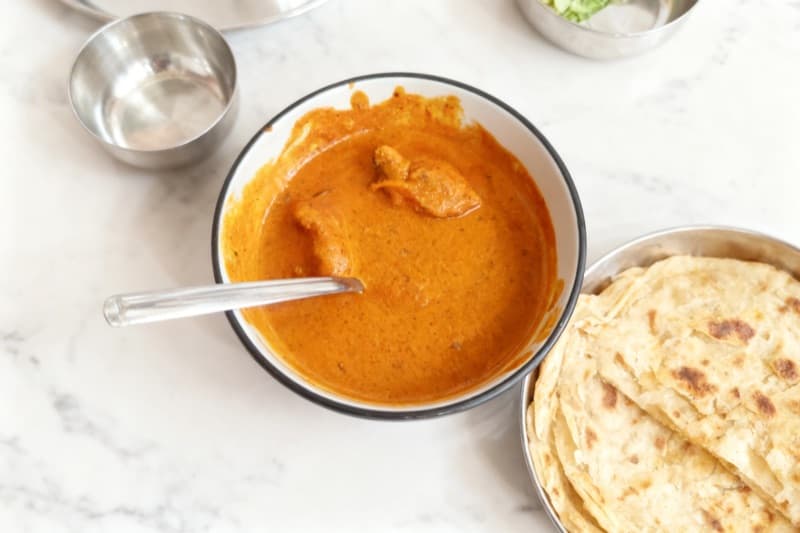
After
| Market share | 25.2% of UK delivery occasions in 2024 (Lumina Intelligence) |
|---|---|
| Customers | Not published by Just Eat |
| Partners | 356,000 connected partners worldwide (Just Eat Takeaway.com, February 2025) |
| Commission | Not published by Just Eat |
| Average order | €29.32 in the UK and Ireland in 2024 (Just Eat Takeaway.com) |
| Menu photo | Not published by Just Eat; 4:3 landscape (dish photos); 2:1 landscape (header) |
Why Just Eat Matters for Your Restaurant
Just Eat is one of the original food delivery marketplaces, founded in Denmark in 2001 and now a household name in the United Kingdom. Following the 2020 merger with Takeaway.com, the platform operates as Just Eat Takeaway.com. In its 2024 results, published in February 2025, the company listed 17 countries and 356,000 connected partners. In the UK and Ireland alone, Just Eat Takeaway.com reported 242 million orders and €1,387 million of revenue in 2024.
Competition from Uber Eats and Deliveroo is strong. Lumina Intelligence data shows that Just Eat had 25.2% of UK delivery occasions in 2024, down 9.2 points from 2022, and that Uber Eats led with 27.2%. Even so, Just Eat remains one of the most recognised food delivery brands in Britain. For independent restaurants and takeaways, that customer base is a large opportunity, but only if your listing is optimised to capture attention.
The challenge is visibility. With many restaurants competing in every postcode, simply being listed on Just Eat is not enough. Just Eat decides which restaurants appear first. It says that your Performance Score page shows how to improve your organic ranking, and that score covers your ratings, your cancelled orders and your menu photos. Restaurants that understand these mechanics and actively manage their presence are in a better position than those that take a passive approach.
This guide explains what Just Eat publishes about ranking, covers the platform-specific tools that many restaurant owners overlook, and gives ten actionable strategies to increase your orders. Whether you are a new partner preparing a launch or an established restaurant trying to reclaim lost ground, these tactics use Just Eat's own partner resources wherever Just Eat publishes them.
How Just Eat's Algorithm Ranks Restaurants
Understanding how Just Eat decides which restaurants appear at the top of search results is the foundation of any growth strategy on the platform. Just Eat does not publish a full list of its ranking factors today. An older Partner Blog article listed them, but that article is no longer online. What Just Eat does publish, in its partner Knowledge Centre, is the Performance Score. Just Eat says that the Performance Score page shows its recommendations for how to improve your organic ranking.
The Performance Score is a number out of 100 that you find in the Partner Hub. Just Eat bases it on five measures of customer satisfaction: your average item quality rating, your cancellation rate, the share of menu items with photos, the share of menu items with a description, and on-time opening. Each measure is in your control. Good ratings, few cancelled orders and a complete menu lift the score. Poor ratings, cancelled orders and a thin menu pull it down.
Reviews matter twice. Just Eat says that a high review rating counts towards your Performance Score, and that more positive customer reviews improve your ranking on Just Eat. Repeat customers help here, because they already know your food. Tools like StampCards give those customers a reason to order from you again.
One detail to treat with care is the boost for new restaurants. Older guides, including an earlier version of this one, said that Just Eat lifts new restaurants for the first couple of weeks and shows a "New" label. We could not find a current Just Eat page that confirms this, so do not plan around it. Just Eat also publishes no weights for its ranking factors. The weight column in the table below is our own reading, not a Just Eat figure.
| Factor | Weight | Details |
|---|---|---|
| Average Item Quality Rating | high | Just Eat counts your average item quality rating in the Performance Score. It says to aim for at least 4.3 out of 5 as a restaurant, or 4.0 as a grocery or retail business. Just Eat also says that more positive customer reviews improve your ranking. |
| Cancellation Rate | high | Just Eat asks you to keep cancelled orders below 1.3%. It suggests that you adjust your delivery times and delivery radius in the Partner Hub, or take yourself offline for a short time when you are too busy. |
| Items with Photos | high | Just Eat recommends good quality photos on 80% of your total menu. The more photos you upload, the more this measure adds to your score. Just Eat also says that items with images go into baskets four times more often. |
| Items with a Description | high | Part of the score is the number of menu items with a clear description. Just Eat says restaurants should aim for 71% or more of the menu, and grocery or retail partners for 77%. |
| On-Time Opening | high | Just Eat scores whether you open at the hours that you list. Keep your business hours up to date in the Partner Hub, and stick to those hours. |
| TopRank (Paid) | medium | TopRank is Just Eat's advertising tool. Just Eat says it gives you an added boost on top of your organic ranking. Placements are sold by auction, so a position is not guaranteed. |
Beyond the five measures, Just Eat gives advice for busy periods. It says that going offline for a short time in the Partner Hub is much better than rejecting orders. It also says that adding time to live orders may affect your Performance Score. If you do not acknowledge an order within five minutes, Just Eat rejects it automatically and takes your restaurant offline. So set realistic order times before the rush, not during it.
Just Eat does not publish how it weighs newer and older reviews. Your review score appears in the Partner Hub as a score out of five for food and delivery. Steady work on food quality and packaging is the realistic path to a better score. Just Eat also does not publish how distance to the customer, order volume or a customer's order history change the order of the list.
The link between organic ranking and TopRank is also worth understanding. Just Eat says that TopRank gives you an added boost on top of your organic ranking, so it does not replace that ranking. To climb further, Just Eat says you can raise your bid or follow the recommendations on your Performance Score page. That makes organic work the essential foundation before you pay for visibility.
10 Proven Ways to Increase Your Just Eat Orders
1.Master Your Just Eat Performance Score
Your Performance Score is the clearest ranking signal that Just Eat publishes, and you control every part of it. Just Eat shows it in the Partner Hub as a number out of 100. The score is based on five measures of customer satisfaction. Just Eat also says that the Performance Score page shows its recommendations for how to improve your organic ranking. So this page is the best place to start.
The first two measures are about service. The first is your average item quality rating. Just Eat says restaurants should aim for at least 4.3 out of 5. Better food and better packaging bring better ratings. The second is your cancellation rate. Just Eat asks you to keep cancelled orders below 1.3%. If an ingredient runs out, switch the item off in the Partner Hub before an order arrives. If the kitchen cannot keep up, Just Eat suggests that you adjust your delivery times and delivery radius, or take yourself offline for a short time.
The next two measures are about your menu. Just Eat recommends good quality photos on 80% of your total menu, and says that the more photos you upload, the more they add to your score. Just Eat also says restaurants should aim for a clear description on 71% or more of the menu. Both measures are quick wins. You can fix them in a few days with no change to how your kitchen works.
The fifth measure is on-time opening. Keep your business hours up to date in the Partner Hub, and open when you say you will. For the quality rating, remember that customers rate what arrives, not what leaves the pass. Invest in packaging that keeps food hot and tidy in transit. Sealed containers, insulated bags, and separate bags for hot and cold items all help.
To check your score, open the Partner Hub, go to the Analytics tab and click Performance. Just Eat shows where you perform well and where you can improve. Just Eat also says that adding time to live orders may affect your Performance Score, so set realistic order times before Friday and Saturday peaks. Review the page every week and fix your weakest measure first. Small gains on each measure add up.
5 measures[3]
Just Eat scores you out of 100 on five measures of customer satisfaction (Knowledge Centre, June 2025)
2.Add Professional Photos to Every Menu Item
Just Eat publishes clear figures on menu photos. It says that items with images go into baskets four times more often, and that an item with a photo gets on average 16% more orders. These figures are about items with images, not about professional photos in particular. Even so, some restaurants on Just Eat still list menu items with no photo at all, which leaves an advantage for those that add them.
Just Eat publishes a short list of photo rules in its partner centre. Dish photos use a 4:3 landscape ratio and fill the frame with no borders. The header image uses a 2:1 landscape ratio. Photos must be well lit and in focus, show the product exactly as it is served or sold, and have no people, hands or text over the dish. Use photos that you own. Just Eat does not publish a pixel size, a file format or a file size limit for dish photos.
The content guidelines reflect what performs best on the platform. Each image should show a single dish shot from an angle that reveals all individual components. A chicken tikka masala, for example, should show the curry in a bowl with visible pieces of chicken, a vibrant sauce colour, and a garnish of fresh coriander, rather than a flat overhead shot where the ingredients are hidden beneath the surface. The goal is to help customers understand exactly what they will receive.
For restaurants with large menus, prioritise photographing your top-selling items and any high-margin dishes first. Even partial photo coverage dramatically improves your menu's visual appeal and increases average basket size, as customers browsing a menu with some photos are more likely to add additional items that catch their eye. Many restaurant owners report that adding photos to their top 20 items drives noticeable order increases within the first week.
AI-powered food photography tools like MenuPhotoAI can transform your existing food photos into professional images in the 4:3 shape that Just Eat asks for. Rather than hiring a photographer for hundreds of pounds or attempting DIY shots with inconsistent lighting, AI enhancement produces studio-quality results from smartphone photos in minutes, making it feasible to photograph your entire menu without closing your kitchen for a photo shoot.
4x[1]
Just Eat says items with images go into baskets four times more often (Knowledge Centre, September 2026)
3.Activate StampCards to Build Customer Loyalty
StampCards is Just Eat's built-in loyalty programme, and it is one of the most underused tools available to restaurant partners. The concept is straightforward: customers collect a stamp with every order from your restaurant, and after collecting five stamps, they receive a discount on their sixth order. Each stamp is worth 10% of the order value, excluding fees and charges, so the reward scales with spending. According to Just Eat's Knowledge Centre (updated December 2025), opted-in partners have seen up to 14% revenue growth in the first month and 21% more orders on average. Just Eat also says you could gain up to 17% more returning customers per month.
What makes StampCards particularly valuable is that it is free to join and operates within the Just Eat ecosystem. You pay for the discount only when a customer places the sixth order. When you opt in, you agree to take part for at least 3 months. Customers see their stamp progress directly in the app, which creates a psychological incentive to order from your restaurant again rather than trying a competitor. The rewards earned at your restaurant can only be redeemed at your restaurant, ensuring that the loyalty benefit flows directly back to your business.
Setting up StampCards takes minutes in the Partner Hub. Once you opt in, Just Eat handles the tracking and applies the discount automatically, so you do not need to do anything at the counter. Just Eat says StampCards customers receive a dedicated set of marketing emails and push messages with your business name and logo. That is marketing you do not pay for, and it brings customers back to your listing. In the Partner Hub you can track the value of StampCards orders and the number of stamps collected.
The strategic value of StampCards extends beyond direct revenue. Repeat customers already know and trust your food, so they are more likely to leave good reviews. Just Eat says that more positive customer reviews improve your ranking, and that a high review rating counts towards your Performance Score. Just Eat does not publish how repeat orders or a customer's order history affect ranking, so treat StampCards as a loyalty tool first and a ranking tool second.
To maximise StampCards effectiveness, promote the programme within your packaging. Include a small card or sticker with orders reminding customers that they are earning stamps toward a free reward. This offline touchpoint reinforces the digital loyalty loop and can meaningfully increase participation rates. Some restaurant partners also time their StampCards activation to coincide with a new menu launch, using the loyalty incentive to drive trial of new dishes.
Up to 14%[4]
Revenue growth in the first month for opted-in StampCards partners, according to Just Eat (December 2025)
4.Invest Strategically in TopRank
TopRank is Just Eat's advertising tool. Just Eat says it gives your restaurant an added boost on top of your organic ranking. Organic ranking takes time to build, but TopRank adds visibility as soon as a campaign is live. Just Eat's TopRank FAQ (updated December 2025) says that any partner with at least 30 days on the platform can start a campaign. That makes TopRank a useful way to drive extra orders, provided you set a clear budget.
The current version of TopRank (Just Eat's guide, updated May 2026) works on a daily budget. You set the amount you want to spend per day, and Just Eat suggests a budget based on your local market. Just Eat says TopRank may spend up to twice your daily budget on a busy day, but your average daily spend over time does not exceed the budget you set. You also set the maximum amount you will pay for a single order. Automatic bidding then bids for placements within that limit, or you can bid manually. There is no fixed term. Just Eat says a campaign lasts for as long as you keep it switched on.
The key to profitable TopRank spend is that it adds to your organic performance and does not replace it. Just Eat sells placements by auction, and says your placements are not guaranteed unless your bids win them. Placements include fixed positions in search results, the homepage and category pages. So improve your organic ranking first. If your ratings are low or your menu lacks photos, customers may view your menu and still not order, and your budget brings a poor return.
Time your TopRank campaign around your own busy periods. Just Eat lets you run a campaign all the time or only on the days and times you choose. Many takeaways are busiest on Friday and Saturday evenings, but check the hourly insights in your Partner Hub analytics to find your own peaks. You can also choose your audience: all customers, or only new customers who have not ordered from you before. And you can choose the delivery areas that matter most to your business.
Track your TopRank results in the Partner Hub. Just Eat shows total spend, revenue, return on ad spend (ROAS), average cost per order, total orders and menu views. If menu views are high but orders are low, the issue is likely your menu listing itself, whether that is missing photos, unclear descriptions, or pricing that does not match customer expectations. Use the data to improve your listing before you raise your budget.
Up to 2x[5]
TopRank may spend up to twice your daily budget on one day; Just Eat says your average daily spend stays within the budget (May 2026)
5.Write Detailed, Appetising Menu Descriptions
On Just Eat, your menu description is often the deciding factor between a customer adding an item to their basket or scrolling past it. Unlike dine-in menus where a server can explain dishes, your written descriptions must do all the selling. Yet many restaurants on the platform still list items with minimal detail, such as "Chicken Curry - £8.99" with no further information. This is a missed opportunity. Just Eat counts items with a description in your Performance Score, and says restaurants should aim for 71% or more of the menu.
Effective Just Eat menu descriptions follow a specific formula: lead with the protein or hero ingredient, describe the cooking method, list key flavour profiles or sauces, and mention any notable accompaniments. For example, rather than "Lamb Kebab," write "Tender chargrilled lamb kofta seasoned with cumin and fresh mint, served in warm flatbread with crisp salad, pickled red onion, and creamy garlic sauce." The second description gives the customer a vivid mental picture of what they will receive and justifies the price point.
Just Eat's search functionality also means that detailed descriptions improve your discoverability. When a customer searches for "grilled chicken" or "vegan burger," the platform scans menu item names and descriptions. Restaurants whose descriptions include relevant terms naturally appear in more search results. Think about the words your customers would use to search for your food and incorporate those terms naturally.
Portion size and dietary information are particularly important on Just Eat, where customers cannot see the dish in person. Specify whether a curry serves one or two people, note if a dish is gluten-free or suitable for vegetarians, and mention spice levels. These details reduce uncertainty, which reduces abandoned baskets and increases order confidence. Just Eat's Partner Centre allows you to tag items with dietary labels, and using these tags ensures your dishes appear when customers filter by dietary preferences.
Review your menu descriptions quarterly and update them based on customer feedback. If you notice a dish consistently receives comments about being smaller than expected or spicier than anticipated, adjust the description to set accurate expectations. Menu descriptions that align with the actual delivery experience reduce negative ratings and encourage repeat orders. The Partner Hub analytics can help you identify which items have high view rates but low conversion, signalling that the description or photo is not compelling enough to close the sale.
6.Manage Peak Hours to Protect Your Performance Score
Busy periods are when your Performance Score is most at risk. Just Eat asks you to keep cancelled orders below 1.3%, and it says that adding time to live orders may affect your score. If you do not acknowledge an order within five minutes, Just Eat rejects it automatically and takes your restaurant offline. So an overwhelmed kitchen costs you twice: unhappy customers now, and a weaker score later. Your busiest periods, when demand is highest, are exactly when you risk losing ground.
The solution is proactive capacity management through your Partner Hub settings. Before peak periods, adjust your minimum order time to reflect realistic preparation capabilities. If your standard prep time is 30 minutes but Friday evenings typically push it to 45 minutes, update the setting before the rush begins rather than adding time to individual orders after customers have already placed them. Customers are far more tolerant of a listed 45-minute wait time than they are of receiving a notification that their 30-minute order has been delayed.
Just Eat's Partner Hub app allows you to toggle menu items on and off in real time. If you run out of a popular ingredient during service, deactivate that item immediately rather than rejecting orders when they come in. If the kitchen is overwhelmed, Just Eat says it is much better to go offline for a short time in the Partner Hub than to reject orders. Building a simple prep checklist that your kitchen team reviews before each peak service, confirming stock levels for high-demand items, prevents unnecessary rejections.
Consider your staffing model during peak delivery hours. Many restaurants optimise staffing for dine-in service but understaff for delivery preparation. Check the hourly insights in your Partner Hub analytics to see when your own orders peak. Having dedicated staff for packing and quality-checking delivery orders during these windows reduces preparation times and minimises errors that lead to negative ratings.
The "On its way" button is another peak-hour tool that many restaurants neglect. Just Eat says to tap it when your driver sets off, so that the customer knows the order has left. Just Eat says this brings more positive customer reviews, which improve your ranking, and fewer calls asking where the food is. It is not one of the five Performance Score measures, but it costs nothing. Train your staff to make this a mandatory step in the dispatch process, not an afterthought.
7.Use the Just Eat Offer Finder for Targeted Promotions
Just Eat's Offer Finder is a recommendation tool that you reach from the Partner Hub. Just Eat says it gives personalised recommendations to help you select the right promotional campaigns for your business. Rather than guessing which discount or offer might work, you start from a recommendation that fits your restaurant, and you can set the offer up in a few minutes.
Just Eat lists four types of offer: a full menu discount, an item discount, a 2-for-1, and a free item with a minimum spend that you set. Each type serves a different strategic purpose. Percentage discounts are effective for increasing order frequency and attracting price-sensitive customers, while free item promotions tend to increase average order value because customers spend more to reach the qualifying threshold. For a full menu discount, Just Eat recommends at least 20% off with a minimum spend of £20, and says partners see up to 35% more orders with this offer, on average.
Timing your promotions strategically adds to their impact. Just Eat runs weekly promotions, including "Cheeky Tuesday" (20% off for your customers every Tuesday) and "Freebie Friday" (a free item offer every Friday). Joining these promotions means your offer benefits from Just Eat's own marketing. Just Eat says it advertises Freebie Friday on the app and website, and that it promotes Cheeky Tuesday menus locally through email and online marketing. Just Eat also suggests that you run an offer on at least five days of the week, and says two weeks is the average length for an offer.
Monitor the profitability of each promotion carefully using Partner Hub analytics. Calculate your cost per incremental order by comparing order volumes during promotional and non-promotional periods. A 15% discount that generates a 40% increase in orders is likely profitable even after accounting for the margin reduction, but a 25% discount that only generates a 10% increase may not justify the cost. The Offer Finder helps you find this balance with a recommendation for your own business.
Be strategic about which menu items you include in promotions. Featuring high-margin items like sides, drinks, and desserts as free add-ons costs you less than discounting your core mains. Similarly, offering a percentage discount with a minimum order value of £20 or more tends to push customers toward ordering an additional item they might not otherwise have added, increasing your total basket value even after the discount is applied.
Up to 35%[7]
More orders, on average, with at least 20% off and a £20 minimum spend, according to Just Eat (October 2025)
8.Prepare Your Listing Before You Launch
Older guides say that Just Eat gives a new restaurant a temporary ranking boost and a "New" label on its listing. We could not find a current Just Eat page that confirms this, and Just Eat does not publish the detail. So do not count on a boost. What is certain is that your first weeks produce your first ratings and your first Performance Score, and many restaurants go live before their listing is ready. Treating your Just Eat launch with the same planning you would give a physical restaurant opening can set the direction for your time on the platform.
Before you activate your listing, ensure every element is polished. Upload professional photos for at least your top 20 menu items, in the 4:3 landscape ratio that Just Eat asks for. Write detailed, appetising descriptions for every item. Set realistic preparation times that your kitchen can consistently meet. Verify that all dietary labels and allergen information are accurate. Test the ordering flow yourself to catch any issues with item modifiers, pricing, or availability settings.
In your first weeks, your primary objective is to earn positive reviews and build order volume. Consider running an introductory offer, such as a discount on first orders or a free side with every order. Just Eat lets you set up an offer for new customers only, which suits a launch because every customer is new to you. Just Eat says that more positive customer reviews improve your ranking, so the ratings you earn early matter. Aim for an item quality rating of at least 4.3 out of 5, the level that Just Eat names for restaurants.
Operationally, staff your kitchen for delivery orders from the first day. Cancelled orders and late orders during your launch count against you from the start, when you have few good orders to balance them. Brief your team on the importance of the launch period and ensure everyone understands the "On its way" button and your packaging standards.
After the first month, watch your analytics closely for any drop in order volume. Just Eat says that a partner with at least 30 days on the platform can start a TopRank campaign. This is the point where the strategies in this guide, from StampCards to TopRank, become useful for maintaining momentum. A good launch gives you a head start, but sustained growth requires ongoing optimisation.
9.Build a Proactive Ratings and Reviews Strategy
Just Eat shows your review score in the Partner Hub as a total score out of five for food and delivery. Just Eat says that a high review rating counts towards your Performance Score, and that more positive customer reviews improve your ranking. For the item quality rating, Just Eat says restaurants should aim for at least 4.3 out of 5. Just Eat does not publish how it weighs newer and older reviews, so plan for steady work and not for a quick fix. That is still good news for restaurants willing to put in the work.
The most effective way to improve food ratings is to focus on the moment of delivery rather than just the moment of cooking. Food that tastes excellent in your kitchen but arrives lukewarm, poorly presented, or with mixed-up items will receive low ratings. Invest in packaging that maintains temperature: foil-lined bags for hot items, sealed containers that prevent leaking, and separate bags for items that should stay crisp rather than steaming next to a hot curry. These packaging improvements typically cost pennies per order but can shift your average food rating by half a star.
Address negative reviews promptly and professionally. Just Eat's Partner Hub allows you to view and respond to customer feedback. While you cannot remove negative reviews, a thoughtful response that acknowledges the issue and explains what you have done to fix it demonstrates to both the reviewer and future customers that you take quality seriously. Many customers who had a single bad experience will reorder if they feel their feedback was heard.
Encourage reviews by including a small thank-you note in your delivery packaging. A simple message like "Thank you for ordering from us! We would love to hear your feedback on Just Eat" gently prompts satisfied customers to leave a rating. Most customers only leave reviews when they are unhappy, so a polite reminder nudges the satisfied majority to balance out the occasional negative experience.
Track your rating trends in Partner Hub analytics and correlate them with operational changes. If your ratings dipped after introducing a new delivery packaging supplier, or improved after extending your preparation time during peak hours, these insights help you identify which changes have the most impact. Focus on maintaining a consistent upward trajectory rather than chasing a perfect score.
10.Use Partner Hub Analytics to Make Data-Driven Decisions
The Just Eat Partner Hub is far more than an order management tool. Its built-in analytics suite provides restaurant-specific data that, when used consistently, removes the guesswork from menu optimisation, staffing decisions, and marketing investment. Yet many restaurant partners only use the Hub to accept orders and never explore the performance insights available to them.
The real-time dashboard shows your daily revenue, order volume, and latest customer reviews at a glance. Make it a habit to check this dashboard at the start of each day and again after the evening rush. Spotting a dip in order volume early allows you to investigate whether it is caused by an operational issue, a competitor's promotion, or a broader market trend before it compounds over multiple days.
The performance insights section provides your Performance Score breakdown and personalised recommendations. These recommendations are generated by Just Eat's algorithms based on your restaurant's specific data patterns, making them more actionable than generic advice. If the system identifies that your rejection rate spikes on Sunday lunchtimes, it will recommend adjusting your availability settings for that period. If your ratings drop on specific menu items, it will flag those dishes for review. Following these personalised recommendations is one of the easiest paths to ranking improvement because the suggestions are already calibrated to your situation.
Sales trend data reveals which days and time slots generate the most revenue, which menu items are your highest sellers, and how your average order value changes over time. Use this data to inform your promotional strategy: running offers during your slowest periods can smooth out revenue peaks and troughs, while a TopRank campaign scheduled for your naturally busiest periods can add to the return from paid visibility.
Cross-reference your Just Eat analytics with your own kitchen operations data. If a dish shows high views but low order conversion in the Hub, it likely needs better photography or a more compelling description. If a dish has high order volume but disproportionately poor ratings, there may be a quality or packaging issue specific to delivery. The Partner Hub gives you the customer-facing data; combining it with your kitchen-side knowledge creates a complete picture for optimisation decisions.
Set monthly review sessions to analyse your Just Eat performance trends. Compare month-over-month order volume, average order value, rating scores, and TopRank return on ad spend. This regular cadence prevents you from reacting to daily fluctuations while ensuring you catch and address longer-term trends before they affect your ranking.
Better menu photos from your own phone photos
MenuPhotoAI turns a photo of your own dish into a professional menu image in minutes. You decide where to use it. Start with 5 free photos (watermarked), no credit card required.
Try MenuPhotoAI FreeJust Eat Photo Requirements
| Minimum resolution | Not published by Just Eat |
| Aspect ratio | 4:3 landscape (dish photos); 2:1 landscape (header) |
| Max file size | Not published by Just Eat |
| Accepted formats | Not published by Just Eat |
| Photos per item | 1 per menu item |
| Hero/cover image | 2:1 landscape; pixel size not published |
Photos must be well lit and in focus, show the product exactly as it is served or sold, and have no people, hands or text over the dish. Fill the frame and leave no borders. Use photos that you own. Just Eat does not publish a pixel size, a file format or a file size limit for dish photos, and it publishes no rule about AI images. Checked against the Just Eat partner centre in October 2026.
Full rules and sources: photo requirements guide. Choosing a tool: AI food photos on Deliveroo and Just Eat: what is allowed.
Photography is the single highest-impact change most Just Eat restaurants can make to increase their orders, and the platform's own data confirms this emphatically. Just Eat says that items with images go into baskets four times more often, and that an item with a photo gets on average 16% more orders. It also says that 42% of customers try a new restaurant because of the photography. These are not marginal improvements; they represent a fundamental shift in how customers interact with your listing.
The reason photography matters so much on Just Eat specifically comes down to the platform's browsing experience. When a customer opens the app and scrolls through restaurants, the first thing they see is your restaurant's hero image and the top items on your menu. Listings with professional photos immediately stand out against text-only competitors, capturing attention in the crucial first few seconds of browsing. Once a customer opens your menu, items with photos command attention over those without, directing spending toward your photographed dishes.
Just Eat's image guidelines are short, and they work in your favour if you follow them. Just Eat asks you to use photos that you own, to show the product exactly as it is served or sold, and to leave out people, hands and text over the dish. A photo that follows these rules shows the food that the restaurant really serves, which builds customer trust. That makes the visual a powerful conversion tool.
The 4:3 landscape ratio is the detail that many restaurants get wrong. Most phone cameras shoot 4:3 by default, so hold the phone sideways, fill the frame with the dish and leave no borders. Keep the dish in the centre, so that it stays whole if a view crops the edges.
For restaurants on a budget, AI-powered tools like MenuPhotoAI offer a practical solution to the photography challenge. Rather than investing £500-£1,500 in a professional food photographer, which may need to be repeated every time you update your menu, AI enhancement can transform well-lit smartphone photos into images in the 4:3 shape that Just Eat asks for. The turnaround is minutes rather than days, making it feasible to photograph new menu additions or seasonal specials immediately rather than waiting for the next scheduled photo shoot.
Consider the compound effect of full photo coverage. When every item on your menu has a professional image, customers spend more time browsing, add more items to their basket, and develop higher confidence in the quality of your food. This translates into higher average order values, better conversion rates, and stronger algorithmic ranking, creating a self-reinforcing cycle of improved visibility and revenue growth.
4x[1]
Just Eat says items with images go into baskets four times more often (Knowledge Centre, September 2026)
Just Eat Promotion Tools
TopRank
Daily budget and maximum bid per order (set by restaurant)Just Eat's advertising tool. You set a daily budget and a maximum bid per order, and Just Eat sells placements by auction, so a position is not guaranteed. You can target all customers or new customers only, and choose your delivery areas and schedule. Just Eat says partners can start after 30 days on the platform.
StampCards
Free to activate (restaurant funds the 6th order discount)Built-in loyalty programme where customers collect a stamp with every order. After 5 stamps, they receive a discount on their 6th order worth 10% of each qualifying order. Free to join for restaurants, with a minimum of 3 months. Just Eat says partners have seen up to 14% revenue growth in the first month and 21% more orders on average.
Offer Finder
Free tool (restaurant funds the offers themselves)Recommendation tool that you reach from the Partner Hub. Just Eat says it gives personalised recommendations to help you select the right promotional campaigns for your business. Just Eat lists four offer types: full menu discount, item discount, 2-for-1 and free item.
Percentage Discount Offers
Restaurant funds the discount (Just Eat recommends at least 20% off)Run percentage-off promotions (e.g., 20% off orders over £15) that appear on your listing, or join Just Eat promotions like Cheeky Tuesday (20% off every Tuesday). Just Eat says it promotes Cheeky Tuesday menus locally through email and online marketing.
Free Item Promotions
Restaurant funds the free item costOffer a free item (such as a drink or side) when customers spend over a minimum threshold. Effective for increasing average order value as customers spend more to qualify. Just Eat advertises its Freebie Friday free item offer on the app and website.
Just Eat+ Membership
Not published by Just EatJust Eat+ is a customer membership with free delivery, launched in July 2025. The Grocer reported that it costs £5.99 for 90 days and covers all restaurants and shops on the platform. We found no Just Eat partner page on what it changes for a restaurant, so ask Just Eat what applies to you.
Common Mistakes to Avoid
Launching on Just Eat without menu photos
Going live without photos wastes your first weeks on an unoptimised listing. Just Eat says items with images go into baskets four times more often, and it counts photos in your Performance Score. Launching without images leaves orders on the table when first impressions matter most.
Rejecting orders instead of managing availability
Rejecting an order when you run out of an ingredient disappoints the customer. Just Eat asks you to keep cancelled orders below 1.3%, and says going offline for a short time is much better than rejecting orders. Use the Partner Hub to toggle item availability off in real time instead. Proactive stock management prevents most of these orders.
Setting unrealistic preparation times
Listing a 25-minute preparation time when your kitchen regularly takes 40 minutes during peak hours leads to late orders and negative reviews. Just Eat says that adding time to live orders may affect your Performance Score. Set honest preparation times in the Partner Hub and adjust them upward before peak periods.
Ignoring the Performance Score dashboard
Many restaurant partners never check their Performance Score or act on the personalised recommendations in Partner Hub. This is free, data-driven advice tailored to your specific patterns. Not using it is like ignoring a consultant who works for free.
Running TopRank before fixing fundamentals
Paying for extra visibility when your menu lacks photos, descriptions are thin, or your ratings are poor brings menu views but few orders. Just Eat says TopRank is a boost on top of your organic ranking. Fix your organic listing first, then use TopRank to amplify a strong foundation.
Not activating StampCards
StampCards is free to join, and Just Eat reports up to 14% revenue growth in the first month for opted-in partners. Every day without StampCards active is a day without a loyalty tool driving repeat orders. You fund the discount only on the sixth order.
Neglecting the "On its way" button
Just Eat says that tapping "On its way" when your driver sets off brings more positive customer reviews and fewer calls asking where the food is. Skipping it throws that away. It takes seconds per order and should be a mandatory part of your dispatch process.
Your Action Checklist
Listing Optimisation
- Upload professional photos for all menu items (4:3 landscape, no borders)
- Write detailed descriptions for every item including ingredients, cooking method, and portion size
- Add dietary labels and allergen information to all applicable items
- Set a compelling hero image for your restaurant profile (2:1 landscape)
- Verify all prices are current and competitive for your area
- Ensure menu categories are logically organised and easy to browse
Performance Score
- Check your Performance Score daily in the Partner Hub app
- Set realistic minimum order times that match actual kitchen capacity
- Adjust preparation times upward before Friday/Saturday peak periods
- Train all staff to press "On its way" for every delivery order
- Toggle off menu items immediately when ingredients run out
- Keep cancelled orders below 1.3%, the level that Just Eat asks for
- Keep your opening hours up to date and open on time
Marketing & Promotions
- Opt in to StampCards in the Partner Hub (free to join, minimum 3 months)
- Use the Offer Finder tool to identify recommended promotional campaigns
- Align your promotions with Just Eat events (Cheeky Tuesday, Freebie Friday)
- Set up a TopRank campaign with a small daily budget once you have 30 days on Just Eat
- Track promotional ROI in Partner Hub analytics monthly
Ratings & Reviews
- Respond to all negative reviews in the Partner Hub within 24 hours
- Include a thank-you note in delivery packaging encouraging ratings
- Invest in quality delivery packaging that maintains food temperature
- Separate hot and cold items in packaging to preserve quality
- Review rating trends monthly and correlate with operational changes
Analytics & Ongoing Optimisation
- Review Partner Hub real-time dashboard at the start of each day
- Act on personalised recommendations from the performance insights section
- Analyse which menu items have high views but low conversion (need better photos/descriptions)
- Track average order value trends and adjust menu pricing or bundling accordingly
- Conduct monthly performance reviews comparing orders, ratings, and revenue trends
Key Takeaways
- -Just Eat does not publish a full list of ranking factors. It does say that your Performance Score page shows its recommendations for how to improve your organic ranking.
- -Just Eat says items with images go into baskets four times more often, and that an item with a photo gets on average 16% more orders. That makes photos one of the highest-impact changes for most restaurants.
- -Your Performance Score is a number out of 100, built on five measures: item quality rating (aim for 4.3 out of 5), cancelled orders (below 1.3%), items with photos (80% of the menu), items with a description (71%) and on-time opening.
- -StampCards is free to join. Just Eat says opted-in partners have seen up to 14% revenue growth in the first month, 21% more orders on average and up to 17% more returning customers per month.
- -Just Eat does not publish a boost for new restaurants. Launch with a fully optimised listing and an introductory offer, because your first weeks produce your first ratings.
- -TopRank is Just Eat's advertising tool. Placements are sold by auction and are not guaranteed, and Just Eat says TopRank is a boost on top of your organic ranking. Fix fundamentals first.
- -Use the Offer Finder in the Partner Hub for personalised promotional recommendations, and time your offers to align with Just Eat promotions such as Cheeky Tuesday and Freebie Friday.
- -Partner Hub analytics provide personalised, actionable recommendations based on your restaurant's specific data. Check it daily and act on the insights.
Frequently Asked Questions
Better menu photos from your own phone photos
MenuPhotoAI turns a photo of your own dish into a professional menu image in minutes. You decide where to use it. Start with 5 free photos (watermarked), no credit card required.
Try MenuPhotoAI FreeSources
- [1] Just Eat says items with images get added to baskets four times more often, an item with a photo receives an average of 16% more orders, and 42% of customers try a new restaurant because of the photography. Page updated 1 September 2026. Just Eat Knowledge Centre - Photos on Menu. Accessed 2026-10-02.
- [2] Just Eat says TopRank gives an added boost on top of your organic ranking, and that the Performance Score page shows its recommendations for how to improve organic ranking. Any partner with at least 30 days on the platform can start a campaign. Page updated 2 December 2025. Just Eat Knowledge Centre - Grow Your Orders with TopRank. Accessed 2026-10-02.
- [3] Just Eat Performance Score is a number out of 100 based on five measures: average item quality rating (aim for at least 4.3 out of 5), cancellation rate (below 1.3%), items with photos (80% of the menu), items with a description (71% or more) and on-time openings. Page updated 23 June 2025. Just Eat Knowledge Centre - Your Performance Score. Accessed 2026-10-02.
- [4] Just Eat StampCards: each stamp is worth 10% of the order and the discount applies to the sixth order. Opted-in partners have seen up to 14% revenue growth in the first month and 21% more orders on average, and could gain up to 17% more returning customers per month. The minimum opt-in is 3 months. Page updated 2 December 2025. Just Eat Knowledge Centre - StampCards. Accessed 2026-10-02.
- [5] The new TopRank uses a daily budget, automatic bidding with a maximum bid per order, and an auction model, so placements are not guaranteed. TopRank may spend up to 2x the daily budget on one day, and the average daily spend over time does not exceed the budget. Page updated 29 May 2026. Just Eat Knowledge Centre - The New TopRank. Accessed 2026-10-02.
- [6] Just Eat Takeaway.com Full Year 2024 Results, 24 February 2025: 242 million orders, revenue of €1,387 million and an average transaction value of €29.32 in the UK and Ireland in 2024; 356,000 connected partners; operations in 17 countries. The figures are in the press release PDF on this page. Just Eat Takeaway.com Newsroom - Full Year 2024 Results. Accessed 2026-10-02.
- [7] Just Eat offers guide: the Offer Finder gives personalised recommendations. For a full menu discount, Just Eat recommends at least 20% off with a minimum spend of £20 and says partners see up to 35% more orders with this offer, on average. Page updated 13 October 2025. Just Eat Knowledge Centre - Your Guide to Running Offers on Just Eat. Accessed 2026-10-02.
- [8] Just Eat held 25.2% of UK delivery occasions in 2024, down 9.2 points from 2022. Uber Eats led with 27.2%. The UK food delivery market is forecast to reach £14.3 billion in 2025. Published 13 June 2025. Lumina Intelligence - UK Food Delivery Market Statistics 2025. Accessed 2026-10-02.
- [9] Just Eat photo requirements: 4:3 landscape dish photos with no borders and a 2:1 header. No people, hands or text over the dish. Just Eat publishes no pixel size. Just Eat Partner Info - Photos on Menu. Accessed 2026-10-02.
- [10] Just Eat launched the Just Eat+ membership in July 2025: 90 days of free delivery for a one-off payment of £5.99. Published 9 July 2025. The Grocer - Just Eat Launches Membership Scheme Offering Unlimited Free Delivery. Accessed 2026-10-02.
Guides for Other Platforms
Also see our photo requirements guide for detailed upload specifications.
This guide is reviewed and updated quarterly. MenuPhotoAI is an AI food photo enhancement platform. While we believe professional food photography helps restaurants succeed on delivery platforms, this guide aims to provide comprehensive, unbiased advice for restaurant owners regardless of the tools they use.