
Restaurant Guide
How to Get More Orders on Uber Eats
Boost Uber Eats orders with 10 proven tactics. Master the algorithm, Sponsored Listings, and Uber One to rank higher and grow your delivery revenue fast.
How to get more orders on Uber Eats
- The Uber Eats algorithm is personalized for every customer -- your ranking depends on delivery time accuracy, conversion rate, ratings, and promotional activity, not just order volume.
- Choosing the right commission plan (Lite, Plus, or Premium) is a visibility decision, not just a cost decision. Plus plan access to Uber One alone can justify the higher commission.
- Photos and descriptions on your menu items are a high-value investment. Uber reports $330 more weekly sales on average for US and Canada merchants with both on at least 70% of items in their first 7 days.
- Uber reports a median 11x return on ad spend from clicks for Sponsored Listings (Uber data, December 2025). Combine them with targeted offers to reach new customers.
- Prep time accuracy matters more than prep time speed. The algorithm penalizes inconsistency, so quote conservatively and deliver consistently.
See the difference professional photos make
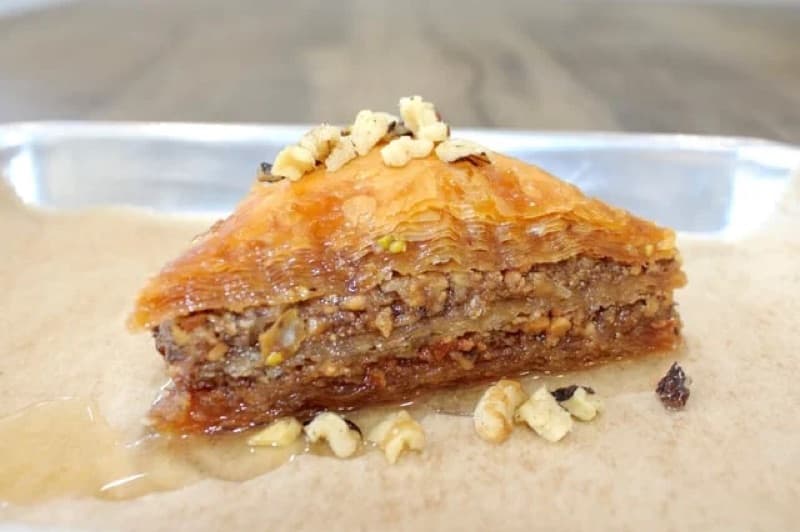
Before
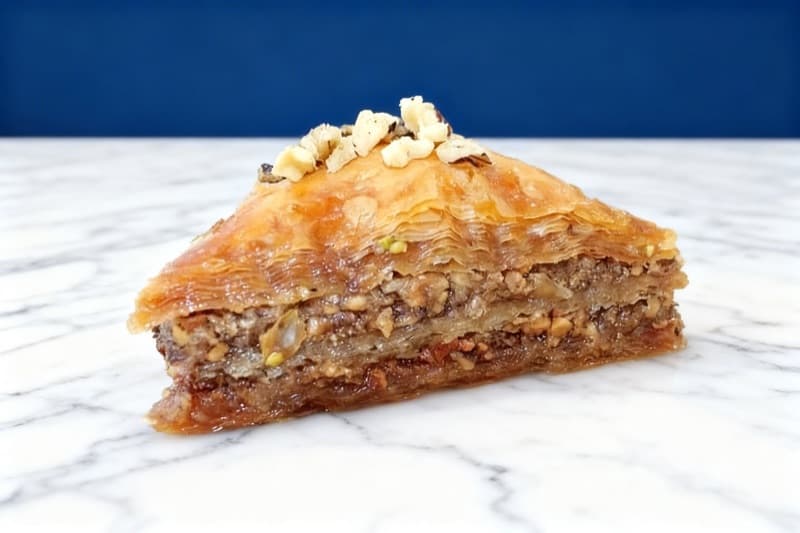
After
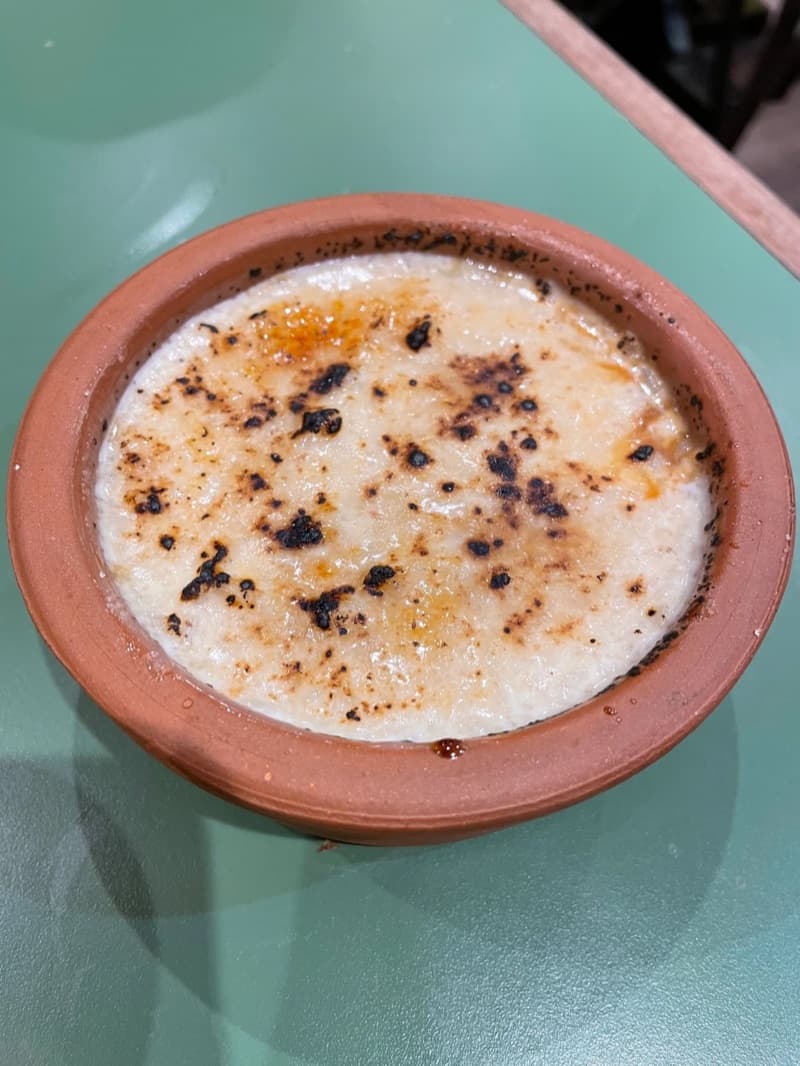
Before
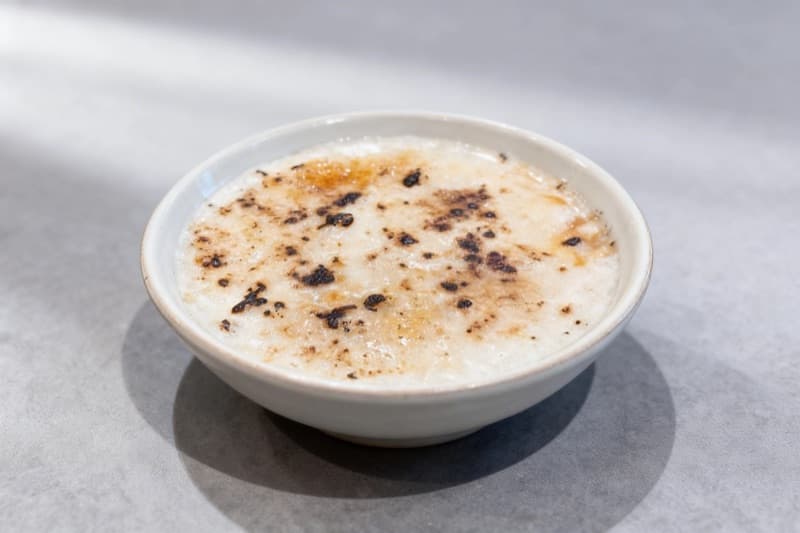
After
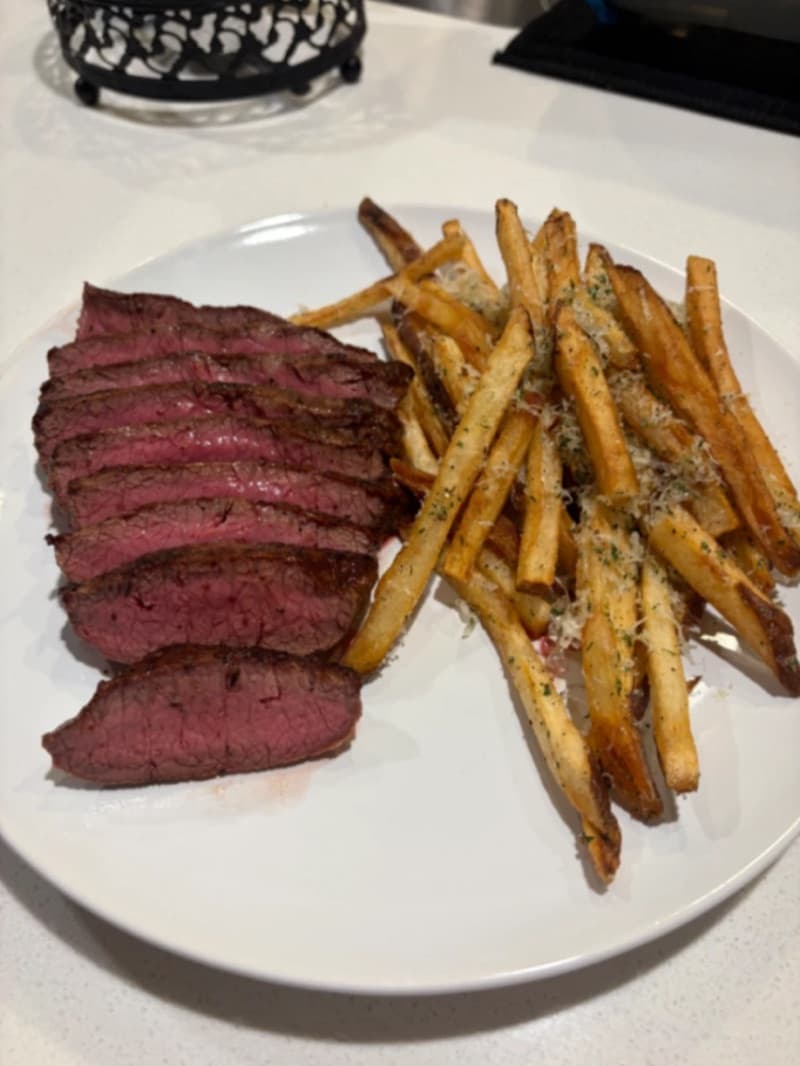
Before
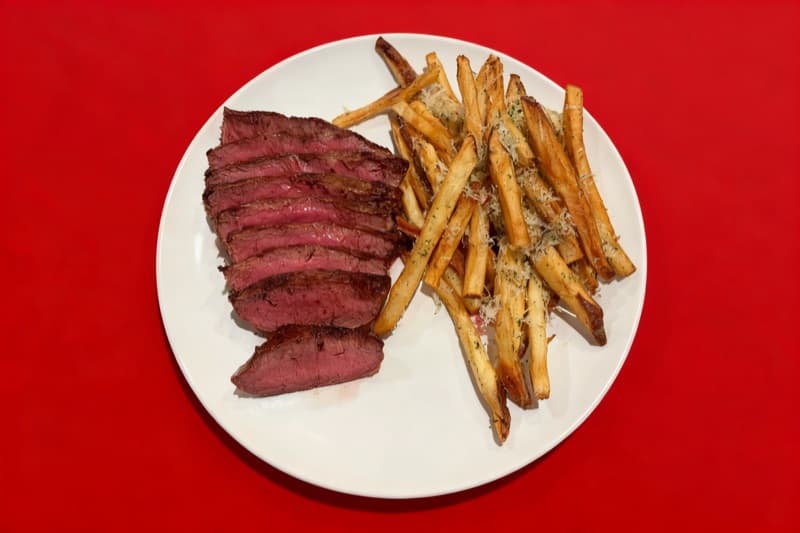
After
| Market share | 26.1% of the US food delivery market (Consumer Edge, end of 2024) |
|---|---|
| Customers | 140 million customers had a delivery in 2024 (Uber) |
| Partners | 1.5 million+ merchant partners globally |
| Commission | 20%-30% in the US, Lite to Premium (Uber, October 2026) |
| Average order | Not published by Uber Eats |
| Menu photo | 550 x 440 pixels minimum (maximum 10,000 x 10,000); 5:4 to 6:4 |
Why Uber Eats Matters for Your Restaurant
Uber Eats is the second-largest food delivery platform in the United States. Consumer Edge transaction data shows that it had 26.1% of the US food delivery market at the end of 2024, behind DoorDash. Uber says 140 million customers had something delivered with Uber Eats in 2024, from 1.5 million merchant partners in more than 11,000 cities. For restaurant owners, that scale represents an enormous revenue opportunity -- but only if your storefront is optimized to surface in the feed and convert browsers into buyers.
Unlike a physical dining room where location and foot traffic do the heavy lifting, success on Uber Eats depends on an algorithmic ranking system that weighs factors like estimated delivery time, customer ratings, conversion rate, photo quality, and promotional activity. Restaurants that understand and optimize for these signals consistently outperform competitors in the same cuisine category and delivery radius.
The economics matter too. In the US, Uber Eats lists four plans: Lite at 20%, Plus at 25%, Premium at 30% and Self-delivery at 15%. The higher plans give more visibility, more marketing tools, and access to Uber One members, the platform's most loyal customers. Choosing the right plan and then maximizing every feature within it is the difference between bleeding margin on commissions and building a profitable delivery channel.
This guide breaks down exactly how the Uber Eats algorithm works, the specific tools the platform gives you to drive orders, and the tactical steps restaurants are using in 2026 to grow delivery revenue. Every recommendation is grounded in platform-specific data and real merchant outcomes rather than generic advice that applies to any delivery app.
How Uber Eats's Algorithm Ranks Restaurants
Uber Eats uses a machine-learning recommendation engine that creates a personalized feed for every single customer. No two users see the same restaurant rankings. In a 2018 engineering post, Uber describes a UCB (Upper Confidence Bound) score for each restaurant, based on historic impressions, total clicks, and a boosting factor. Uber uses this score to give more exposure to new restaurants and to restaurants with few impressions. The UCB score, together with other ranking objectives and individual user preferences, decides the ranking order among restaurants.
The same post says that the system looks at attributes of the eater, such as how many orders the eater placed in the last month and which cuisines the eater orders most often. It also looks at attributes of the restaurant. The system also accounts for contextual signals like time of day, day of week, current traffic conditions along the delivery route, and whether the customer is an Uber One member.
Understanding these mechanics is essential because small changes in the inputs -- reducing your average prep time by three minutes, adding photos to every menu item, or running a targeted promotion during a slow daypart -- compound into significantly higher visibility. The algorithm is a feedback loop: better metrics lead to more impressions, which lead to more orders, which further improve your metrics.
| Factor | Weight | Details |
|---|---|---|
| Estimated Delivery Time | high | Uber Eats heavily prioritizes restaurants that deliver quickly. The algorithm compares your quoted prep time against your actual prep time, and penalties apply when actual times exceed estimates. It is better to quote 25 minutes and deliver in 20 than to quote 15 and deliver in 25. Consistent, accurate time estimates are rewarded with higher feed placement. |
| Customer Ratings & Order Accuracy | high | Your star rating (1-5 scale) directly impacts ranking. Uber's Top Eats criteria include a star rating of 4.8 or more and an inaccurate order rate of 3% or less. Restaurants that meet all the criteria get the Top Eats badge and premium placement in the app. The algorithm also factors in the recency and velocity of your ratings, meaning a string of recent 5-star reviews boosts you faster than a high historic average alone. |
| Conversion Rate (Click-to-Order) | high | When Uber Eats shows your restaurant to a user, does that impression lead to a click, and does the click lead to an order? Restaurants with higher conversion rates are deemed more relevant by the algorithm and receive more impressions. Professional photos, compelling item descriptions, and competitive pricing all directly improve conversion. |
| Menu Completeness & Photo Coverage | medium | Uber Eats rewards menus where every item has a photo, accurate descriptions, modifier groups for customization, and logical category organization. Items without photos convert at significantly lower rates, dragging down your overall storefront conversion and indirectly reducing algorithmic ranking. |
| Promotional & Ad Activity | medium | Uber's US pricing page says that available promotions and paid advertising can affect how discoverable a store is in the app. The main tools are Sponsored Listings, percentage-off offers, free delivery promotions, and BOGO deals. On the Premium plan, Uber matches ad spend up to $100 per month. |
| Customer Proximity & Delivery Radius | medium | The algorithm prioritizes restaurants closer to the customer, especially during high-demand hours when courier availability is stretched. Restaurants cannot control location, but they can optimize delivery radius settings in Uber Eats Manager to ensure they appear in zones where they can realistically deliver within their quoted time window. |
| Order Volume & Recency | low | Historical order volume provides a baseline confidence signal to the algorithm. New restaurants receive a temporary boost to accumulate data, but sustained ranking requires ongoing order flow. Restaurants that experience periods of inactivity (e.g., closing for vacation) may see a ranking dip upon reopening as the algorithm recalibrates. |
One often-overlooked aspect of Uber Eats' ranking system is its deep personalization layer. The algorithm maintains a preference profile for every customer, tracking their cuisine preferences, ordering frequency, price sensitivity, and whether they tend to order from new restaurants or stick to favorites. This means your restaurant might rank #3 for a customer who frequently orders your cuisine type but #30 for someone in the same neighborhood who prefers a different category entirely.
This personalization has practical implications. Running a targeted Uber One exclusive offer, for example, surfaces your restaurant to the platform's most frequent and highest-spending customers, who already have a demonstrated preference for delivery ordering. Similarly, responding to customer reviews in Uber Eats Manager increases the likelihood of repeat orders -- Uber's global data from August 2020 shows that customers who receive a store reply and a promotional offer are 23.2% more likely to return than those who receive no response.
The algorithm also penalizes operational failures. If your restaurant frequently cancels orders, has a high rate of missing items, or regularly exceeds quoted delivery times, the system will reduce your impressions. Uber Eats tracks these metrics in your Uber Eats Manager dashboard under the "Operations" tab, giving you a clear view of where your store stands relative to similar restaurants in your area.
10 Proven Ways to Increase Your Uber Eats Orders
1.Choose the Right Commission Plan for Your Growth Stage
In the US, Uber Eats lists three marketplace plans, and each one comes with different visibility trade-offs that directly impact how many customers see your restaurant. The Lite plan charges a 20% marketplace fee (15% in some cities, such as New York and Los Angeles) and lets you appear in search results, but you will not show up on the Uber Eats homepage or qualify for Uber One member benefits. The Plus plan at 25% places you in search results and the homepage feed, and gives your restaurant access to ads and offers. Plus can reach Uber One members, but Uber charges an additional 5% on Uber One orders. The Premium plan at 30% takes the highest fee, includes Uber One at no additional cost, and matches ad spend up to $100 per month. Uber also lists a Self-delivery plan at 15% for restaurants that use their own delivery staff.
For new restaurants just joining the platform, starting on Plus makes the most sense. The Lite plan saves on commission but the reduced visibility creates a chicken-and-egg problem: you need orders to build ratings and algorithmic momentum, but the reduced placement means fewer customers discover you in the first place. Plus plan restaurants appear to Uber One members, who account for a disproportionate share of order volume on the platform because they order more frequently and have higher average basket sizes thanks to the free delivery benefit removing a key friction point.
For restaurants with steady order volume on Uber Eats, the Premium plan is worth serious consideration. Uber matches Premium ad spend up to $100 per month, which can help to fund a Sponsored Listings campaign. Run the numbers on your average order value and margin. For example, take a $32 order with a 30% food cost ($9.60). On the Premium plan, the 30% fee is $9.60, which leaves $12.80 before labor and overhead. On the Lite plan, the 20% fee is $6.40, which leaves $16.00 before labor and overhead. But you may get fewer orders on Lite because of the lower visibility.
The key metric to monitor is orders per week at each tier. Use the analytics in Uber Eats Manager to track your weekly order count and revenue, then model what a tier upgrade would need to generate in additional orders to break even on the higher commission. For most restaurants, the break-even point is lower than expected because the algorithm's feedback loop means more visibility drives more orders, which drives better ratings, which drives even more visibility.
Also consider pickup orders. All US plans charge a 7% pickup fee if you prove that your pickup prices match your in-store prices, and 10% if you do not. If a significant portion of your Uber Eats business is pickup rather than delivery, the tier difference matters less for those transactions, making the Premium plan's delivery visibility boost a better relative value.
7%[2]
Pickup fee on all US plans with validated in-store pricing (10% without)
2.Add Professional Photos to Every Single Menu Item
On Uber Eats, the visual presentation of your food is the single most important conversion factor after price. When a customer scrolls through their personalized feed, they see your restaurant's cover photo first, followed by individual item photos when they tap into your menu. Items without photos get skipped over in favor of competitors who have invested in imagery. Uber reports that US and Canada merchants with photos and descriptions on at least 70% of their items in their first 7 days earned on average $330 more in sales per week.
Uber Eats has specific photo requirements that you must meet or your images will be rejected during the review process. Menu item photos must be between 550 and 10,000 pixels wide and between 440 and 10,000 pixels tall. Uber recommends an aspect ratio between 5:4 and 6:4. Cover photos are 2880 x 2304 pixels at a 5:4 ratio. Menu item photos must be in JPG, PNG or GIF format with a maximum file size of 10 MB.
Beyond the technical specs, Uber Eats has content guidelines that are strictly enforced. Every photo must show a single menu item, centered in the frame. You cannot include multiple items in one photo -- a pizza photo cannot also show a side of wings. You must own the rights to every photo that you upload, so use photos of your actual food. Photos with visible text, logos, watermarks, or promotional overlays are also rejected.
Lighting is where most restaurant owners fail. Uber Eats reviewers reject photos with strong shadows, underexposed shots, or flash-washed images. Natural daylight or a consistent artificial lighting setup produces the best results. Shoot near a window during midday, or invest in a basic two-light softbox setup for $50-80 that will pay for itself many times over in increased conversions.
Upload photos through the Menu Maker in Uber Eats Manager where you can attach images to individual items. Uber reviews photos before they go live. Uber says the review of a cover image can take up to 3 business days. It publishes no review time for item photos. Prioritize your top-selling items first, then systematically work through your entire menu. Restaurants with 100% photo coverage on their menu consistently report higher conversion rates than those with partial coverage, because even a few items without photos can cause customers to bounce to a competitor whose menu feels more complete and trustworthy.
This is where AI-powered photo enhancement tools become valuable. Rather than hiring a photographer at $300-500 per session for 15-20 dishes, you can enhance your own photos to meet Uber Eats' professional standards for a fraction of the cost, generating images that meet the exact resolution and aspect ratio requirements while achieving the clean, appetizing look the platform rewards.
$330[11]
More weekly sales on average for US and Canada merchants with photos and descriptions on at least 70% of items in their first 7 days (Uber)
3.Leverage Uber One to Reach the Highest-Value Customers
Uber One is Uber's subscription membership program, priced at $9.99 per month in the US, and it represents one of the most powerful -- yet underutilized -- tools for restaurants on the platform. Uber One members receive a $0 Delivery Fee and up to 10% off eligible orders over a minimum subtotal. Uber says Uber One members order 2x more than non-members (global Uber data for rides and delivery, October to December 2025). For restaurants, the question is straightforward: are you visible to these high-value customers or not?
On Uber's US pricing page, the Lite plan does not include Uber One. Plus reaches Uber One members for an additional 5% on Uber One orders. Premium includes Uber One at no additional cost. If you are on the Lite plan, Uber One members will not see the delivery fee waiver or discount when they view your restaurant, making you significantly less competitive against nearby restaurants that do participate. Switching from Lite to Plus specifically for Uber One eligibility is often the single highest-ROI decision a restaurant can make on the platform.
Once you are eligible, take it a step further by creating Uber One exclusive offers. In Uber Eats Manager, you can set up promotions that are only visible to Uber One members. These offers receive premium placement in the dedicated Uber One section of the app, where subscribers browse specifically for deals. A "15% off for Uber One members" offer costs less than a blanket 15% discount because it targets only the membership segment, and these customers have a higher lifetime value due to their recurring ordering behavior.
The operational benefit is also significant. Uber One members are less likely to be first-time or one-time customers. They have established accounts, saved payment methods, and a history of delivery ordering that makes them lower-risk and higher-retention. When you attract a new Uber One customer through a targeted offer, the probability of a repeat order is substantially higher than for a customer acquired through a generic promotion.
Track your Uber One performance in the Uber Eats Manager analytics dashboard. Look at what percentage of your orders come from Uber One members, and compare the average order value of member versus non-member orders. Use this comparison to check that your Uber One orders cover the higher fee on the Plus or Premium plans.
Consider timing your Uber One exclusive offers for periods when your member orders are highest. Use your own analytics to find these periods. Running a targeted offer during these windows maximizes impressions from the most valuable customer segment on the platform.
$9.99/mo[3]
Uber One membership fee in the US (Uber, October 2026)
4.Run Sponsored Listings to Appear at the Top of the Feed
Uber Eats Sponsored Listings are the platform's native advertising product and they are one of the most effective paid tools available to restaurants. When you run a Sponsored Listing, your restaurant appears at the top of the home feed and in search results, tagged with a small "Sponsored" label. The pricing model is cost-per-click (CPC), meaning you only pay when a customer actually taps on your listing -- impressions alone are free.
The performance numbers are compelling. Uber says merchants that use Sponsored Listings got a median 11x return on ad spend (ROAS) from clicks, and 40% more new customers in one month (Uber data, December 2025). Results for one restaurant can be different. A global quick-service restaurant case study published by Uber showed more than 9x ROAS with orders and sales more than doubling during the campaign.
To set up a Sponsored Listing, navigate to the Ads Manager in Uber Eats Manager. You can run an always-on baseline campaign alongside short-term campaigns that target specific dayparts or events. Set a small daily budget to gather data, define your target audience by location and order history, and let the campaign run for at least 7 days before evaluating performance.
The targeting capabilities are what make Sponsored Listings particularly effective on Uber Eats. You can target customers based on their geographic proximity, past order history, and dietary preferences. This means a pizza restaurant can specifically target customers who have ordered pizza from competitors in the same delivery zone, rather than paying for clicks from customers who exclusively order sushi.
Premium plan merchants receive a significant advantage: Uber matches their ad spend up to $100 per month ($1,200 per year). If you spend $100 on ads in a month, Uber adds $100 in ad credits. You must use the matched credits by the end of the next month.
A common mistake is running Sponsored Listings without first optimizing your storefront. Paying to drive traffic to a menu with missing photos, a low rating, or long prep times wastes ad dollars because the conversion rate will be poor. Fix the fundamentals first -- ensure every item has a photo, your ratings are above 4.5, and your prep times are accurate -- then amplify that optimized storefront with paid placement.
Monitor your campaigns using the Ads Manager dashboard, which shows impressions, clicks, orders attributed to ads, and ROAS. If your ROAS drops below your target, pause the campaign and troubleshoot. Common fixes include narrowing your geographic targeting, adjusting your daily budget, or improving your menu photos to boost post-click conversion.
11x[6]
Median return on ad spend from clicks for Sponsored Listings (Uber data, December 2025)
5.Reduce and Accurately Quote Your Prep Time
Prep time is one of the highest-weighted factors in the Uber Eats algorithm, and it works differently from what most restaurant owners assume. The algorithm does not just look at how fast you prepare food -- it compares your quoted prep time against your actual prep time and penalizes inconsistency. A restaurant that quotes 20 minutes and consistently delivers in 18-22 minutes will rank higher than one that quotes 12 minutes but regularly takes 25.
Uber Eats uses machine learning to predict cook times, courier arrival times, and total delivery duration. The system dispatches couriers based on your predicted prep time, aiming for the courier to arrive at your restaurant exactly when the food is ready. When your actual prep time deviates significantly from your quoted time, it creates cascading problems: the courier waits (increasing delivery time), the customer receives cold food (lowering your rating), and the algorithm learns that your estimates are unreliable (reducing your ranking).
To optimize prep time on Uber Eats, start by analyzing your current performance in Uber Eats Manager under the Operations tab. The dashboard shows your average prep time, the percentage of orders prepared on time, and how you compare to similar restaurants in your area. If your on-time rate is below 90%, your prep time quote is likely too aggressive.
Set your quoted prep time to 2-3 minutes longer than your actual average. This creates a buffer that accounts for busy periods without significantly impacting your total estimated delivery time. An order that arrives 2 minutes early feels great to the customer, while an order that arrives 5 minutes late generates negative reviews. The asymmetry of customer perception means slightly padding your estimate is always the right call.
For restaurants with complex menus or items that vary widely in preparation time, use the item-level prep time feature in Menu Maker. You can assign different prep times to different menu categories -- salads might be 8 minutes while a well-done steak is 20 minutes. The algorithm uses these item-level estimates to calculate a more accurate total prep time for each specific order, improving both courier dispatch timing and customer expectations.
During peak hours, consider temporarily increasing your quoted prep time or pausing items that have the longest preparation cycles. The Uber Eats Manager app allows you to make these changes in real time from your phone. A restaurant that proactively adjusts prep times during a Friday dinner rush demonstrates operational sophistication that the algorithm rewards with sustained ranking stability.
If your kitchen is consistently overwhelmed during peak hours, use the "Busy Mode" feature in Uber Eats Manager to temporarily add extra time to all orders. This is far better than accepting orders you cannot fulfill on time, which damages your ratings and algorithmic standing.
6.Earn the Top Eats Badge for Premium Placement
Top Eats is Uber Eats' recognition program for the highest-quality restaurants on the platform, and earning the badge provides tangible visibility benefits that translate directly into more orders. Restaurants with the Top Eats designation receive a badge next to their name in the app, premium placement in search results and curated collections, and access to the dedicated "Top Eats" browse section where quality-conscious customers specifically shop.
The qualification criteria are straightforward but demanding. Uber's published criteria are: a star rating of 4.8 or more, at least 100 completed orders, an online rate of 81% or more, a missed order rate of 2% or less, an inaccurate order rate of 3% or less, and at least 90 days on Uber Eats. On the 1st of every month, Uber assesses your performance over the past 90 days. If you miss a criterion at that check, you can lose the badge.
Order accuracy is a common reason to lose Top Eats eligibility. An inaccurate order rate of 3% or less means no more than 3 inaccurate orders per 100 orders. On Uber Eats, order accuracy includes missing items, incorrect items, and incorrect modifications. The most common accuracy failures are forgotten drinks, missing sauces or sides, and incorrect modifier customizations (e.g., sending regular fries when the customer ordered curly fries). Implementing a double-check station where a designated team member verifies every order against the Uber Eats ticket before handing it to the courier reduces errors dramatically.
For the 4.8 rating requirement, focus on the controllable factors. Food quality and taste account for the largest share of customer ratings, but packaging quality is a close second for delivery orders. Invest in containers that keep food at the right temperature and prevent spilling. Use tamper-evident seals so customers feel confident the order was not opened during delivery. Include a branded thank-you note that subtly encourages a 5-star review.
The 100-order minimum over 90 days averages to about 8 orders per week, which most active restaurants easily clear. However, if you are a new restaurant or one that recently reactivated after a period of inactivity, focus on meeting this threshold quickly by running promotions during your first few weeks. The sooner you earn Top Eats, the sooner the premium placement drives additional organic order volume.
Review your Top Eats eligibility status in Uber Eats Manager under the "Performance" section. The dashboard shows exactly where you stand on each criterion and what specific improvements would push you over the threshold. Pay special attention to the item-level feedback -- if a specific menu item consistently receives negative reviews, consider removing or reformulating it, as one problematic item can drag your overall rating below 4.8.
4.8+[4]
Star rating required for Top Eats, with at least 100 completed orders and an inaccurate order rate of 3% or less
7.Use Modifier Groups and Bundles to Increase Average Order Value
Average order value (AOV) is a critical metric on Uber Eats because higher AOV orders are more profitable for both you and the platform, and Uber's algorithm tends to favor restaurants that generate higher total order values. The platform provides specific tools -- modifier groups and meal bundles -- that let you systematically increase AOV without relying on customers to discover upsell opportunities on their own.
Modifier groups in Uber Eats Menu Maker let you attach customization options to any menu item. A burger can have modifier groups for "Choice of cheese" ($0.75 each), "Premium toppings" ($1.50 each), "Make it a combo" ($3.99 to add fries and a drink), and "Upgrade to sweet potato fries" ($1.00). Each modifier group represents a micro-upsell opportunity that most customers will engage with because they want to customize their meal. The key is making modifiers feel like personalization rather than price inflation.
Uber Eats specifically recommends structuring modifiers with both free and paid options. Include at least one no-cost modifier in each group (like "Choice of sauce" with standard options free and premium sauces at $0.50). This encourages interaction with the modifier interface, and once a customer starts customizing, they are significantly more likely to add paid upgrades.
Meal bundles are the other powerful AOV tool. In Menu Maker, create bundled offers that group a main item with a side and drink at a slight discount compared to ordering each item individually. Uber Eats data shows that bundling high-margin items with commonly purchased items is one of the most effective ways to increase basket size. If your most popular items are a chicken sandwich, fries, and a soda, create a "Chicken Combo" that bundles all three for $1-2 less than the individual total. Customers perceive value while you increase the total order value and consolidate preparation.
Position your bundles and combo meals in the first category of your Uber Eats menu. Menu items that appear in the first scroll-visible section receive significantly more views and orders than items buried in lower categories. Name your first category something like "Popular Combos" or "Best Value Meals" to signal that these are the recommended order options.
Track your AOV in the Uber Eats Manager analytics under the sales section. Compare your AOV to the platform average for your cuisine type and delivery zone. If your AOV is below the zone average, you are likely losing algorithmic ranking to competitors with higher basket sizes. Use the customer insights feature to identify which items are most frequently ordered together, then create targeted modifier groups and bundles that formalize those natural purchasing patterns.
Uber Eats also offers a "Spend more, save more" promotion type that directly incentivizes higher basket sizes. For example, you can set up "$5 off orders over $30" -- this encourages customers who might have ordered $24 worth of food to add another item to qualify for the discount, raising your AOV while making the customer feel like they got a deal.
8.Run Targeted Offers During Off-Peak Hours
Uber Eats provides a robust self-serve offers system that lets restaurants create promotional deals directly in the Ads Manager or the Marketing tab of Uber Eats Manager. The available offer types include percentage-off discounts (e.g., 20% off your order), buy-one-get-one-free (BOGO) deals, free item with purchase, free delivery, and spend-more-save-more thresholds. Each type serves a different strategic purpose, and the most successful restaurants layer multiple offer types across different dayparts.
The critical insight for Uber Eats offers is timing. Running a 20% discount during your Friday dinner rush wastes margin on orders you would have received anyway. Instead, target your promotions for off-peak periods when customer demand is lower and your kitchen has spare capacity. Tuesday and Wednesday lunches, early afternoon slots between 2-5 PM, and late evening windows after 9 PM are typically low-volume periods where a promotion can generate incremental orders without cannibalizing full-price demand.
Uber Eats lets you schedule offers with specific start and end times, and you can set them to run on specific days of the week. Create a recurring "Happy Hour" offer for 3-5 PM on weekdays, or a "Late Night Deal" for 9-11 PM on weekends. The platform highlights time-limited offers with countdown timers and dedicated placement in the "Deals" section of the app, creating urgency that drives conversion.
The free delivery offer type can be effective on Uber Eats because a delivery fee can stop a customer before checkout. By absorbing the delivery fee (which you fund rather than Uber), you remove that friction point. For Plus and Premium plan restaurants, this stacks with the Uber One free delivery benefit, meaning Uber One members see double reinforcement that delivery is free, further boosting conversion.
Use the Ads Manager to create offers alongside your ad campaigns for compounding effect. A customer who sees your Sponsored Listing at the top of the feed and notices a "25% off your first order" tag is significantly more likely to convert than one who sees either the ad or the offer alone.
Track offer performance in the analytics dashboard, paying attention to incremental orders rather than total orders during the promotional period. If your baseline Tuesday volume is 15 orders and a promotion drives 25 orders, the incremental value is 10 orders. Calculate whether the margin on those 10 orders exceeds the discount cost across all 25 orders. When structured correctly, off-peak promotions should generate positive incremental margin even after accounting for the discount.
34%[10]
More first-time customers from offers. Uber also reports 23% more orders and 15% more sales (Uber global study, June 2025)
9.Respond to Every Customer Review to Drive Repeat Orders
Customer reviews on Uber Eats serve a dual purpose: they influence your star rating (which directly affects algorithmic ranking and Top Eats eligibility), and they provide a direct communication channel with past customers. Uber Eats Manager allows restaurants to read and respond to customer reviews, and Uber's global data from August 2020 shows that customers who receive a store reply and a promotion are 23.2% more likely to return than customers who receive no response.
This 23.2% repeat order lift is one of the most impactful and underutilized metrics in the Uber Eats ecosystem. Most restaurants ignore reviews entirely or only respond to negative ones, missing the opportunity to engage satisfied customers who are already predisposed to order again. When a customer leaves a 5-star review, respond with a personalized thank-you and attach a small promotional offer (even 10% off their next order). This converts a one-time customer into a repeat buyer at a fraction of the cost of acquiring a new customer through ads.
For negative reviews, the response strategy is equally important but different in execution. Acknowledge the issue specifically rather than offering a generic apology. If a customer complains about a missing sauce, respond with "We're sorry your ranch dressing was missing from your order. We've updated our packing checklist to prevent this. We'd love to make it right -- here's 20% off your next order." This demonstrates accountability, shows you have taken corrective action, and provides a financial incentive for the customer to give you another chance.
Uber Eats Manager now includes AI-powered review summaries that aggregate customer feedback across all reviews and highlight recurring themes. Use this feature to identify systemic issues rather than treating each review as an isolated incident. If the AI summary shows that "packaging quality" is a recurring concern, that is a signal to invest in better containers rather than responding to individual complaints about leaky bags.
Set a daily routine for review management. Allocate 10-15 minutes each morning to read and respond to all reviews from the previous day. Consistent, timely responses signal to both the customer and the algorithm that your restaurant is actively managed and responsive. Uber Eats surfaces "recently responded" stores in some curated collections, providing an additional visibility benefit for restaurants that engage with their review ecosystem.
The reviews section in Uber Eats Manager also shows item-level feedback. If a specific dish consistently receives low ratings, it may be dragging down your overall score. Consider improving the recipe, adjusting the portion size, or removing the item entirely. One poorly-rated item that generates complaints can offset dozens of 5-star reviews on other items, making it a net negative for your storefront performance.
23.2%[12]
More likely to return when customers receive a store reply + promotion (Uber global data, August 2020)
10.Use Uber Eats Manager Analytics to Find and Fix Revenue Leaks
Uber Eats Manager is the centralized dashboard for your restaurant's entire delivery operation, and the analytics section provides data that most restaurant owners either ignore or underutilize. The platform tracks net sales, average order size, most popular times, customer demographics, new versus returning customer ratios, and item-level performance. Restaurants that review this data weekly and make adjustments based on insights consistently outperform those operating on intuition alone.
Start with the Sales Overview, which shows your revenue trends over time and highlights your peak and off-peak periods. Identify the specific hours and days where your order volume drops below your kitchen's capacity. These are your promotional opportunity windows -- the exact slots where running an offer or Sponsored Listing campaign will generate incremental orders rather than cannibalizing existing demand.
The Customer Insights section shows geographic data about where your orders originate, breaking down which neighborhoods or zip codes drive the most revenue. If you discover that 40% of your orders come from a specific 1-mile radius, consider running a Sponsored Listing campaign targeted specifically at that area to deepen your penetration. Conversely, if a nearby neighborhood with similar demographics generates zero orders, that is an untapped market you can target with a new-customer promotion.
Item-level analytics reveal your menu's conversion performance. Every item has a view count, order count, and implied conversion rate. Items with high views but low orders have a presentation problem -- likely a missing photo, an unappealing description, or a price that feels too high relative to similar items. Items with low views but high conversion rates are hidden gems that deserve better menu placement (move them to your first category or feature them in a bundle).
The Operations tab is critical for protecting your algorithmic ranking. It shows your average prep time, on-time delivery rate, order accuracy rate, and cancellation rate. Each metric includes benchmarks showing how you compare to similar restaurants in your area. If your prep time is 5 minutes longer than the category average, that single metric could be suppressing your entire ranking.
The Uber Eats Manager mobile app lets you monitor and adjust your operation from anywhere. Set up a habit of checking the app during your commute or before your kitchen opens each day. The ability to spot a trending issue (like a sudden drop in ratings) and address it within hours rather than days can save your restaurant from a ranking decline that takes weeks to recover from.
Use the Payouts section to understand your true unit economics on Uber Eats. Track your effective commission rate (total fees divided by gross sales), your average net revenue per order, and your payout frequency. If your effective commission rate is creeping above your plan's stated rate due to promotional funding, adjust your offer structure to bring costs in line with your margin targets.
Better menu photos from your own phone photos
MenuPhotoAI turns a photo of your own dish into a professional menu image in minutes. You decide where to use it. Start with 5 free photos (watermarked), no credit card required.
Try MenuPhotoAI FreeUber Eats Photo Requirements
| Minimum resolution | 550 x 440 pixels minimum (maximum 10,000 x 10,000) |
| Aspect ratio | 5:4 to 6:4 |
| Max file size | 10MB |
| Accepted formats | JPG, PNG, GIF |
| Photos per item | 1 per menu item |
| Hero/cover image | 2880 x 2304 pixels (5:4 ratio) |
Each photo must show one menu item in the centre. No people (hands are allowed), logos, watermarks or text. No blur, strong shadows or low light. You must own the rights to the photo. Cover image review can take up to 3 business days. The Uber Eats photo guidelines do not mention AI: they ask that a photo accurately represents the item. Checked against the Uber Eats merchant pages in October 2026.
Full rules and sources: photo requirements guide. Choosing a tool: Best AI food photo tool for Uber Eats.
On Uber Eats, photography is not just a nice-to-have -- it is the primary conversion lever for your entire storefront. The platform's browse experience is overwhelmingly visual: customers scroll through a feed of restaurant cards, each featuring a cover photo, and then view individual item photos when they open your menu. A restaurant without photos is essentially invisible in a competitive delivery market.
Uber Eats enforces strict photo guidelines to maintain quality standards across the platform. Every image must feature a single menu item, centered in the frame, with no other menu items visible. The food must be the hero of the image with a clean, uncluttered background. You must own the rights to every photo, so use photos of your actual dishes.
The most common rejection reasons during Uber Eats' photo review are blurry or out-of-focus images, strong shadows, underexposed shots, and flash-washed images. All of these are lighting problems, which means lighting is the single most important technical skill for Uber Eats food photography. Position dishes near a large window for natural daylight, or invest in a two-light softbox setup. Avoid overhead fluorescent lighting and never use your phone's built-in flash.
Cover photos deserve special attention because they are the first thing customers see. The cover image appears in the home feed, search results, and any curated collections your restaurant is featured in. A compelling cover photo of your signature dish, shot at the required 2880 x 2304 pixel resolution with a 5:4 aspect ratio, can dramatically improve your click-through rate from the feed into your menu.
Restaurants with 100% photo coverage across their entire menu see measurably higher conversion rates than those with partial coverage. Even if some photos are less polished than others, having an image for every item prevents the "black hole" effect where customers skip unphoto'd items and potentially abandon the order altogether. Prioritize your best sellers, then fill in the rest of the menu systematically.
AI photo enhancement tools like MenuPhotoAI can transform basic smartphone food photos into images that meet Uber Eats' professional standards. This approach gives you the visual quality of a professional shoot at a fraction of the cost and time, while ensuring your images comply with Uber Eats' specific resolution, aspect ratio, and content requirements.
$330[11]
More weekly sales on average for US and Canada merchants with photos and descriptions on at least 70% of items in their first 7 days (Uber)
Uber Eats Promotion Tools
Sponsored Listings
CPC model (pay only when clicked); you set the daily budget. On the Premium plan, Uber matches ad spend up to $100 per month.Pay-per-click ads that place your restaurant at the top of the Uber Eats home feed and search results. Target customers by location, order history, and dietary preferences. Uber reports a median 11x ROAS from clicks and 40% more new customers in one month (Uber data, December 2025).
Percentage-Off Offers
Restaurant-funded; you absorb the discount on each qualifying order.Storewide or item-specific percentage discounts (e.g., 20% off). Appears as a tag on your restaurant card in the feed. Can be scheduled for specific days and times. Available to target all customers or Uber One members exclusively.
Buy One, Get One Free (BOGO)
Restaurant-funded; you absorb the cost of the free item.Offer a free item when customers purchase a specific menu item. Particularly effective for driving trial of new menu items or increasing basket size. Highlighted in the Deals section of the app.
Free Delivery Offers
Restaurant-funded; you pay Uber the delivery fee on behalf of the customer.Remove the delivery fee for customers ordering from your restaurant. Stacks with Uber One free delivery for double visibility.
Spend More, Save More
Restaurant-funded; you absorb the discount once the threshold is met.Tiered discounts that incentivize larger basket sizes (e.g., "$5 off orders over $30"). Directly increases average order value by encouraging customers to add items to meet the threshold.
Free Item Offers
Restaurant-funded; you absorb the cost of the free item.Offer a free item (such as a drink or side) when customers place an order meeting a minimum spend. Effective for clearing excess inventory or promoting low-cost high-margin items.
Uber One Exclusive Offers
Restaurant-funded discount; same structure as standard offers but restricted audience.Promotions visible only to Uber One subscribers, who order more frequently and spend more per order. Receive premium placement in the dedicated Uber One browsing section. Available on Plus and Premium plans only.
Happy Hour Deals
Restaurant-funded; you set the discount amount and time window.Time-limited offers that run during specific hours you define. Creates urgency with countdown timers in the app. Ideal for driving volume during off-peak periods like mid-afternoon or late evening.
Common Mistakes to Avoid
Staying on the Lite Plan to Save on Commission
The Lite plan at a 20% marketplace fee (US) seems like the cost-effective choice, but it excludes your restaurant from the Uber Eats homepage, Uber One member benefits, and most promotional tools. The reduced visibility means fewer impressions and orders, often making the "savings" a net revenue loss. Most restaurants generate significantly more total profit on the Plus plan despite the higher commission rate because the order volume increase more than compensates for the larger per-order fee.
Quoting Unrealistically Fast Prep Times
Setting your prep time to 10-12 minutes to appear faster than competitors backfires because the algorithm tracks actual delivery times and penalizes inconsistency. When your real prep time is 20 minutes but you quote 12, couriers arrive too early, food sits getting cold, customers receive late orders, and your ratings drop. Always quote 2-3 minutes above your actual average and use Busy Mode during peak hours rather than missing estimated times.
Running Promotions During Peak Hours
Offering 20% off during Friday dinner rush discounts orders you would have received at full price. Target promotions for genuinely slow periods -- Tuesday lunch, mid-afternoon, late weekday evenings -- where the incremental orders represent true growth rather than margin erosion on existing demand. Use Uber Eats Manager analytics to identify your actual off-peak hours before setting promotional schedules.
Uploading Photos You Do Not Own or Multi-Item Images
Uber Eats requires that you own the rights to every photo, and that each photo shows one menu item. Uber reviews photos, and a rejected photo leaves your item without any photo at all. Use a photo of a single dish from your actual kitchen. Uber says cover image review can take up to 3 business days, so a rejected photo can mean days without visual coverage.
Ignoring the Review Response Feature
Many restaurants treat reviews as a passive scorekeeping system rather than an active marketing channel. Uber global data from August 2020 shows that customers who receive a store reply and a promotion are 23.2% more likely to return. Not responding to reviews -- especially positive ones -- leaves significant repeat revenue on the table. Set aside 10-15 minutes daily to respond to every review with a personalized message.
Not Using Modifier Groups on Menu Items
A menu without modifier groups forces customers to order items as-is, missing every upsell opportunity. Uber Eats customers expect customization options and will order from competitors who provide them. Add modifier groups for sizes, premium toppings, sides, drinks, and protein upgrades to every applicable item.
Your Action Checklist
Storefront & Menu Setup
- Upload a high-resolution cover photo (2880 x 2304px, 5:4 ratio)
- Add original photos to 100% of menu items (550x440px minimum, 5:4 to 6:4)
- Write descriptive item names and descriptions with key ingredients
- Organize menu into logical categories with best-sellers first
- Add modifier groups (sizes, toppings, sides, drinks) to all applicable items
- Create 3-5 combo/bundle meals in a dedicated first category
- Set accurate prep times per item category in Menu Maker
- Remove or reformulate items with consistently low ratings
Commission Plan & Uber One
- Evaluate Lite vs Plus vs Premium plan based on your weekly order volume
- Ensure you are on Plus or Premium to be eligible for Uber One
- Create at least one Uber One exclusive offer for premium visibility
- Calculate your break-even order count for each plan tier
- Review effective commission rate monthly in Payouts section
Advertising & Promotions
- Set up a Sponsored Listings campaign with a small daily budget
- Use the monthly ad spend match (up to $100) if on Premium plan
- Create off-peak promotional offers (Happy Hour, late night)
- Set up a "Spend more, save more" offer to boost AOV
- Schedule recurring weekly offers for your slowest days
- Track ROAS in Ads Manager and pause campaigns that fall below your target
Operations & Quality
- Set quoted prep time to 2-3 minutes above actual average
- Implement a double-check packing station for every order
- Use tamper-evident seals on all delivery packaging
- Enable Busy Mode during overwhelmed peak periods
- Monitor on-time delivery rate -- target 95%+ consistently
- Review Operations tab benchmarks weekly against local competitors
Reviews & Customer Engagement
- Respond to every customer review within 24 hours
- Attach promotional offers to review responses for repeat orders
- Use AI review summaries to identify recurring improvement themes
- Monitor item-level feedback and address poorly-rated items
- Track repeat customer rate in Customer Insights
- Work toward and maintain Top Eats eligibility (4.8+ stars, 100+ orders, 3% or fewer inaccurate orders)
Analytics & Optimization
- Review Uber Eats Manager analytics weekly
- Identify top-performing and underperforming menu items by conversion rate
- Analyze geographic order distribution to target Sponsored Listings
- Compare AOV to category average and adjust bundles/modifiers if below
- Download the Uber Eats Manager mobile app for real-time monitoring
- Set monthly revenue targets and track progress in Sales Overview
Key Takeaways
- -The Uber Eats algorithm is personalized for every customer -- your ranking depends on delivery time accuracy, conversion rate, ratings, and promotional activity, not just order volume.
- -Choosing the right commission plan (Lite, Plus, or Premium) is a visibility decision, not just a cost decision. Plus plan access to Uber One alone can justify the higher commission.
- -Photos and descriptions on your menu items are a high-value investment. Uber reports $330 more weekly sales on average for US and Canada merchants with both on at least 70% of items in their first 7 days.
- -Uber reports a median 11x return on ad spend from clicks for Sponsored Listings (Uber data, December 2025). Combine them with targeted offers to reach new customers.
- -Prep time accuracy matters more than prep time speed. The algorithm penalizes inconsistency, so quote conservatively and deliver consistently.
- -Uber global data from August 2020 shows that customers who get a store reply and a promotion are 23.2% more likely to return. Treat the review system as a marketing channel, not just a scorecard.
- -Use Uber Eats Manager analytics weekly to identify off-peak promotional windows, geographic targeting opportunities, and underperforming menu items.
- -Earning the Top Eats badge (4.8+ stars, 100+ completed orders, and 3% or fewer inaccurate orders over the past 90 days) provides premium placement that compounds all other optimization efforts.
Frequently Asked Questions
Better menu photos from your own phone photos
MenuPhotoAI turns a photo of your own dish into a professional menu image in minutes. You decide where to use it. Start with 5 free photos (watermarked), no credit card required.
Try MenuPhotoAI FreeSources
- [1] How does Uber decide rankings in the Uber Eats app?. Uber Help Center. Accessed 2026-10-02.
- [2] Uber Eats Pricing Plans for Merchants (US). Uber Eats Merchant Portal. Accessed 2026-10-02.
- [3] One membership for Uber and Uber Eats (Uber One). Uber. Accessed 2026-10-02.
- [4] Top Eats - FAQ. Uber Help Center. Accessed 2026-10-02.
- [5] Restaurant Submitted Menu Photo Guidelines. Uber Eats Merchant Portal. Accessed 2026-10-02.
- [6] Create and launch ads more easily than ever (December 2025). Uber Eats Merchant Portal. Accessed 2026-10-02.
- [7] Food Discovery with Uber Eats: Recommending for the Marketplace (September 2018). Uber Engineering Blog. Accessed 2026-10-02.
- [8] What Is Average Order Value (AOV)? How to Increase It. Uber Eats Merchant Resources. Accessed 2026-10-02.
- [9] Merchant Impact Report: our global impact at a glance. Uber Eats Merchant Portal. Accessed 2026-10-02.
- [10] Building Smarter Features to Power Offers on Uber Eats (May 2025, updated September 2025). Uber Eats Merchant Portal. Accessed 2026-10-02.
- [11] New ways to get discovered on Uber Eats (April 2026). Uber Eats Merchant Portal. Accessed 2026-10-02.
- [12] How can I view customer reviews and feedback in Uber Eats Manager?. Uber Help Center. Accessed 2026-10-02.
- [13] DoorDash leads majority of US food delivery share (end of 2024 data). Consumer Edge. Accessed 2026-10-02.
Guides for Other Platforms
Also see our photo requirements guide for detailed upload specifications.
This guide is reviewed and updated quarterly. MenuPhotoAI is an AI food photo enhancement platform. While we believe professional food photography helps restaurants succeed on delivery platforms, this guide aims to provide comprehensive, unbiased advice for restaurant owners regardless of the tools they use.