Restaurant Guide
How to Get More Orders on Grubhub
Grow Grubhub orders with 10 proven tips. Optimize your menu photos, target Grubhub+ diners, run Smart Promotions, and climb search rankings in 2026.
How to get more orders on Grubhub
- Adding professional photos and descriptions to your Grubhub menu can increase orders by up to 70% and sales by 65%, making it the highest-ROI change you can make on the platform.
- Grubhub's algorithm heavily weights prep time accuracy, order completion rate, and faceted review scores, so operational consistency directly translates to higher visibility.
- Grubhub+ diners, amplified by the Amazon Prime partnership, represent the highest-value customer segment. Ensuring your restaurant is Grubhub+ eligible is essential for capturing this traffic.
- Smart Promotions and the built-in loyalty program automate customer acquisition and retention, typically delivering a 3:1 to 5:1 return on promotional spend when properly managed.
- Wonder Group's acquisition of Grubhub signals renewed investment and growth. Restaurants that optimize their Grubhub presence now will benefit disproportionately as the platform scales under new ownership.
See the difference professional photos make
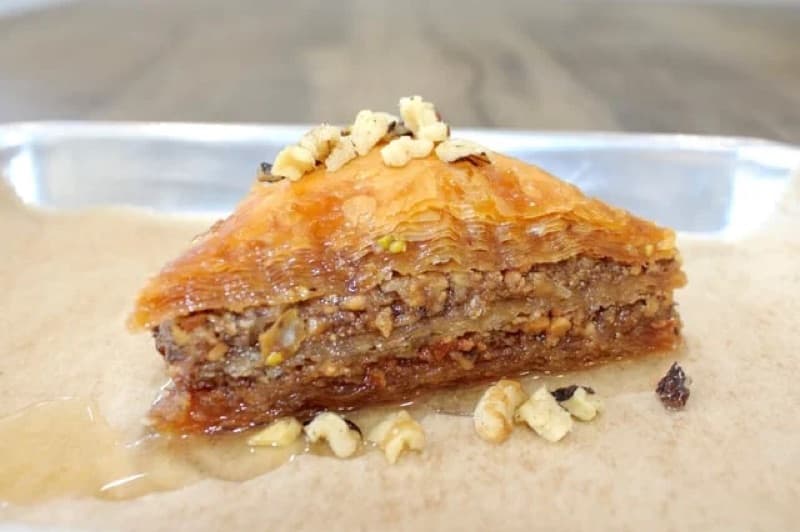
Before
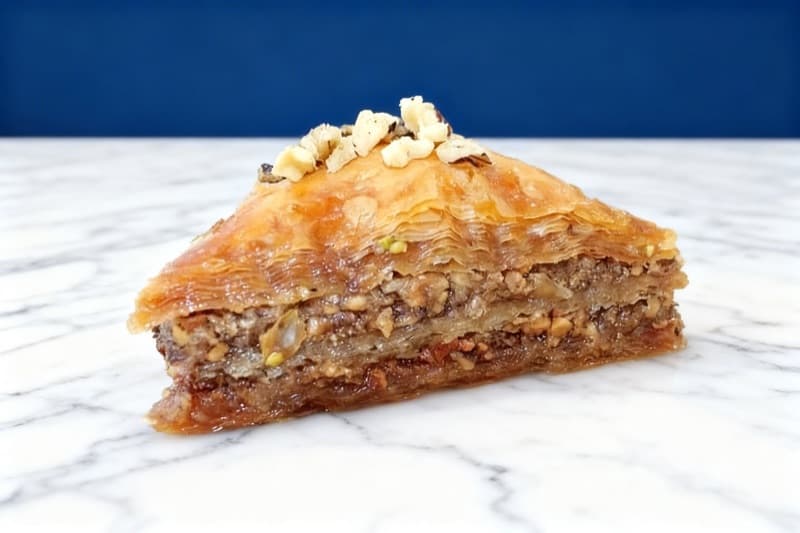
After
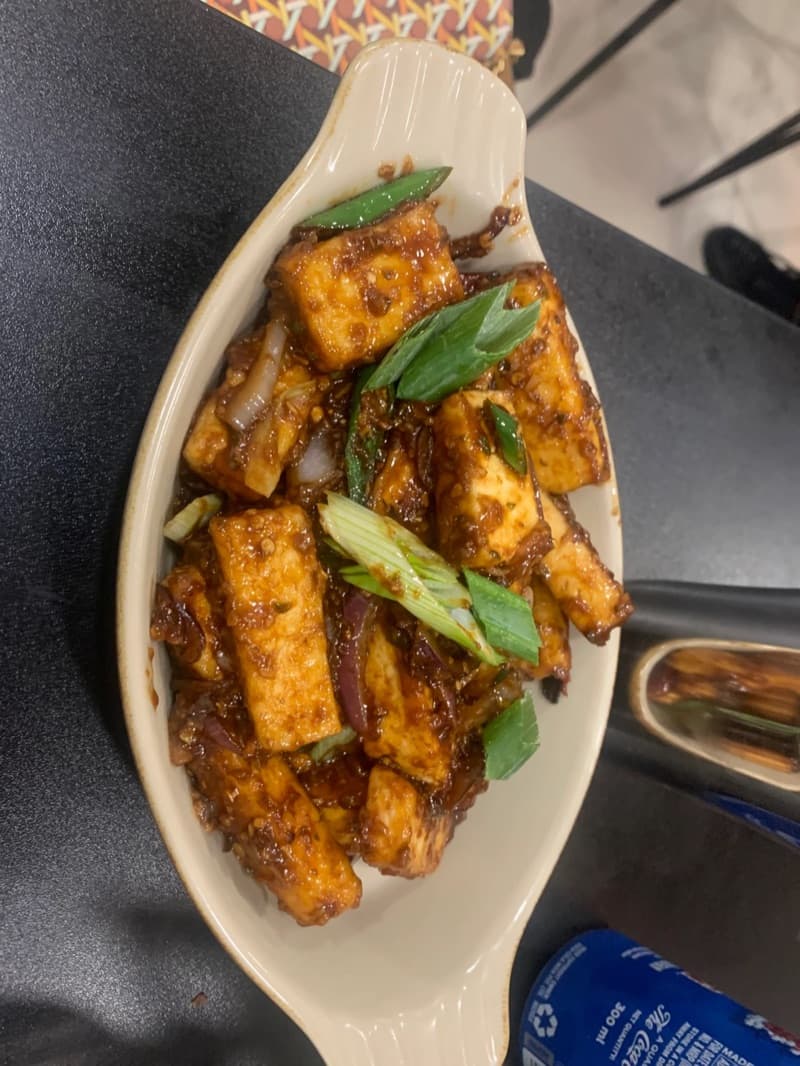
Before
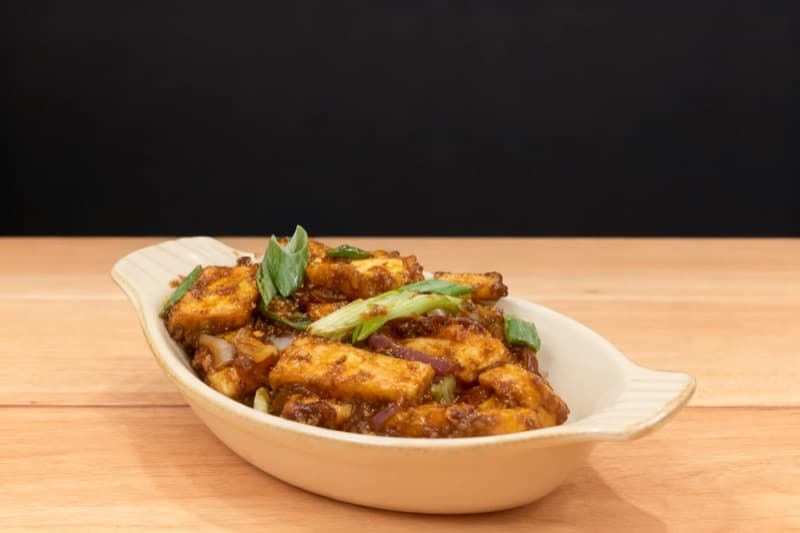
After
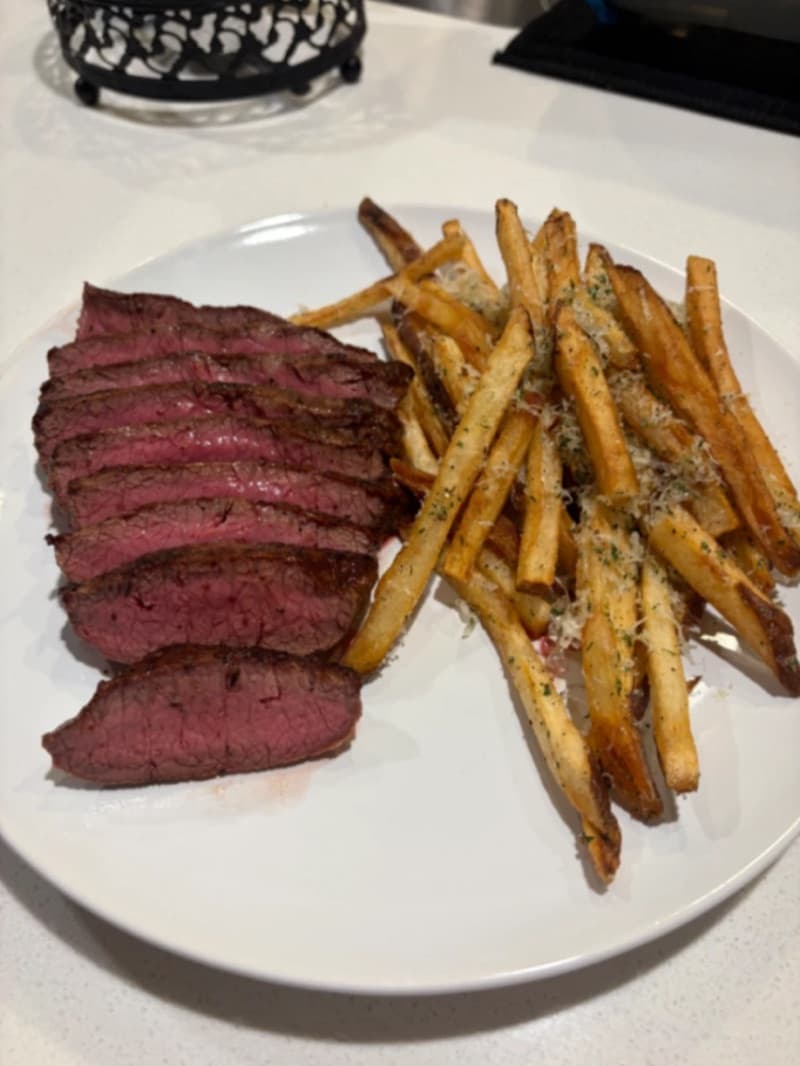
Before
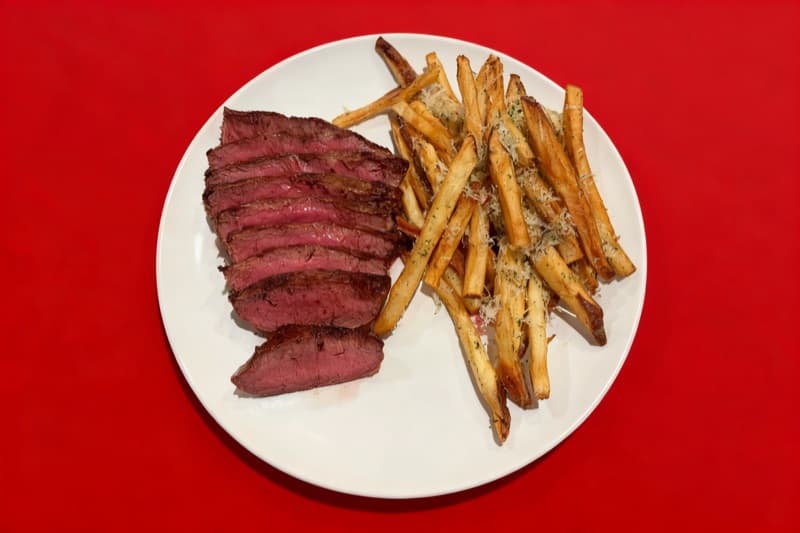
After
~8% of U.S. online food delivery (third-largest platform)
Market share
33 million active users
Active users
15%โ30%
Commission
~$35
Avg order
Why Grubhub Matters for Your Restaurant
Grubhub is one of the original food delivery platforms in the United States. Founded in Chicago in 2004 by Matt Maloney and Mike Evans, it pioneered the concept of online restaurant ordering long before DoorDash or Uber Eats existed. After being acquired by Just Eat Takeaway for $7.3 billion in 2020, Grubhub changed hands again in early 2025 when Wonder Group completed its $650 million acquisition, signaling a new chapter that blends first-party food halls with third-party delivery.
Today, Grubhub connects more than 375,000 restaurant partners with 33 million active users across over 4,000 U.S. cities. While DoorDash and Uber Eats have claimed larger market shares nationally, Grubhub maintains outsized dominance in key metro areas including New York City, Chicago, Boston, and Philadelphia. For restaurants in those markets, Grubhub is often the single most important delivery channel.
The platform processes an average of 715,000 daily orders, and its integration with Amazon Prime gives Grubhub+ memberships to millions of additional diners who receive free delivery on orders over $12. This means Grubhub+ diners represent a high-value customer segment that orders more frequently and spends more per order than non-members.
For restaurant owners, understanding how to optimize your Grubhub presence is not optional. The platform's own data shows that restaurants following menu best practices such as adding professional photos and detailed descriptions receive up to 70% more orders and 65% higher sales compared to those that do not. This guide breaks down every lever available to you inside the Grubhub for Restaurants portal, from algorithm ranking factors and menu photography to Smart Promotions and loyalty programs, so you can capture more of the delivery revenue flowing through the platform every day.
How Grubhub's Algorithm Ranks Restaurants
Grubhub's search algorithm determines which restaurants appear when a diner opens the app or searches for a cuisine type. Unlike a simple alphabetical listing, Grubhub uses a machine learning-driven ranking system that evaluates multiple real-time signals to surface the restaurants most likely to deliver a satisfying experience. Understanding these factors is the first step toward climbing the rankings and getting more visibility in your market. The algorithm is personalized for each diner, meaning a returning customer who frequently orders Thai food will see Thai restaurants promoted more prominently. However, several universal factors determine your baseline ranking regardless of individual diner preferences.
| Factor | Weight | Details |
|---|---|---|
| Ratings and reviews | high | Grubhub uses a faceted ratings system that evaluates three dimensions separately: delivery time accuracy, order accuracy, and food quality. The platform collects approximately 70,000 data points daily from post-order surveys. Restaurants with consistently high scores across all three facets are ranked significantly higher than those with a strong overall star rating but weak individual facets. |
| Delivery speed and prep time | high | Grubhub tracks your average prep time and how long drivers wait at your restaurant. Restaurants with faster, more consistent prep times are boosted in search results because they help Grubhub maintain accurate ETAs for diners. Reducing your average driver wait time is one of the fastest ways to improve your algorithmic positioning. |
| Order acceptance and completion rate | high | How quickly and consistently you confirm incoming orders affects your reliability score. Restaurants that auto-confirm orders or respond within seconds signal operational readiness to the algorithm. Cancelled orders, missed confirmations, and frequent menu item unavailability all hurt your ranking. |
| Proximity to diner | medium | Geographic distance between your restaurant and the searching diner is a baseline ranking factor. During peak hours, proximity becomes even more important as Grubhub prioritizes restaurants that can deliver quickly. Setting an accurate delivery radius in your Grubhub for Restaurants portal ensures you are shown to diners you can realistically serve. |
| Menu completeness and photos | medium | Restaurants with fully built-out menus including item descriptions, modifiers, and professional photos receive a ranking boost. Grubhub explicitly rewards complete profiles with higher visibility. The platform reports that menus with photos and descriptions generate up to 70% more orders, and the algorithm reflects this by surfacing photo-rich listings more prominently. |
| Promotional activity and Grubhub+ participation | medium | Running active promotions, participating in the loyalty program, and being eligible for Grubhub+ orders all send positive signals to the algorithm. Grubhub+ diners are high-value customers who order frequently, and the platform prioritizes restaurants that cater to this segment. |
| Click-through and conversion rates | low | When diners see your listing and click on it, that engagement signal feeds back into the algorithm. Restaurants with appealing cover photos and clear menu descriptions enjoy higher click-through rates, which further reinforces their ranking. Conversely, a listing that gets impressions but few clicks will gradually lose positioning. |
One critical nuance of the Grubhub algorithm is how it handles returning customers differently from new ones. For diners who have ordered from the platform before, Grubhub heavily weights their past ordering behavior, showing them restaurants similar to their recent orders and surfacing previous favorites. This means earning a repeat customer on Grubhub has a compounding effect because the algorithm will continue recommending your restaurant to that diner in future sessions.
Another important factor is menu price consistency. If your Grubhub prices are significantly higher than your in-store or website prices, the algorithm can detect this discrepancy, and it may affect your placement. Grubhub encourages price parity as part of a fair marketplace experience, and restaurants that maintain consistent pricing avoid potential ranking penalties.
Finally, Grubhub's algorithm adapts in real time based on operational signals. If your restaurant suddenly starts taking longer to prepare orders or begins cancelling items, the algorithm will reduce your visibility almost immediately. The inverse is also true: sustained improvements in your operational metrics will be reflected in better rankings within days, not weeks. This responsiveness means that operational changes you make today can impact your order volume as soon as tomorrow.
10 Proven Ways to Increase Your Grubhub Orders
1.Add professional photos to every menu item
The single highest-impact change you can make on Grubhub is adding professional-quality photos to your entire menu. Grubhub's own internal data demonstrates that restaurants with photos and item descriptions receive up to 70% more orders and generate 65% higher sales compared to text-only menus. This is not a marginal improvement. It is the difference between a restaurant that breaks even on delivery fees and one that builds a profitable delivery channel.
Grubhub's photo review system means every image you upload goes through an automated approval process before it appears on your listing. Photos that are blurry, poorly lit, or show non-food content will be rejected. To maximize approval rates and visual impact, shoot each dish against a clean, uncluttered background with natural or diffused lighting. Overhead angles work well for bowls, salads, and plated entrees, while 45-degree angles highlight burgers, sandwiches, and stacked items.
The platform allows multiple photos per menu item, which is an underutilized feature. Use this to show different angles, included side dishes, or the dish in its actual delivery packaging. Diners on Grubhub are making split-second decisions while scrolling, and a compelling photo is what stops the scroll.
For restaurants that cannot afford a professional food photographer, which Grubhub estimates can cost between $400 and $1,500 per session, AI-powered photo enhancement tools like MenuPhotoAI offer a practical alternative. You can photograph your dishes with a smartphone and transform them into studio-quality images that meet Grubhub's specifications for a fraction of the cost. This is especially valuable for restaurants that update their menu frequently, since each new dish needs photography.
Grubhub also offers a free photoshoot to partners as part of onboarding. While this is a great starting point, the session typically covers only a limited selection of dishes. To truly maximize the photo impact across your full menu, you will need a scalable solution for ongoing photography needs.
Up to 70%[1]
more orders for menus with photos and descriptions
2.Optimize for Grubhub+ diners
Grubhub+ is the platform's premium membership program, costing $9.99 per month and offering members unlimited free delivery on orders over $12, lower service fees, and 5% credit back on pickup orders. What makes Grubhub+ especially significant for restaurants is its integration with Amazon Prime: all U.S. Prime members can access Grubhub+ for free, which has dramatically expanded the subscriber base. Active Grubhub+ members save an average of $336 per year, which means they order frequently and represent the highest lifetime value customers on the platform.
To capture this lucrative segment, your restaurant needs to be eligible for Grubhub+ orders. This requires meeting Grubhub's operational standards and opting into the program through your Grubhub for Restaurants portal. Once enrolled, your restaurant appears with a Grubhub+ badge in search results, which signals free delivery to subscribers and significantly increases your click-through rate.
Inside the Grubhub for Restaurants dashboard, the Customer Insights tool breaks down your orders by Grubhub+ versus non-Grubhub+ customers. Use this data to understand what percentage of your revenue comes from members and tailor your offerings accordingly. If you notice that Grubhub+ diners favor certain dishes or order at specific times, adjust your availability and promotions to match.
Restaurants on the Plus pricing package gain access to tools specifically designed to target Grubhub+ customers with personalized promotions. This means you can create member-exclusive offers that appear only to Grubhub+ diners, effectively bidding for the most valuable customers on the platform. During slower periods, running a Grubhub+ targeted promotion can fill seats that would otherwise go empty.
The algorithm also factors in Grubhub+ participation when ranking restaurants. Being a Grubhub+ eligible restaurant is a positive signal that increases your baseline visibility, particularly among the high-frequency ordering segment that drives the most revenue.
$336/year[2]
average savings for active Grubhub+ members
3.Use Smart Promotions to acquire and retain customers
Grubhub's Smart Promotions system is an always-on marketing engine that automates customer acquisition and retention. Unlike manual promotions where you set a fixed discount and hope for the best, Smart Promotions uses Grubhub's data to automatically optimize which offers are shown to which customers, when, and at what discount level. You set a monthly budget and your goals, and the system handles the rest.
To access Smart Promotions, your restaurant needs to be on a marketing rate of at least 15%. Once activated, you can choose between three promotional formats: a percentage off the order total, a dollar amount off, or a free menu item with purchase. Smart Promotions then targets three customer segments automatically: new customers who have never ordered from you, lapsed customers who have not ordered recently, and active customers who can be turned into loyal regulars.
The power of Smart Promotions lies in its optimization engine. Rather than offering every customer the same 20% discount, the system might show a new customer a free appetizer to encourage a first order while offering a returning customer a smaller percentage discount to nudge a repeat purchase. This targeted approach stretches your marketing budget further and produces higher return on investment than blanket discounting.
Inside your Grubhub for Restaurants dashboard, you can track exactly how each promotion performs. The analytics show new customers acquired, returning customer orders generated, total promotional spend, and the incremental revenue attributed to each campaign. This transparency allows you to fine-tune your monthly budget based on actual performance data.
A practical approach is to start with a monthly Smart Promotions budget of $100 to $200 and monitor the results for 30 days. Track your cost per new customer acquisition and your repeat order rate. If the numbers are favorable, scale the budget upward. Many restaurants find that Smart Promotions deliver a 3:1 to 5:1 return on spend, meaning every dollar invested generates three to five dollars in incremental revenue.
4.Build a Grubhub loyalty program that drives repeat orders
Grubhub's built-in loyalty program lets you create a rewards system directly within the platform, eliminating the need for third-party loyalty apps or punch cards that do not translate to delivery. The program works by allowing diners to earn rewards after spending a set cumulative amount at your restaurant. Once they hit the threshold, they unlock a reward such as a free item, a discount, or a special offer.
Setting up the loyalty program is done through the Promotions and Loyalty section of your Grubhub for Restaurants portal. You define the spending threshold (for example, spend $75 to earn a reward) and the reward itself (such as a free dessert or $10 off the next order). The program then runs automatically, with Grubhub tracking customer progress and notifying diners when they are close to earning a reward.
The strategic value of the loyalty program goes beyond the direct cost of the reward. Grubhub's algorithm considers loyalty program participation as a positive ranking signal, which means having an active loyalty program can improve your visibility in search results. More importantly, the program creates a behavioral loop: diners who are close to earning a reward will choose your restaurant over competitors to reach their threshold, even if another option is slightly cheaper or closer.
When setting your loyalty thresholds, consider your average order value. If your average Grubhub order is $35, setting a reward threshold at $70 to $100 means customers need two to three orders to earn their reward. This sweet spot is close enough to feel achievable but requires genuine repeat behavior. Setting the threshold too high ($200 or more) risks diners abandoning the program before they reach the goal.
The loyalty reward itself matters too. Free items with high perceived value but low food cost, such as a dessert, appetizer, or drink, deliver the best return. A free brownie that costs you $1.50 to produce but is valued at $6.99 on the menu creates a strong incentive without eroding your margins. Track your loyalty program's performance in the Grubhub dashboard and adjust the threshold and reward quarterly based on redemption rates and repeat order frequency.
5.Invest in Sponsored Listings to dominate local search
Grubhub's Sponsored Listings are a pay-to-play advertising tool that places your restaurant at the top of search results and category pages. Unlike organic ranking, which depends on multiple performance factors, Sponsored Listings give you direct control over your visibility by adding an additional commission on top of your base marketing rate.
The cost of Sponsored Listings is structured as a percentage of each order, typically ranging from 3% to 10% on top of your existing commission. For restaurants on a Premium marketing package, the combined rate with a sponsored listing typically reaches around 20% of the order value. In competitive markets like New York City, the minimum commission for a sponsored listing starts at 20%, reflecting the intense competition for top positioning.
Grubhub recently expanded its advertising platform to give merchants more control over their sponsored placements. Through the Grubhub for Restaurants portal, you can now manage the frequency, location, and targeting of your ads directly, rather than relying solely on Grubhub-managed placements. This means you can allocate more budget during peak hours (lunch from 11:30 AM to 1:30 PM, dinner from 5:30 PM to 8:30 PM) and reduce spend during slow periods.
The key to profitable Sponsored Listings is understanding your unit economics. Calculate your average order value, subtract your food cost, your base Grubhub commission, and the additional sponsored listing fee, and ensure you still retain an acceptable margin. For a restaurant with a $35 average order, a 20% combined commission means $7 goes to Grubhub. If your food cost is 30% ($10.50) and your packaging cost is $1.50, you retain $16 per order. Whether that margin justifies the advertising spend depends on your labor model and overhead.
Use Sponsored Listings strategically rather than as an always-on expense. Run them during your first 90 days on the platform to build initial order volume and reviews. Re-activate them during seasonal slow periods or when launching new menu items. The dashboard analytics will show your impression count, click-through rate, and orders attributed to sponsored placement, giving you the data needed to calculate your actual return on investment.
6.Reduce prep time and improve your food-on-time rate
Grubhub tracks a metric called "food on time rate," which measures how long delivery drivers wait at your restaurant for orders to be ready. This metric is one of the most heavily weighted signals in the ranking algorithm because it directly impacts the diner experience. When drivers wait, estimated delivery times become inaccurate, food quality degrades, and customer satisfaction drops. Grubhub boosts restaurants with faster average prep times to maintain accurate ETAs across the platform.
Inside your Grubhub for Restaurants dashboard, you can view your average prep time, driver wait time, and food-on-time rate. If your driver wait time consistently exceeds five minutes, your ranking is almost certainly being penalized. The goal is to have food ready or nearly ready when the driver arrives, which requires aligning your prep time estimates with reality.
The most common mistake restaurants make is underestimating their prep time in the Grubhub portal settings. If you list your prep time as 15 minutes but consistently take 25 minutes, drivers arrive too early and wait, your food-on-time rate drops, and the algorithm punishes you. It is far better to set a realistic prep time of 25 minutes and consistently meet it than to advertise 15 minutes and regularly fall short. Grubhub rewards consistency and accuracy over speed.
Operational improvements that directly impact your Grubhub metrics include dedicating a staff member to monitor the Grubhub tablet during peak hours, confirming orders within seconds rather than minutes, and organizing your kitchen workflow to batch delivery orders efficiently. Auto-accepting orders during peak times eliminates the confirmation delay entirely and signals operational readiness to the algorithm.
During rush periods, consider temporarily extending your prep time in the portal rather than accepting orders you cannot fulfill quickly. This proactive adjustment maintains your food-on-time rate and prevents the downward spiral of late deliveries leading to poor reviews leading to lower rankings. Grubhub's system responds to these operational signals in near real time, meaning improvements you make today can result in better ranking positions within days.
70,000[3]
daily data points Grubhub collects from customer surveys
7.Write detailed, keyword-rich menu descriptions
Grubhub is a search-driven platform, which means diners frequently type specific queries like "chicken tikka masala," "gluten-free pizza," or "spicy ramen" into the search bar. Your menu item titles and descriptions are the primary text that Grubhub's search engine indexes. If your menu simply says "Combo #3" or "House Special," you are invisible to these search queries and forfeiting a massive volume of potential orders.
Every menu item should have a descriptive title that includes the primary ingredient and preparation method. Instead of "Grilled Chicken Sandwich," write "Grilled Chicken Sandwich with Avocado, Bacon, and Chipotle Aioli on Brioche." This title is not only more appetizing but also matches search queries for "chicken sandwich," "avocado," "bacon," and "chipotle." Each additional keyword increases the number of searches where your item can appear.
Descriptions should be two to three sentences that paint a picture of the dish while naturally incorporating searchable terms. Mention the protein, key ingredients, sauce, cooking method, and any dietary attributes (vegetarian, gluten-free, keto-friendly, halal). Grubhub's algorithm pairs these descriptions with diner search behavior, so a well-written description does double duty: it helps diners find your item and then convinces them to add it to their cart.
Grubhub's own guidance confirms that restaurants following menu best practices, including adding detailed descriptions alongside photos, receive significantly more orders. The platform treats description completeness as a profile quality signal, meaning a fully built-out menu with descriptions on every item earns a higher baseline ranking than a sparse menu with only item names and prices.
Use the Grubhub for Restaurants portal to audit your menu monthly. Identify items with missing or minimal descriptions, and prioritize writing descriptions for your highest-margin dishes first. Pay attention to trending search terms in your market by reviewing the Customer Insights dashboard, which reveals what your customers are searching for and ordering. Align your descriptions with those trends to capture emerging demand.
8.Leverage the Grubhub for Restaurants analytics dashboard
The Grubhub for Restaurants portal is your command center for understanding and growing your delivery business. Many restaurant operators set up their Grubhub listing and never return to the dashboard, missing out on data that could transform their performance. The portal provides detailed analytics across revenue, order volume, customer behavior, and menu performance that no other free tool can match.
The main dashboard displays your total revenue and orders on both weekly and monthly timeframes, with data spanning the last 90 days. This gives you enough history to identify trends: Are weekday lunch orders growing? Has your average order value increased since you added combo meals? Is a seasonal menu item outperforming expectations? These insights inform real operational and menu decisions.
The Customer Insights feature is particularly powerful. It segments your customer base into new versus returning diners and Grubhub+ versus non-Grubhub+ customers, showing you the financial contribution of each segment. If you discover that 60% of your revenue comes from Grubhub+ members, that insight should drive your promotional strategy toward member-exclusive offers. If your new customer acquisition is stalling, it might be time to increase your Smart Promotions budget.
Grubhub also added Order Frequency Insights, which shows how often your customers reorder and how your retention compares to similar restaurants in your market. This competitive benchmarking helps you understand whether your repeat rate is above or below average, and where to focus improvement efforts.
The menu performance section reveals your top-selling items, which items get the most views but fewest orders (indicating a pricing or photo problem), and which items are rarely viewed at all (suggesting a positioning or naming issue). Use this data to restructure your menu layout, moving high-performers to the top of each category and reworking underperformers.
Finally, the portal allows you to dispute refunds directly. If a customer requests a refund that you believe is unwarranted, you can submit an adjustment request that takes about one minute, down from the ten minutes it used to require through customer support. Protecting your revenue from unwarranted refunds directly impacts your bottom line.
9.Actively manage ratings with Grubhub faceted reviews
Grubhub's review system is distinct from other delivery platforms because it uses faceted ratings that evaluate three separate dimensions of the ordering experience: delivery time accuracy, order accuracy, and food quality. Each facet receives its own score, and these individual scores combine into an overall star rating. This granular approach means you can identify exactly which aspect of your operation is dragging down your overall score.
The platform collects these ratings through short post-order surveys that appear when diners log back onto Grubhub after receiving their meal. On a daily basis, Grubhub collects approximately 70,000 of these data points across its platform. For your restaurant, this means every order is a potential review, and the volume of data makes it very difficult for a few bad experiences to be offset by a few good ones. Consistency is what matters.
Start by reviewing your faceted scores in the Grubhub for Restaurants portal. If your delivery time accuracy is low but your food quality is high, the problem is operational, not culinary. Address it by adjusting your prep time estimates, improving your packaging to keep food warm during transit, or ensuring orders are staged and ready before the driver arrives. If order accuracy is your weak facet, implement a double-check system where a manager verifies every order against the Grubhub ticket before handing it to the driver.
Responding to reviews is also critical on Grubhub. The platform allows restaurant owners to reply to customer reviews, and doing so demonstrates that you take feedback seriously. A thoughtful response to a negative review can actually improve a diner's perception and increase the likelihood of a second order. Keep responses professional, acknowledge the issue, and describe the specific steps you have taken to prevent it from happening again.
Monitor your faceted ratings weekly and set internal targets. A food quality score above 4.5, combined with order accuracy above 95% and on-time delivery above 90%, will place you in the top tier of restaurants in most Grubhub markets. The algorithm rewards this consistency with sustained high visibility.
3 facets[3]
rated separately: delivery time, order accuracy, and food quality
10.Understand the Wonder Group acquisition and what it means for your restaurant
In early 2025, Wonder Group completed its acquisition of Grubhub from Just Eat Takeaway for $650 million, a dramatic markdown from the $7.3 billion Just Eat Takeaway paid in 2020. This ownership change is not just a corporate headline; it has direct implications for how restaurants should approach the Grubhub platform going forward.
Wonder Group is a food technology company that operates a network of physical food halls where multiple restaurant brands cook under one roof for delivery and pickup. By acquiring Grubhub, Wonder now combines its first-party restaurant operations with Grubhub's massive third-party delivery marketplace. The stated mission is to bring together first-party and third-party restaurants, groceries, and meal kits into a single app experience.
For existing Grubhub restaurant partners, this means several things. First, competition on the platform may intensify as Wonder integrates its own restaurant brands directly into Grubhub's marketplace. These first-party brands will likely receive premium placement and operational advantages since Wonder controls both the restaurant and the delivery platform. Independent restaurants need to ensure their Grubhub profiles are fully optimized to remain competitive.
Second, the acquisition signals continued investment in the Grubhub platform. Wonder raised $600 million in additional funding in 2025 at a $7 billion valuation, and the company has stated plans to nearly double its physical locations. This expansion means more marketing spend, more diners on the platform, and potentially new tools and features for merchant partners.
Third, the integration opens potential opportunities for restaurants to participate in Wonder's broader ecosystem. As the platforms merge, there may be new promotional channels, cross-platform visibility options, and bundled offerings that are not yet available.
The practical takeaway is that Grubhub is not shrinking. Under Wonder's ownership, the platform has new capital, new strategic direction, and ambitious growth plans. Restaurants that invest in optimizing their Grubhub presence now will be well-positioned to benefit from whatever new features and expanded diner base the Wonder era brings.
$650M[4]
Wonder Group acquisition price for Grubhub (2025)
Better Grubhub photos. More orders.
MenuPhotoAI uses AI to turn your phone photos into studio-quality menu images, ready to upload to Grubhub in minutes. Start with 5 free photos, no credit card required.
Try MenuPhotoAI FreeGrubhub Photo Requirements
| Minimum resolution | 320x320 pixels (recommended 1024x1024 or higher) |
| Aspect ratio | 1:1 (square) for menu items; 16:9 for cover/hero images |
| Max file size | 10 MB |
| Accepted formats | JPEG, PNG |
| Photos per item | Multiple photos per item supported |
| Hero/cover image | 1200x800 pixels recommended for restaurant cover photo |
All uploaded photos go through an automated review process before appearing on your listing. Images larger than 1024x1024 pixels are automatically resized. Photos must depict actual food items; non-food imagery, stock photos, and images with text overlays will be rejected. Grubhub offers a free professional photoshoot to new partners through the onboarding process.
Menu photography is the single most impactful investment you can make on Grubhub, and the platform's own data backs this up unequivocally. Grubhub reports that restaurants with photos and descriptions on their menus receive up to 70% more orders and 65% higher sales than restaurants with text-only listings. Separately, restaurants that have transitioned from fully text menus to photo-enhanced menus have seen conversion rates increase by approximately 25% on average.
These numbers make intuitive sense when you consider the diner experience. A Grubhub user searching for dinner is scrolling through dozens of restaurant options in seconds. Listings without photos present only text: a restaurant name, a star rating, and a cuisine type. Listings with photos show the actual food, and that visual information is processed by the brain in milliseconds, creating an emotional response that text simply cannot match. The photo is what stops the scroll.
Grubhub's photo ecosystem gives restaurants several tools. First, the free professional photoshoot offered during onboarding captures your top dishes in studio-quality images. This is a strong starting point, but it typically covers only 10 to 15 items. For a full menu of 40 to 80 items, you need a scalable photography solution. Second, the Grubhub for Restaurants portal allows you to upload photos to individual menu items at any time, with each image going through an automated approval process.
The approval process is worth understanding because rejected photos waste time and delay your optimization. Grubhub rejects images that are blurry, poorly lit, contain non-food elements prominently in the frame, include text overlays or watermarks, or use obvious stock photography. The system is also designed to flag images that do not match the described menu item. To avoid rejection, ensure each photo is shot from a clean angle with natural or diffused lighting against a neutral background.
For restaurants that update their menus frequently with seasonal specials, limited-time offers, or rotating daily dishes, AI-powered food photography tools offer a practical alternative to repeated professional photoshoots. Services like MenuPhotoAI allow you to capture a quick smartphone photo of a new dish and transform it into a professional-quality image that meets Grubhub's specifications within minutes. At a cost of roughly $1 per image versus $30 to $100 per image with traditional photography, the economics favor AI solutions for ongoing menu photography needs.
The compounding effect of comprehensive menu photography should not be underestimated. Each photo you add increases the likelihood that a diner clicks on that item. Higher click-through rates signal to Grubhub's algorithm that your listing is engaging, which leads to better ranking. Better ranking leads to more impressions, which leads to more clicks and more orders. This virtuous cycle is why the restaurants that invest in full menu photography early tend to pull further ahead of their competitors over time.
Up to 70%[1]
more orders for Grubhub restaurants with menu photos and descriptions
Grubhub Promotion Tools
Smart Promotions
Requires 15% marketing rate; custom monthly budget (recommended starting at $100-$200/month)An always-on, AI-optimized promotional engine that automatically targets new, lapsed, and returning customers with personalized offers. Restaurants set a monthly budget and choose from percentage-off, dollar-off, or free item promotions. The system optimizes which offer is shown to which customer segment for maximum ROI.
Sponsored Listings
3%โ10% additional commission on top of base marketing rate (varies by market)Paid placement that positions your restaurant at the top of search results and category pages. Managed through the Grubhub for Restaurants portal with control over frequency, location, and targeting. Available to all partners with the ability to manage ad placements directly.
Loyalty Program
Cost of reward item only (no additional platform fee)Built-in rewards program where diners earn a reward after spending a set cumulative amount at your restaurant. You define the spending threshold and the reward (free item, discount, or special offer). Grubhub tracks customer progress and sends notifications when diners are close to earning their reward.
Grubhub+ Targeted Offers
Included with Plus pricing package; promotional discount funded by restaurantCreate exclusive promotions visible only to Grubhub+ subscribers, the platform's highest-value customer segment. Available through the Plus pricing package. Allows you to bid for attention from frequent, high-spending diners with member-only deals.
Self-Service Advertising
Variable CPA (cost per acquisition) model; budget set by restaurantGrubhub expanded its advertising platform to give all partners direct control over ad placements, including search result ads, category page features, and homepage carousel placements. Merchants manage campaigns through the Grubhub for Restaurants portal with full performance analytics.
Common Mistakes to Avoid
Setting unrealistic prep times in the Grubhub portal
Many restaurants list a 10-15 minute prep time to appear faster, but then consistently exceed it. Grubhub tracks actual driver wait times and penalizes restaurants where the stated prep time does not match reality. It is better to set a realistic 20-25 minute prep time and consistently meet it than to advertise speed you cannot deliver. The algorithm rewards accuracy over optimism.
Ignoring the free professional photoshoot offered by Grubhub
Grubhub offers a free photoshoot during onboarding, yet many restaurants skip this step or forget to schedule it. Given that menus with photos can generate up to 70% more orders, leaving this free benefit unused is equivalent to leaving money on the table. Schedule the photoshoot within your first week on the platform and prioritize your highest-margin dishes.
Pricing Grubhub menu items significantly above in-store prices
While it is common to mark up delivery prices to offset commission costs, Grubhub monitors price consistency. Significant markups above your in-store or website prices can hurt your algorithmic positioning and drive away price-sensitive diners who compare. Consider absorbing part of the commission into your pricing strategy rather than passing the full cost to the customer.
Running promotions without tracking ROI in the dashboard
Grubhub provides detailed analytics on every promotion, including new customers acquired, repeat orders generated, and total spend. Restaurants that run promotions without reviewing these metrics cannot tell if their marketing budget is generating positive returns. Review your promotional performance weekly and pause campaigns that are not delivering at least a 2:1 return on spend.
Not opting into Grubhub+ eligibility
Grubhub+ members, amplified by the Amazon Prime partnership, are the highest-frequency, highest-value customers on the platform. Restaurants that are not Grubhub+ eligible are invisible to this segment, which can represent 30-40% of total order volume in many markets. Ensure your restaurant meets the operational requirements and enable Grubhub+ through your portal settings.
Neglecting to respond to customer reviews
Grubhub allows restaurant owners to reply to reviews, but many ignore this feature entirely. A professional, empathetic response to a negative review shows potential customers that you care about the experience and take corrective action. It also gives you the opportunity to invite a dissatisfied diner to give you another chance, which can convert a one-star reviewer into a repeat customer.
Your Action Checklist
Profile and Menu Setup
- Complete your restaurant profile with accurate address, hours, delivery radius, and cuisine tags
- Add professional photos to every menu item (use Grubhub free photoshoot or AI tools)
- Write detailed descriptions (2-3 sentences) for every menu item with searchable keywords
- Set accurate prep times that reflect your real kitchen performance
- Organize menu into logical categories with best-sellers positioned at the top
- Add modifiers and customization options (extra sauce, sides, dietary modifications) to increase AOV
Grubhub+ and Eligibility
- Enable Grubhub+ eligibility in your Grubhub for Restaurants portal
- Review Customer Insights to track Grubhub+ vs. non-Grubhub+ order breakdown
- Consider Plus pricing package to access Grubhub+ targeted promotional tools
- Monitor your Grubhub+ order percentage monthly and set growth targets
Promotions and Marketing
- Activate Smart Promotions with a starting budget of $100-$200/month
- Set up a loyalty program with a spending threshold of 2-3x your average order value
- Evaluate Sponsored Listings for peak hours and new menu launches
- Track promotional ROI weekly in the Grubhub for Restaurants dashboard
- Create Grubhub+ exclusive offers if on the Plus pricing package
Operations and Performance
- Assign a dedicated staff member to monitor the Grubhub tablet during peak hours
- Enable auto-accept during high-volume periods to reduce confirmation delays
- Monitor your food-on-time rate weekly and target above 90%
- Implement a double-check system for order accuracy before handing to drivers
- Adjust prep time settings seasonally based on actual kitchen performance data
Reviews and Reputation
- Check your faceted ratings (delivery time, order accuracy, food quality) weekly
- Respond to all negative reviews within 24 hours with a professional, empathetic reply
- Acknowledge positive reviews to build diner loyalty
- Address the lowest-scoring facet first for the fastest overall rating improvement
- Dispute unwarranted refunds through the portal adjustment request feature
Key Takeaways
- -Adding professional photos and descriptions to your Grubhub menu can increase orders by up to 70% and sales by 65%, making it the highest-ROI change you can make on the platform.
- -Grubhub's algorithm heavily weights prep time accuracy, order completion rate, and faceted review scores, so operational consistency directly translates to higher visibility.
- -Grubhub+ diners, amplified by the Amazon Prime partnership, represent the highest-value customer segment. Ensuring your restaurant is Grubhub+ eligible is essential for capturing this traffic.
- -Smart Promotions and the built-in loyalty program automate customer acquisition and retention, typically delivering a 3:1 to 5:1 return on promotional spend when properly managed.
- -Wonder Group's acquisition of Grubhub signals renewed investment and growth. Restaurants that optimize their Grubhub presence now will benefit disproportionately as the platform scales under new ownership.
- -The Grubhub for Restaurants analytics dashboard provides customer insights, order frequency data, and competitive benchmarking that should inform your menu, pricing, and promotional decisions weekly.
Frequently Asked Questions
Better Grubhub photos. More orders.
MenuPhotoAI uses AI to turn your phone photos into studio-quality menu images, ready to upload to Grubhub in minutes. Start with 5 free photos, no credit card required.
Try MenuPhotoAI FreeSources
- [1] Restaurants that follow menu best practices such as adding pictures and descriptions receive up to 70% more orders and 65% higher sales.. Grubhub for Restaurants Help Center. Accessed 2026-02-20.
- [2] Grubhub+ membership details including Amazon Prime integration and member benefits.. Grubhub Newsroom. Accessed 2026-02-20.
- [3] Grubhub faceted ratings and reviews system collecting approximately 70,000 daily data points across delivery time accuracy, order accuracy, and food quality.. Grubhub Newsroom. Accessed 2026-02-20.
- [4] Wonder Group completes acquisition of Grubhub from Just Eat Takeaway for $650 million.. Restaurant Business Online. Accessed 2026-02-20.
- [5] Grubhub market share, active users, and restaurant partner statistics.. Business of Apps. Accessed 2026-02-20.
- [6] Grubhub commission rates and fee structure for restaurant partners.. Grubhub for Restaurants. Accessed 2026-02-20.
- [7] Grubhub marketing tools including Smart Promotions, Sponsored Listings, and loyalty programs.. Grubhub for Restaurants. Accessed 2026-02-20.
- [8] Grubhub Customer Insights dashboard and Order Frequency Insights features.. Grubhub Newsroom. Accessed 2026-02-20.
- [9] Wonder Group raises $600 million and plans to nearly double unit count.. Restaurant Dive. Accessed 2026-02-20.
- [10] Grubhub photo submission guidelines and menu imagery specifications.. Grubhub Developer Portal. Accessed 2026-02-20.
Guides for Other Platforms
Also see our photo requirements guide for detailed upload specifications.
This guide is reviewed and updated quarterly. MenuPhotoAI is an AI food photo enhancement platform. While we believe professional food photography helps restaurants succeed on delivery platforms, this guide aims to provide comprehensive, unbiased advice for restaurant owners regardless of the tools they use.
