
Restaurant Guide
How to Get More Orders on Your Own Restaurant Website
Grow direct restaurant orders with 10 proven strategies. Keep 100% of revenue, own customer data, and stop paying 15-30% commissions. MenuPhotoAI tips inside.
How to get more orders on Your Own Restaurant Website
- Direct ordering saves restaurants 15-30% per order in platform commissions. A restaurant doing $50,000/month in delivery saves $7,500-$15,000 monthly by shifting orders to their own website.
- Your Google Business Profile is the #1 free channel for direct order discovery. Ensure your Order Online button links to YOUR website, not a third-party platform that charges commission.
- Customer data ownership is the long-term strategic advantage of direct ordering. You cannot build email lists, loyalty programs, or reorder campaigns with customers who order through DoorDash.
- Professional food photos are the most important conversion factor on your own ordering website. Without a platform algorithm to provide visibility, your photos ARE your sales pitch.
- Loyalty programs exclusive to direct orders generate 4.8x ROI and increase customer visit frequency by 20%. Make ordering through your website the only way to earn rewards.
See the difference professional photos make
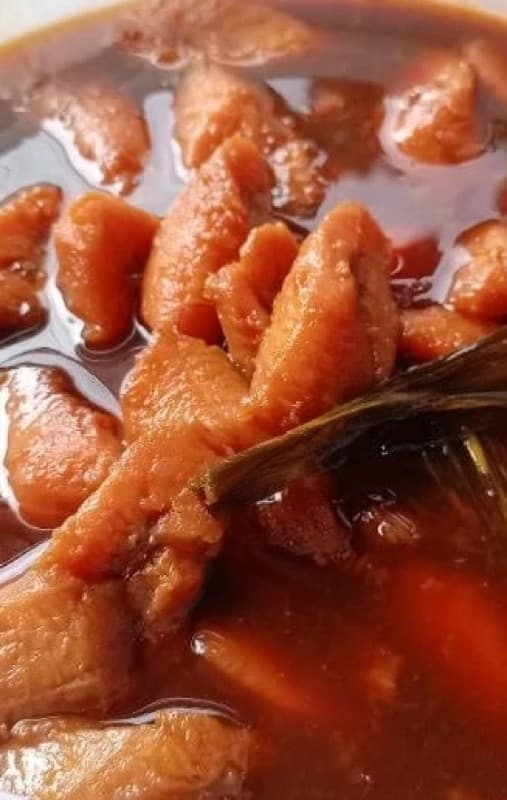
Before
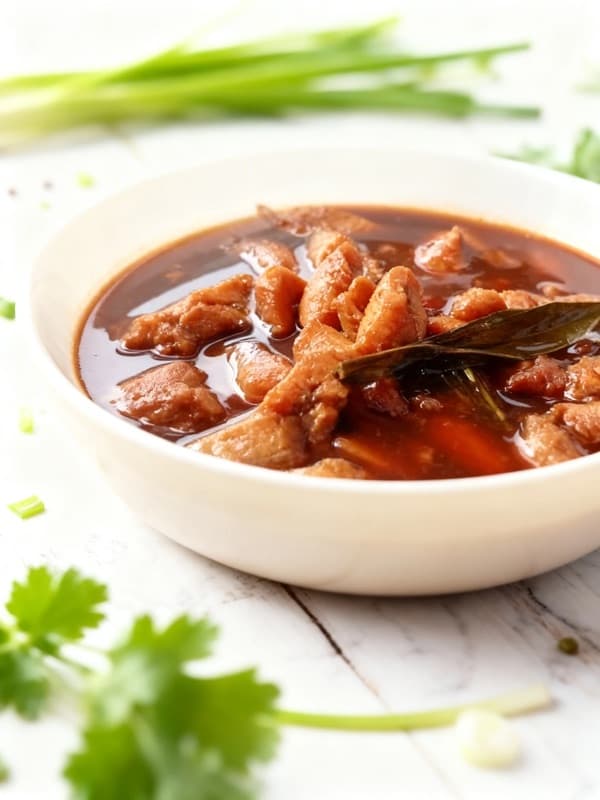
After
| Market share | ~62% of digital restaurant orders placed through restaurant apps and websites |
|---|---|
| Customers | 70% of consumers prefer ordering directly from a restaurant website or app |
| Partners | 749,000+ restaurants in the US, with 146,000+ independent full-service locations |
| Commission | $0 platform commission -- only payment processing fees (~2.6% + $0.10 per transaction) |
| Average order | $35-42 USD (23% higher than in-person transactions) |
| Menu photo | 1200 x 800 pixels (recommended 2000 x 1333 for retina displays); 3:2 or 16:9 for hero images; 1:1 or 4:3 for menu item cards |
Why Your Own Restaurant Website Matters for Your Restaurant
Every order that comes through a third-party delivery platform costs your restaurant between 15% and 30% in commission fees. For a restaurant generating $50,000 per month in delivery orders through apps like Uber Eats or DoorDash, that means $7,500 to $15,000 leaves your business every single month -- money that goes to a technology company instead of covering your labor, food costs, or profit margin. Over a year, that is $90,000 to $180,000 in commissions that could have stayed in your pocket.
Direct ordering flips this equation. When customers order through your own website, your branded app, or your Google Business Profile, you pay only standard payment processing fees of roughly 2.6% plus $0.10 per transaction. On that same $50,000 in monthly orders, your total processing cost drops to approximately $1,350 -- saving you $6,150 to $13,650 every month compared to third-party platforms.
But the financial benefit is only half the story. When a customer orders through DoorDash, DoorDash owns that customer relationship. They control the data, the communication, and the remarketing. When a customer orders through your website, you own their email address, their order history, their preferences, and the ability to bring them back with targeted promotions. Customer reorder rates on direct channels run 35-55%, compared to just 15-25% on third-party platforms, because you can actually build a relationship.
This guide is the definitive resource for restaurant owners who want to take control of their ordering channels. We cover everything from setting up a direct ordering website to optimizing your Google Business Profile, running local SEO campaigns, building loyalty programs, and using email and SMS marketing to drive repeat orders. Every strategy is backed by real data and designed to be actionable within your first week.
How Your Own Restaurant Website's Algorithm Ranks Restaurants
Unlike delivery platforms where a proprietary algorithm determines your visibility, direct ordering success depends primarily on one thing: how well Google surfaces your restaurant when nearby customers search for food. Google is the discovery engine for direct orders. When someone searches "pizza near me," "best Thai food downtown," or "order food online," Google decides which restaurants appear -- and that decision is driven by your Google Business Profile, local SEO signals, and website quality.
Google processes billions of local search queries, and restaurant-related searches are among the most common. Over 90% of restaurant discovery happens within search engines and map apps, with 46% of restaurant website traffic coming directly from local searches. When a potential customer searches for food on Google, they see three things: a local map pack showing Google Business Profile listings (with direct "Order Online" buttons), organic search results pointing to restaurant websites, and paid Google Ads at the top of the page. Winning across all three channels is how you build a sustainable direct ordering business.
The critical difference between Google discovery and platform discovery is intent. A customer browsing DoorDash is already committed to ordering delivery and is choosing among dozens of restaurants. A customer searching Google might be deciding between ordering delivery, picking up, dining in, or cooking at home. Your Google presence needs to capture that customer at the moment of decision and make ordering from you the path of least resistance -- which means having an optimized Google Business Profile with a direct ordering link, a fast website with online ordering built in, and enough reviews and local SEO signals to rank above your competitors.
| Factor | Weight | Details |
|---|---|---|
| Google Business Profile Completeness | high | Google rewards complete, accurate business profiles with higher placement in the local map pack. This includes your business name, address, phone number, hours (including holiday hours), menu link, ordering link, photos, and business attributes. Listings with accurate and complete information receive 7x more clicks than incomplete listings. Customers are 2.7x more likely to trust a business with a complete profile on Google Maps. |
| Google Reviews (Volume and Recency) | high | Review quantity, average rating, and recency are primary ranking factors for Google local search. Restaurants optimizing their Google Business Profile receive 2.3x more reviews than those that do not. Google surfaces businesses with recent, positive reviews higher in the map pack. Actively responding to reviews signals to Google that your business is engaged and trustworthy, further boosting your ranking. |
| Proximity to Searcher | high | Google heavily weighs geographic distance between the searcher and your restaurant for local search results. You cannot change your location, but you can influence your effective radius by optimizing for neighborhood-specific keywords, maintaining consistent NAP (Name, Address, Phone) data across all directories, and ensuring your service area is accurately defined in your Google Business Profile settings. |
| Website Quality and Mobile Experience | medium | Google evaluates your website for page speed, mobile responsiveness, and structured data (schema markup). Restaurants with schema markup see 20-30% higher click-through rates on Google. A slow, non-mobile-friendly website will rank poorly in organic search and drive potential customers to competitors. Your website must load in under 3 seconds and have a clear, prominent ordering call-to-action above the fold. |
| Local Citation Consistency | medium | Your restaurant name, address, and phone number must be identical across Google, Yelp, Facebook, TripAdvisor, Apple Maps, and every other directory. Inconsistencies (like "123 Main St" on Google and "123 Main Street" on Yelp) confuse Google and reduce your local ranking. Use a citation management tool or manually audit all listings quarterly to ensure consistency. |
| On-Site SEO and Content | medium | Your website should include location-specific keywords naturally throughout your content -- your city name, neighborhood, cuisine type, and phrases like "order online" and "delivery." A blog with locally relevant content (event catering, seasonal menu changes, neighborhood involvement) builds topical authority that Google rewards with higher organic rankings over time. |
| Click-Through Rate and User Engagement | low | When Google shows your restaurant in search results, the percentage of users who click through to your listing or website influences your future rankings. Compelling Google Business Profile photos, a strong review rating, and an active "Order Online" button all improve click-through rates. A low CTR signals to Google that your listing is not relevant for the search query, which can suppress future visibility. |
The most powerful feature Google offers for direct ordering is the "Order Online" button that appears directly on your Google Business Profile. When a customer searches for your restaurant on Google Search or Google Maps, they see this button prominently displayed alongside your phone number and directions. If you have not configured this button, Google may auto-link it to a third-party delivery platform -- sending your customer (and a 30% commission) to DoorDash or Uber Eats even though the customer found you organically.
To control where the Order Online button sends customers, use the Google Business Profile dashboard to add your direct ordering URL as the preferred ordering link. Platforms like ChowNow, Toast, Square Online, and Owner.com integrate directly with Google so that your direct ordering page becomes the default destination. Some platforms even allow Google to ingest your menu data so customers can browse items directly within Google Search before clicking through to complete their order.
Google's local search algorithm also considers behavioral signals over time. If customers frequently search for your restaurant by name, visit your website from search results, and spend time on your pages, Google interprets this as strong relevance and authority. This creates a flywheel effect: the more customers you drive to your direct ordering site, the more Google learns that your site is the authoritative source for orders, and the higher it ranks you for future searches.
One often-overlooked factor is Google Business Profile posts. You can publish updates, offers, events, and new menu items directly to your profile. These posts appear in your listing for seven days and signal to Google that your business is active. Restaurants that post weekly see higher engagement rates and stronger local rankings than those with dormant profiles. Use posts to promote weekly specials, limited-time menu items, or direct ordering promotions that incentivize customers to order through your website rather than a platform.
10 Proven Ways to Increase Your Your Own Restaurant Website Orders
1.Set Up a Commission-Free Direct Ordering Website
The foundation of your direct ordering strategy is a website with integrated online ordering that you own and control. Several restaurant-specific platforms make this straightforward, even if you have zero technical experience. Toast Online Ordering integrates with the Toast POS system and charges a flat fee rather than per-order commissions. Square Online pairs with the Square POS and offers a free tier for basic online ordering. ChowNow provides a commission-free ordering system used by over 22,000 restaurants. Owner.com builds branded restaurant websites with built-in ordering, marketing, and customer data tools.
The critical requirement for your ordering website is speed and simplicity. A customer who finds your restaurant on Google and clicks through to your site will abandon the order if the page takes more than 3 seconds to load or if the ordering flow requires more than 3-4 clicks from landing to checkout. The best direct ordering websites display your menu immediately, allow item selection and customization on a single page, and have a streamlined checkout with saved payment options for returning customers.
Mobile experience is non-negotiable. Over 70% of restaurant online orders originate on mobile devices, so your ordering page must be fully responsive with large tap targets, easy-to-read menu text, and a checkout flow designed for thumb navigation. Test your ordering flow on both iOS and Android devices before launch. If the experience feels clunky on a phone, customers will default to a delivery app where the mobile experience is already polished.
Payment processing on direct ordering platforms typically costs 2.6% plus $0.10 per transaction through Stripe or Square, compared to 15-30% commissions on third-party platforms. On a $35 average order, you pay approximately $1.01 in processing fees versus $5.25 to $10.50 in platform commissions. That is $4.24 to $9.49 in savings per order. At 500 orders per month, you keep an additional $2,120 to $4,745 every month.
When evaluating platforms, prioritize four features: integration with your existing POS system (to avoid double-entering orders), Google Business Profile integration (so your ordering link appears on Google Search and Maps), customer data ownership (email addresses, order history, and preferences), and built-in marketing tools (email, SMS, and loyalty program capabilities). The platform that checks all four boxes will pay for itself within the first month of operation.
Set up your website with professional photos of your top 10 menu items from day one. Unlike third-party platforms where dozens of restaurants compete for attention, your own website is a controlled environment where photos are the single most important conversion factor. We will cover this in depth later in this guide.
$0[1]
Commission on direct orders -- only 2.6% + $0.10 payment processing
2.Optimize Your Google Business Profile for Maximum Visibility
Your Google Business Profile is the single most important free marketing asset for driving direct orders. When 93% of diners check Google before choosing a restaurant, your GBP listing is often the first impression a potential customer has of your business. An optimized profile does not just improve your visibility in local search -- it provides a direct pathway from discovery to order through the built-in Order Online button.
Start with the fundamentals. Ensure your business name, address, phone number, and hours are 100% accurate and match every other listing on the internet. Add your complete menu with current prices. Select all relevant business categories (primary: "Restaurant," secondary categories for your cuisine type like "Italian Restaurant" or "Sushi Restaurant"). Enable the "Dine-in," "Takeout," and "Delivery" attributes. Upload at least 20-30 high-quality photos showing your food, interior, exterior, and team.
The Order Online button is your conversion engine. Navigate to your GBP dashboard and add your direct ordering URL as the preferred link. If you do not set this, Google may auto-populate the button with a third-party delivery platform link, sending customers you discovered organically to DoorDash or Uber Eats -- and costing you a 15-30% commission on a customer who was already looking for you specifically. Platforms like Toast, Square Online, and ChowNow offer direct Google integrations that streamline this setup.
Google Business Profile posts are an underutilized ranking signal. Publish updates weekly: new menu items, seasonal specials, events, or direct ordering promotions. Each post appears on your listing for seven days and signals to Google that your business is actively managed. A post saying "Order directly from our website this week and get free garlic bread" with a link to your ordering page converts browsers into buyers while building your direct ordering habit.
Respond to every Google review within 24-48 hours. A 2025 study of over 300 restaurant locations found that restaurants actively managing their GBP receive 2.3x more reviews than passive listings. Your responses demonstrate engagement to both potential customers and Google's ranking algorithm. Thank positive reviewers by name and invite them to order directly. Address negative reviews with specifics and offer to make things right. Listings with call-to-action buttons and active owner responses show a 42% higher engagement rate than inactive listings.
Upload new photos monthly. Google favors listings with recent, high-quality images. Use MenuPhotoAI to transform your smartphone food photos into professional-grade images, then upload them to your GBP. Fresh photos signal an active business and give potential customers confidence that your food looks as good as it tastes.
93%[2]
Of diners check Google before choosing a restaurant
3.Dominate Local SEO to Capture "Near Me" Searches
Local SEO is the process of optimizing your online presence so that your restaurant appears when nearby customers search for food on Google. These searches -- "restaurants near me," "Thai food delivery [your city]," "best pizza in [neighborhood]" -- represent the highest-intent traffic available to your restaurant. Over 75% of local searches on Google convert into leads, and 88% of consumers who search for a local business on their smartphone visit or call within 24 hours. Capturing this traffic and routing it to your direct ordering page is one of the most cost-effective growth strategies available.
Your website is the foundation of local SEO. Include your city name, neighborhood, and cuisine type naturally throughout your site content. Your homepage title tag should follow a format like "Tony's Pizzeria | Best Pizza in Williamsburg, Brooklyn | Order Online." Create dedicated pages for each service you offer (delivery, catering, private events) with location-specific content. Add structured data markup (restaurant schema) to your website -- restaurants with schema markup see 20-30% higher click-through rates in Google search results.
Build local citations by listing your restaurant on every relevant directory: Yelp, TripAdvisor, Facebook, Apple Maps, Bing Places, Foursquare, and industry-specific sites like OpenTable and Zagat. Your NAP (Name, Address, Phone) information must be identical across every single listing. Even small inconsistencies -- "Street" versus "St." or a missing suite number -- can confuse Google's algorithm and reduce your local ranking.
Create locally relevant content on your website. A blog post about catering a local school fundraiser, a seasonal menu inspired by your city's farmers market, or a guide to the best wine pairings for your neighborhood's food scene all build topical authority that Google rewards. This content does not need to go viral -- it needs to signal to Google that your restaurant is a genuine, active part of the local community.
Earn backlinks from local sources. Get listed in local food blogs, neighborhood guides, and chamber of commerce directories. Sponsor a local sports team or community event and ask for a link back to your website. Each backlink from a locally relevant source tells Google that your restaurant is a trusted, authoritative business in your area. Five quality local backlinks are worth more than fifty generic directory listings.
Monitor your local search rankings using Google Search Console or a tool like BrightLocal. Track your position for your most important keywords monthly and correlate ranking changes with your optimization efforts. Local SEO is a long game -- expect 3-6 months before significant ranking improvements, but the compounding traffic and zero-commission orders make it one of the highest-ROI investments available.
75%+[3]
Of local searches on Google convert into leads for businesses
4.Build a Loyalty Program That Turns First-Timers Into Regulars
The economics of restaurant profitability are driven by repeat customers. Industry data shows that 65-80% of restaurant revenue comes from regulars, yet 70% of first-time diners never return. A loyalty program is the most effective tool for closing this gap, and when tied to your direct ordering channel, it creates a powerful incentive for customers to order from your website instead of a delivery app.
Restaurants with established loyalty programs report 20% higher customer retention rates than those without, and loyalty members visit 20% more frequently and spend 20% more per visit. The ROI is compelling: 90% of restaurant operators offering loyalty programs report a positive return, with the average ROI at 4.8x. This means every dollar invested in your loyalty program generates nearly five dollars in incremental revenue.
Design your program around simplicity and achievable rewards. The most effective restaurant loyalty programs use a straightforward points-per-dollar model: earn 1 point for every $1 spent, redeem 100 points for a $10 reward. This is easy for customers to understand and creates a clear incentive to consolidate all their ordering through your direct channel where they earn points, rather than splitting orders between your website and DoorDash where they earn nothing.
The key behavioral trigger is making the program exclusive to direct orders. When a customer orders through Uber Eats, they earn no loyalty points and receive no progress toward their next reward. When they order the same meal through your website, they earn points, see their progress bar advance, and feel like they are building toward something. This psychological framing converts platform-dependent customers into direct ordering loyalists over time.
Several platforms make loyalty program implementation straightforward for independent restaurants. Toast, Square, and ChowNow all include loyalty features in their ordering platforms. Standalone tools like Paytronix, FiveStars (now SumUp), and Incentivio offer more sophisticated programs with automated reward triggers, birthday offers, and win-back campaigns for lapsed customers. Choose a tool that integrates with your POS and direct ordering system so points accumulate automatically without requiring staff intervention.
Promote your loyalty program at every customer touchpoint. Include a QR code on your dine-in receipts that links to loyalty enrollment. Add a sign-up prompt to your direct ordering checkout flow. Print loyalty enrollment cards and include them in every takeout and delivery bag. Train your staff to mention the program when customers pay. The goal is to make loyalty enrollment the default customer experience, not an opt-in afterthought.
Track your loyalty program metrics monthly: enrollment rate, active member percentage, average points-to-redemption cycle, and incremental revenue from loyalty members versus non-members. A well-run program should show loyalty members ordering 2-3x more frequently than non-members within six months of launch.
4.8x[4]
Average ROI for restaurant loyalty programs
5.Use Email and SMS Marketing to Drive Repeat Direct Orders
When a customer orders through a third-party platform, you have no way to contact them afterward. The platform owns that relationship. When a customer orders through your website, you capture their email address, phone number, and order history -- and you can use that data to bring them back again and again at zero commission cost.
Email marketing for restaurants generates an average return of $36 for every $1 spent, with restaurant emails achieving open rates of approximately 44% -- well above the cross-industry average. SMS marketing is even more powerful for immediate action: text messages achieve 98% open rates and 15-35% click-through rates, with 21-30% of SMS recipients completing a purchase. For time-sensitive promotions like daily specials or last-minute availability, SMS is unmatched.
Build your customer database from every touchpoint. Your direct ordering checkout should capture email and phone number with an opt-in for marketing communications. Place a sign-up form on your website offering a first-order incentive (10% off or free appetizer). Use a tablet at your host stand for dine-in customers to join your email list. Within six months, a moderately busy restaurant can build a list of 2,000-5,000 engaged contacts -- a direct marketing channel that costs nothing to reach.
Segment your communications for maximum impact. Create automated email sequences for different customer behaviors: a welcome email after first order with a loyalty enrollment prompt, a reorder reminder 7 days after their last order, a win-back email at 30 days of inactivity with a compelling offer, and a birthday message with a free dessert. Each sequence triggers automatically based on customer behavior, generating orders without any manual effort from your team.
For SMS, focus on time-sensitive, high-value messages. Send a text at 4 PM on a Tuesday: "Tonight only: Order our new lobster mac and cheese through our website and get a free side. Order now: [link]." The 98% open rate means nearly every recipient sees it within minutes, and the direct ordering link routes them to your commission-free channel. Limit SMS to 2-4 messages per month to avoid fatigue and unsubscribes.
Use platforms like Mailchimp, Klaviyo, or your ordering system's built-in tools to manage campaigns. Toast, Square, and ChowNow all include email marketing capabilities. For SMS, tools like SlickText, Podium, or the SMS features built into loyalty platforms like Incentivio work well for restaurants. The key is choosing tools that integrate with your ordering system so you can trigger messages based on actual ordering behavior rather than sending generic blasts.
Measure your email and SMS ROI by tracking orders attributed to each campaign. Most email platforms provide click-through and conversion data. Compare the revenue generated from a single email campaign against the monthly cost of your email tool ($30-100/month for most restaurants) to validate the return. A single well-timed SMS campaign can generate $500-2,000 in direct orders -- revenue you keep 100% of minus processing fees.
98%[5]
Open rate for SMS marketing messages to restaurant customers
6.Invest in Professional Food Photography for Your Ordering Page
On a third-party delivery app, your photos compete alongside dozens of other restaurants in an algorithm-driven feed. On your own ordering website, photos are everything. There is no algorithm deciding who sees your menu. There is no competitor one swipe away. When a customer lands on your direct ordering page, your food photos are the single factor that determines whether they place an order or leave. Delivery platforms report what photos do on their apps: Just Eat says an item gets 16% more orders on average after it gets a photo, and Grubhub says menus that changed from text to photos saw about 25% higher conversion. No one publishes a figure for restaurant websites.
Your own website gives you complete control over photo presentation that no delivery platform offers. You choose the image sizes, aspect ratios, cropping, background styling, and layout. You can use hero images that span the full width of the page, gallery layouts that showcase your food from multiple angles, and lifestyle shots that convey your restaurant's ambiance. Platforms like DoorDash and Uber Eats restrict you to a single photo per item in a standardized format -- your website has no such limitations.
Prioritize photographing your top 20 menu items first. These are the items that generate 80% of your revenue, and having professional photos for these items will have the largest impact on conversion rates. For each item, capture at least one overhead shot and one 45-degree angle shot. The overhead perspective works well for bowls, plates with multiple components, and dishes where the arrangement is visually interesting. The 45-degree angle is best for items with height -- burgers, stacked sandwiches, layered desserts -- because it shows dimension and makes the food look substantial.
Lighting is the most important technical element. Shoot near your largest window between 10 AM and 2 PM for soft, natural light that makes food look appetizing without harsh shadows. If natural light is not available, a basic two-light softbox setup ($60-100) creates consistent, professional results. Never use your phone's built-in flash -- it flattens the food and creates an unappetizing sheen.
AI-powered photo enhancement tools like MenuPhotoAI can transform basic smartphone food photos into professional-quality images suitable for your ordering website. This approach costs a fraction of hiring a professional photographer ($300-500 per session for 15-20 dishes) while producing images that meet professional standards. For restaurants updating their menu seasonally, AI enhancement makes it economically feasible to maintain fresh, professional photos year-round rather than relying on a single annual photo shoot.
Once you have professional photos, use them everywhere: your website ordering page, Google Business Profile, social media profiles, email campaigns, and printed materials. Consistency across channels builds brand recognition and reinforces the professional image that drives direct ordering conversions.
25%[6]
Higher conversion for menus that changed from text to photos (Grubhub)
7.Use QR Codes to Convert Dine-In Customers Into Direct Ordering Customers
Your dine-in customers are your most valuable potential direct ordering customers, and QR codes are the bridge that connects the physical dining experience to your digital ordering channel. Nearly 75% of full-service restaurant operators in the US have adopted QR codes, and 68% of Gen Z and 78% of Millennials prefer QR code menus. This technology is no longer novel -- it is expected.
The strategic purpose of QR codes goes beyond replacing paper menus. Every QR code scan is an opportunity to capture a customer's contact information, enroll them in your loyalty program, and establish a direct digital relationship that leads to future online orders. A customer who dines in on Friday night and has a great experience is your best prospect for a direct delivery order on Tuesday evening -- but only if you have captured their information and given them an easy way to reorder.
Place QR codes in four strategic locations. First, on every table with a small acrylic stand that reads "Scan to view our menu and earn loyalty points." Second, on your physical receipt at the bottom with text like "Loved your meal? Order it again anytime" linking to your direct ordering page. Third, on a card inserted into every takeout and delivery bag directing customers to order directly next time for exclusive rewards. Fourth, on your front window or door for walk-by traffic who may want to browse your menu or place an order for later.
Design your QR code landing page to accomplish three things: display your menu, enable ordering, and capture customer data. The page should load in under 2 seconds on mobile, present your menu with photos, and include a prominent loyalty sign-up or email capture form. Use dynamic QR codes (through tools like QR Code Generator, Beaconstac, or your ordering platform's built-in QR features) so you can track scan volume, update the destination URL without reprinting, and A/B test different landing pages.
The conversion metric that matters is the dine-in-to-digital rate: what percentage of your dine-in customers eventually place a direct online order. Track this by comparing the number of QR code scans and email captures against subsequent online orders from those same contacts. A well-executed QR code strategy should convert 15-25% of dine-in customers into direct online ordering customers within 90 days.
Include a tangible incentive for scanning. "Scan to join our rewards program and get a free appetizer on your next order" converts significantly better than a bare QR code with no context. The free appetizer costs you $2-4 in food cost but acquires a direct ordering customer whose lifetime value could be hundreds of dollars in commission-free orders. That is an acquisition cost that no paid advertising channel can match.
75%[7]
Of full-service US restaurants have adopted QR code menus
8.Turn Social Media Into a Direct Ordering Channel
Instagram and Facebook are not just brand awareness tools -- they are direct ordering channels that can route customers to your commission-free website. Instagram has over 2 billion monthly active users, and food is one of the most engaged content categories on the platform. Facebook remains the most-used social media platform among adults over 30, which overlaps significantly with the demographic that orders food delivery most frequently.
Set up direct ordering links across every social media profile. On Instagram, your bio link should point directly to your ordering page (use a link-in-bio tool like Linktree or your ordering platform's landing page if you also need to link to other pages). On Facebook, add the "Order Food" action button to your business page and connect it to your direct ordering URL. Both platforms support "Order Food" stickers in Stories that link directly to your website. Every post, story, and reel should have a clear path from social content to your ordering page.
Content strategy for driving orders is different from general social media marketing. Instead of posting generic food photos, create content that triggers ordering behavior. Post a video of your most popular dish being prepared at 4:30 PM on a weekday, when people are starting to think about dinner. Share a customer review alongside a photo of the dish they praised. Post your weekly specials every Monday with a "link in bio to order" call-to-action. The content should make the viewer hungry and then immediately provide a way to satisfy that craving through your direct ordering channel.
Instagram Reels and Stories consistently outperform static posts for restaurant content because they show movement, texture, and the sensory experience of food in ways that still images cannot. A 15-second Reel showing cheese pulling on a pizza, steam rising from a fresh bowl of ramen, or a dessert being plated generates engagement that translates into orders. Keep production simple -- authentic, well-lit phone videos shot in your kitchen perform better than overproduced content that feels like an advertisement.
Run social media ads targeting your delivery radius. A $5-10/day Facebook or Instagram ad targeting users within 3-5 miles of your restaurant, showing your best food photography with a "Order Now" button linking to your website, can generate direct orders at a cost of $2-5 per acquisition. At a $35 average order value with $0 commission, the ROI is dramatically better than acquiring the same customer through a delivery platform where you pay $5-10 in commission fees.
User-generated content is your most authentic marketing asset. Encourage customers to tag your restaurant in their food photos and stories. Repost the best user content with credit, creating social proof that real people enjoy your food. Run a monthly contest where customers who post photos of your food and tag your account are entered to win a free meal. This generates ongoing content without requiring you to create it, while building a community around your restaurant that drives direct orders organically.
46%[3]
Of restaurant website traffic comes from local and social search
9.Run Google Ads to Capture High-Intent Food Ordering Searches
Google Ads is the fastest way to appear at the top of search results for high-intent queries like "food delivery near me," "order [cuisine type] online [your city]," and "[your restaurant name] menu." Unlike SEO, which takes months to build, Google Ads can drive orders within hours of launching a campaign. And unlike advertising on delivery platforms where you pay commission on every resulting order, Google Ads drive traffic to your commission-free website.
The economics are favorable for restaurants. The average cost per click for restaurant Google Ads is approximately $2.05, well below the cross-industry average of $5.26. The average cost per lead is $30.27, and with direct ordering, that lead generates a $35+ order where you keep 97-100% of revenue versus 70-85% on a delivery platform. Google's own data indicates an average ROI of 8x on Google Ads spending, though restaurant-specific returns depend heavily on targeting and landing page quality.
Start with a Local Search campaign targeting keywords people use when they are ready to order. "Pizza delivery [your neighborhood]," "order Thai food [your city]," "Chinese food near me delivery" -- these are bottom-of-funnel keywords where the searcher has already decided to order and is choosing where. Bid on your own restaurant name as a keyword too, because delivery platforms actively bid on restaurant names to intercept customers searching for you and redirect them to their platform where they collect commission.
Set your geographic targeting tightly. Target a radius of 3-5 miles around your restaurant for delivery orders and 5-10 miles for pickup. There is no value in paying for clicks from users 20 miles away who cannot realistically receive your delivery. Use Google's location targeting to set bid adjustments -- bid higher for users within 1-2 miles where delivery is fastest and customer satisfaction is highest.
Your landing page is critical. Do not send Google Ads traffic to your homepage and expect users to navigate to your ordering page. Create a dedicated landing page or send users directly to your online ordering menu. The page should load in under 3 seconds, display your menu with photos immediately, and have a single clear call-to-action: place your order. Every additional click or page load between the Google ad and the checkout is a leak in your conversion funnel.
Budget $10-20 per day to start and run the campaign for at least 14 days before making optimization decisions. Track conversions by installing a conversion pixel on your order confirmation page so Google can report exactly how many orders each keyword and ad generates. Pause keywords with a cost-per-conversion above your target (typically $5-8 for a $35+ order) and increase budget on keywords converting profitably. Over time, Google's machine learning optimizes your bidding to focus spend on the users most likely to order, improving your ROI as the campaign gathers data.
Consider Google's Performance Max campaigns, which automatically serve your ads across Google Search, Maps, YouTube, and the Google Display Network. For restaurants, Performance Max can show your ordering page to users searching on Maps for food nearby -- a high-intent context where conversion rates are strongest.
$2.05[8]
Average cost per click for restaurant Google Ads vs $5.26 industry average
10.Create a Branded Delivery Experience That Builds Loyalty
When customers order through DoorDash or Uber Eats, they receive their food in a generic experience dominated by the platform's branding. The delivery bag says DoorDash. The tracking screen says Uber Eats. The receipt is from Grubhub. Your restaurant is reduced to a line item in someone else's customer experience. Direct ordering lets you own every touchpoint of the delivery experience, transforming a transactional meal into a branded interaction that builds loyalty and drives repeat orders.
Start with your packaging. Custom branded bags and boxes with your logo, colors, and a direct ordering URL printed on them cost $0.15-0.30 more per order than generic packaging but serve as a physical marketing touchpoint that stays in the customer's home or office for the duration of their meal. Include a QR code on the bag that links to your loyalty program or direct ordering page. Every delivery becomes a billboard for your direct ordering channel.
Insert a printed card in every order. One side thanks the customer by name (if your ordering system supports variable printing) and the other promotes your loyalty program and direct ordering incentives. A simple message like "You saved $5 by ordering directly. Order again at [your-website.com] and earn points toward a free meal" reinforces the value of direct ordering and provides a clear next step. This $0.05-0.10 insert generates measurably higher repeat ordering rates than orders delivered without any branded communication.
Your delivery experience should feel premium. Use containers that maintain food temperature -- invest in insulated bags for hot items and sealed containers for items prone to spilling. Include utensils, napkins, and condiments by default rather than requiring customers to request them. A small unexpected extra -- a complimentary cookie, a sample of a new menu item, or a handwritten note from the chef -- creates a memorable experience that customers talk about and that drives word-of-mouth referrals.
Delivery tracking is another area where your own system can differentiate. Platforms like Toast and Owner.com offer real-time order tracking that you can brand with your restaurant's look and feel. Customers receive SMS updates at each stage: order confirmed, being prepared, out for delivery, and delivered. Each touchpoint is an opportunity to reinforce your brand and remind customers that they ordered directly from you -- not from a faceless platform.
Follow up after every delivery with an automated email or SMS. Ask for feedback, invite a Google review, and offer a small incentive for their next direct order. This post-delivery communication loop is impossible when you use third-party platforms because they do not share customer contact information. It is one of the most significant advantages of direct ordering and the primary mechanism for building the repeat ordering habit that drives long-term profitability.
Measure your delivery experience quality through customer feedback scores and repeat ordering rates. Track whether customers who receive your branded packaging and insert cards order again within 30 days at a higher rate than those who ordered before you implemented these touchpoints. Even a 10% improvement in 30-day reorder rate translates into thousands of dollars in additional annual revenue -- all at zero commission.
35-55%[9]
Customer reorder rate for direct orders vs 15-25% on third-party platforms
Better menu photos from your own phone photos
MenuPhotoAI turns a photo of your own dish into a professional menu image in minutes. You decide where to use it. Start with 5 free photos (watermarked), no credit card required.
Try MenuPhotoAI FreeYour Own Restaurant Website Photo Requirements
| Minimum resolution | 1200 x 800 pixels (recommended 2000 x 1333 for retina displays) |
| Aspect ratio | 3:2 or 16:9 for hero images; 1:1 or 4:3 for menu item cards |
| Max file size | 500KB-1MB optimized (compress for web performance; original can be any size) |
| Accepted formats | JPEG, WebP, PNG |
| Photos per item | Unlimited -- use multiple angles, lifestyle shots, and detail crops |
| Hero/cover image | 1920 x 1080 pixels minimum for full-width hero banners |
Unlike delivery platforms, your own website gives you complete control over photo presentation. Use WebP format for fastest loading. Include alt text on all images for SEO. Show your food in context -- on your actual plates, with your branded napkins, in your dining room -- to build brand identity. No platform restrictions on text overlays, branding, or styling. Optimize all images for web performance to keep page load under 3 seconds.
On a third-party delivery platform, your food photos compete in an endless feed alongside dozens of other restaurants. The platform's algorithm determines who sees your images, and every competitor is just one swipe away. On your own ordering website, the dynamic is completely different: there is no algorithm, no competitor carousel, and no distraction. When a customer lands on your page, your food photos are the entire visual experience. They are the single factor that determines whether that visitor becomes a paying customer or bounces to a competitor.
This makes photography the highest-ROI investment for any direct ordering website. Delivery platforms report that Just Eat items get 16% more orders on average after they get a photo, and that Grubhub menus that changed from text to photos saw about 25% higher conversion. No one publishes a figure for restaurant websites. On your own website there is no platform brand or familiar interface to fall back on, so your photos carry your brand credibility.
The advantage of owning your ordering channel is total creative freedom. Delivery platforms restrict you to a single standardized photo per item with strict content guidelines -- no text, no logos, no lifestyle context. On your own website, you can showcase each dish with multiple images: a hero shot, a close-up detail showing texture, a lifestyle shot showing the dish in context with drinks and sides, and even a short video of the dish being prepared or served. This multi-angle approach builds the kind of appetite appeal that a single constrained platform image cannot achieve.
Your hero images -- the large banner photos at the top of your ordering page and homepage -- set the emotional tone for the entire ordering experience. These should be your absolute best photography: your signature dish beautifully plated, shot with professional lighting, styled to look irresistible. A strong hero image sets the tone for the page.
For menu item photos, consistency matters as much as quality. When every item is shot with the same lighting setup, similar angles, and a cohesive visual style, your menu looks curated and professional. Inconsistent photos -- some professional, some dark smartphone shots, some with different backgrounds -- create visual dissonance that undermines customer confidence. AI-powered tools like MenuPhotoAI can standardize your entire menu's photography to a consistent professional level, ensuring that every item looks equally appetizing.
Remember that your website photos also serve your Google Business Profile, social media, email marketing, and print materials. Investing in professional-quality food photography is not just a website expense -- it is a marketing asset that powers every channel driving direct orders to your restaurant.
16%[11]
More orders for an item after it gets a photo (Just Eat)
Your Own Restaurant Website Promotion Tools
Google Business Profile (Free)
Free to set up and maintain. Time investment: 30-60 minutes/week for posts, review responses, and photo updates.Your most important free marketing channel. Optimize your listing with photos, menu, ordering link, and weekly posts. Respond to all reviews. The Order Online button routes customers directly to your commission-free website from Google Search and Maps.
Google Ads (Local Search)
$10-20/day starting budget ($300-600/month). Only pay when someone clicks your ad.Pay-per-click ads that place your restaurant at the top of Google Search for high-intent food ordering queries. Target customers within your delivery radius. Average $2.05 CPC for restaurants with 8x average ROI.
Email Marketing
$0-100/month depending on list size and platform (Mailchimp free tier up to 500 contacts; paid plans $13-30/month).Build a customer database from direct orders and send targeted campaigns: weekly specials, reorder reminders, birthday offers, and win-back sequences for lapsed customers. Average $36 return for every $1 spent.
SMS Marketing
$25-100/month for 1,000-5,000 messages depending on platform (SlickText, Podium, or built-in ordering platform tools).Send time-sensitive promotions directly to customers' phones with 98% open rates and 15-35% click-through rates. Ideal for daily specials, flash promotions, and last-minute capacity fills.
Loyalty Program
$50-200/month depending on platform. Many ordering systems (Toast, Square, ChowNow) include basic loyalty features at no additional cost.Points-per-dollar rewards program exclusive to direct orders. Drives 20% higher visit frequency and 20% higher spend per visit from members. Average 4.8x ROI for restaurants.
Social Media (Organic + Paid)
Organic posting is free. Paid ads: $5-10/day ($150-300/month) for local targeting.Post food content on Instagram and Facebook with direct ordering links. Run targeted ads within your delivery radius for $5-10/day. Use Stories and Reels for high-engagement content that drives ordering behavior.
QR Code Marketing
QR code generation is free. Printed materials (table stands, cards, stickers): $50-150 one-time setup.Place QR codes on tables, receipts, takeout bags, and storefronts to bridge physical dining to digital ordering. Each scan captures customer data and drives loyalty enrollment. Dynamic QR codes allow destination updates without reprinting.
Local SEO and Content Marketing
DIY: free (time investment only). Professional SEO services: $500-2,000/month. Citation management tools: $15-50/month.Optimize your website for local search terms, build local citations, earn backlinks from community sources, and publish locally relevant content. Drives free organic traffic from Google that converts at high rates over time.
Common Mistakes to Avoid
Letting Google Auto-Link Your Order Button to a Third-Party Platform
If you do not explicitly set your Google Business Profile ordering link, Google may auto-populate the "Order Online" button with a DoorDash, Uber Eats, or Grubhub link. This means customers who find you organically on Google -- your highest-value traffic -- get routed to a platform where you pay 15-30% commission on an order you would have received for free. Check your GBP dashboard today and ensure your direct ordering URL is the primary link.
Building a Website Without Integrated Online Ordering
Many restaurants invest in a beautiful website that showcases their menu as a PDF or a list of items with no way to actually order. This creates friction that sends customers to delivery apps where ordering is easy. Your website must have a fully integrated ordering system -- not just a menu to browse, but a complete flow from item selection through payment. If customers cannot order in 3-4 clicks, they will leave.
Not Collecting Customer Data from Direct Orders
Some ordering systems process orders without capturing email addresses or phone numbers, or restaurants skip the opt-in marketing checkbox during setup. Without customer data, you lose the primary advantage of direct ordering: the ability to remarket to customers at zero cost. Ensure your checkout flow captures email and phone with marketing consent, and integrate this data with your email/SMS platform automatically.
Ignoring Mobile Optimization
Over 70% of online food orders come from mobile devices. A website that looks great on desktop but loads slowly or requires pinch-zooming on a phone will lose the majority of potential orders. Test your entire ordering flow on multiple mobile devices. Buttons should be at least 44x44 pixels, text should be readable without zooming, and the full order-to-checkout flow should work smoothly with one-thumb navigation.
Running Direct Ordering Without Any Marketing
Building a direct ordering website and expecting customers to find it organically is like opening a restaurant with no sign. Direct ordering requires active marketing: Google Business Profile optimization, local SEO, email campaigns, social media posts with ordering links, QR codes in your restaurant, and potentially Google Ads. Budget at least $300-500/month for marketing when launching direct ordering.
Pricing Higher on Your Direct Channel Than on Platforms
Some restaurants set the same menu prices on their website and on delivery platforms, even though platforms charge 15-30% commission. Savvy restaurants price their direct ordering menu 10-15% lower than platform prices, passing some of the commission savings to the customer as an incentive to order directly. This does not reduce your margin -- you actually make more per order because you are not paying platform commissions.
Having No Photos or Inconsistent Photos on Your Ordering Page
A direct ordering page without food photos, or with a mix of professional shots and dark smartphone photos, loses orders. Just Eat says an item gets 16% more orders on average after it gets a photo. Unlike delivery platforms where the surrounding interface provides credibility, your own website relies entirely on your photos and design to build trust. Invest in consistent, professional-quality photography for every menu item before launching direct ordering.
Abandoning Third-Party Platforms Entirely Before Building Direct Volume
Going cold turkey on Uber Eats and DoorDash before you have established a direct ordering channel is risky. Instead, run both channels simultaneously while actively shifting volume to direct. Use platform orders as customer acquisition (accept the commission cost as a marketing expense), then convert those customers to direct ordering through loyalty incentives, branded packaging with QR codes, and better pricing on your own channel. Aim to shift 50-70% of orders to direct over 6-12 months rather than overnight.
Your Action Checklist
Direct Ordering Website Setup
- Choose a direct ordering platform (Toast, Square Online, ChowNow, or Owner.com)
- Integrate ordering with your existing POS system to avoid double-entering orders
- Upload professional photos for your top 20 menu items at minimum
- Write compelling menu item descriptions with key ingredients and dietary info
- Test the full ordering flow on mobile (iOS and Android) -- ensure under 3-4 clicks to checkout
- Set up payment processing (Stripe or Square) at 2.6% + $0.10 per transaction
- Enable customer account creation with email and phone capture at checkout
- Add a clear "Order Online" button above the fold on your homepage
Google Business Profile Optimization
- Verify and claim your Google Business Profile listing
- Set your direct ordering URL as the primary "Order Online" link
- Upload 20-30 high-quality photos (food, interior, exterior, team)
- Add your complete menu with current prices
- Select all relevant business categories (primary + secondary cuisine types)
- Enable Dine-in, Takeout, and Delivery attributes
- Set accurate hours including holiday and seasonal schedules
- Start publishing weekly GBP posts with ordering promotions
Local SEO Foundation
- Add your city, neighborhood, and cuisine type to website title tags and meta descriptions
- Implement restaurant schema markup on your website
- List your restaurant on Yelp, TripAdvisor, Facebook, Apple Maps, and Bing Places
- Audit all listings for consistent NAP (Name, Address, Phone) information
- Set up Google Search Console and submit your sitemap
- Create location-specific landing pages if you have multiple locations
Customer Data and Marketing
- Set up email capture on your ordering checkout flow with marketing opt-in
- Choose an email marketing platform (Mailchimp, Klaviyo, or built-in ordering tools)
- Create a 4-email automated welcome sequence for new customers
- Set up automated reorder reminder at 7 days post-order
- Create a win-back sequence at 30 days of inactivity
- Set up SMS marketing for time-sensitive promotions (2-4 messages per month)
Loyalty Program Launch
- Choose a loyalty platform that integrates with your ordering system
- Define a simple points-per-dollar reward structure (e.g., 1 point per $1, 100 points = $10 reward)
- Make loyalty exclusive to direct orders -- no points for platform orders
- Create QR code table cards for dine-in loyalty enrollment
- Include loyalty enrollment prompts in checkout flow
- Print loyalty cards to insert in every takeout and delivery bag
Advertising and Promotion
- Set up a Google Ads account with a Local Search campaign ($10-20/day budget)
- Target high-intent keywords: "[cuisine] delivery [your city]," "order food [neighborhood]"
- Bid on your own restaurant name to prevent platform interception
- Install a conversion pixel on your order confirmation page
- Create Instagram and Facebook business profiles with direct ordering links
- Run a $5-10/day social media ad targeting your delivery radius
Key Takeaways
- -Direct ordering saves restaurants 15-30% per order in platform commissions. A restaurant doing $50,000/month in delivery saves $7,500-$15,000 monthly by shifting orders to their own website.
- -Your Google Business Profile is the #1 free channel for direct order discovery. Ensure your Order Online button links to YOUR website, not a third-party platform that charges commission.
- -Customer data ownership is the long-term strategic advantage of direct ordering. You cannot build email lists, loyalty programs, or reorder campaigns with customers who order through DoorDash.
- -Professional food photos are the most important conversion factor on your own ordering website. Without a platform algorithm to provide visibility, your photos ARE your sales pitch.
- -Loyalty programs exclusive to direct orders generate 4.8x ROI and increase customer visit frequency by 20%. Make ordering through your website the only way to earn rewards.
- -SMS marketing delivers 98% open rates and 15-35% click-through rates -- use it for time-sensitive promotions that drive immediate direct orders.
- -QR codes convert dine-in customers to digital ordering customers at 15-25% rates. Every table scan is an opportunity to capture contact data and build your direct ordering base.
- -Google Ads for restaurants cost an average of $2.05 per click -- one of the lowest CPCs across all industries. Direct your ad traffic to your ordering page, not your homepage.
Frequently Asked Questions
Better menu photos from your own phone photos
MenuPhotoAI turns a photo of your own dish into a professional menu image in minutes. You decide where to use it. Start with 5 free photos (watermarked), no credit card required.
Try MenuPhotoAI FreeSources
- [1] The Hidden Costs of Third-Party Delivery: What Restaurant Owners Really Pay. ActiveMenus. Accessed 2026-02-20.
- [2] Google Restaurant Search Statistics -- Trends, User Intent & Visibility Data. Restroworks. Accessed 2026-02-20.
- [3] Local SEO for Restaurants: How to Optimize Your Google Business Profile. Craver. Accessed 2026-02-20.
- [4] Restaurant Loyalty Program Statistics -- Customer Engagement & App Usage Data. Restroworks. Accessed 2026-02-20.
- [5] SMS Marketing Statistics 2025: Trends, Insights, and Data. Notifyre. Accessed 2026-02-20.
- [6] How to improve your online ordering experience (about 25% higher conversion for menus that changed from text to photos). Grubhub for Restaurants. Accessed 2026-10-02.
- [7] QR Code Menu Forecast 2025: Adoption and Usage Statistics. MenuTiger. Accessed 2026-02-20.
- [8] Google Ads Benchmarks 2025: Competitive Data and Insights for Every Industry. WordStream. Accessed 2026-02-20.
- [9] 22 Online Ordering Statistics Every Restaurateur Should Know in 2025. Lightspeed HQ. Accessed 2026-02-20.
- [10] Restaurant Customer Retention Statistics -- Data, Trends & Loyalty Metrics. Restroworks. Accessed 2026-02-20.
- [11] Photos on menu (an item with a photo gets on average 16% more orders). Just Eat Partner Centre. Accessed 2026-10-02.
Guides for Other Platforms
This guide is reviewed and updated quarterly. MenuPhotoAI is an AI food photo enhancement platform. While we believe professional food photography helps restaurants succeed on delivery platforms, this guide aims to provide comprehensive, unbiased advice for restaurant owners regardless of the tools they use.