
Restaurant Guide
How to Get More Orders on Square Online
Boost Square Online orders with 10 proven tips. Optimize your menu photos, leverage Square Loyalty, and drive direct restaurant orders commission-free.
How to get more orders on Square Online
- Add photos to every menu item - Square data shows 74% of first online food orders go to items with images, and restaurants with photos receive up to 70% more orders.
- Enable Order with Google to capture high-intent local search traffic at zero commission - customers order directly from Google Search and Maps through your Square Online page.
- Launch Square Loyalty to increase customer spending by 46% and visit frequency by 57%, building a direct relationship you own rather than renting from a marketplace.
- Use Square Marketing email and text campaigns to drive repeat orders from your customer directory at zero commission cost - first 500 texts per month are free.
- Offer on-demand delivery through DoorDash Drive at a flat $1.50 per order instead of paying 15-30% marketplace commission on every delivery order.
See the difference professional photos make
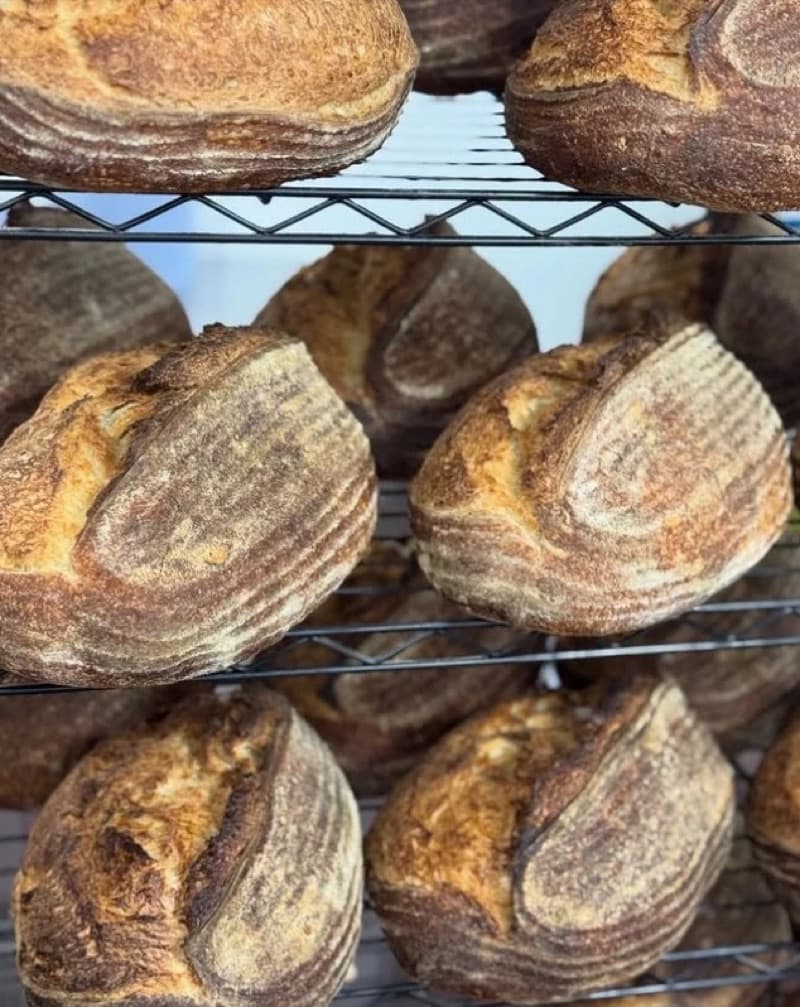
Before
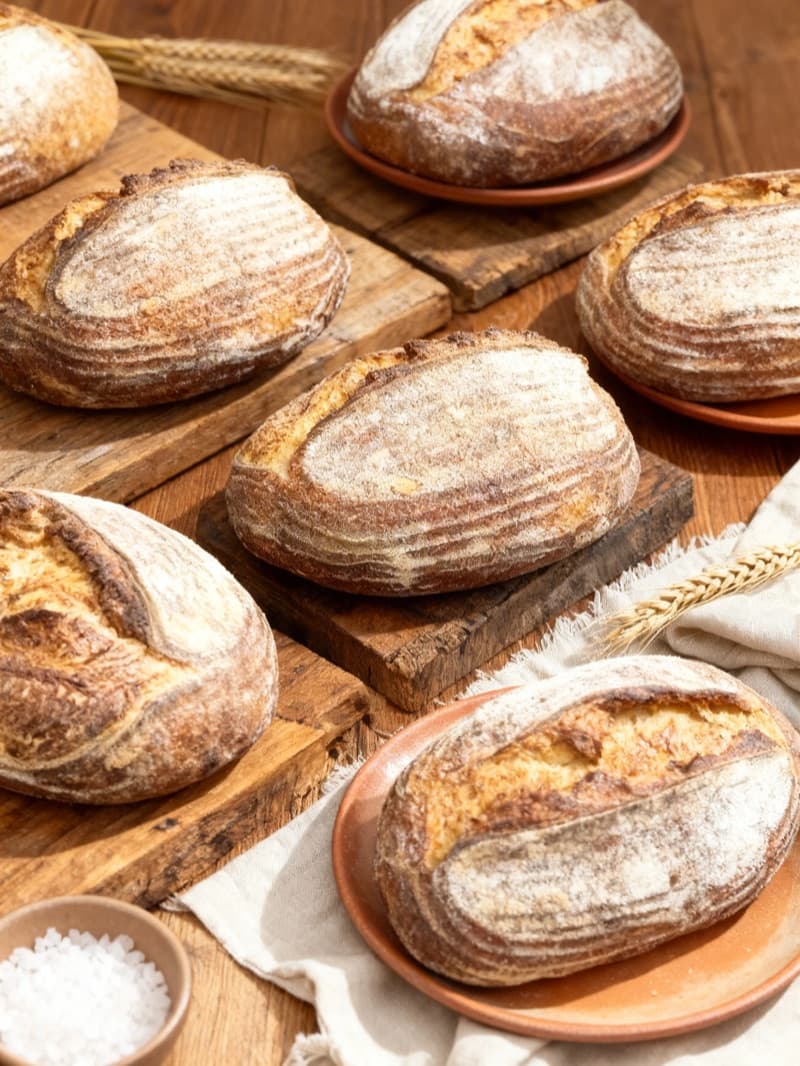
After
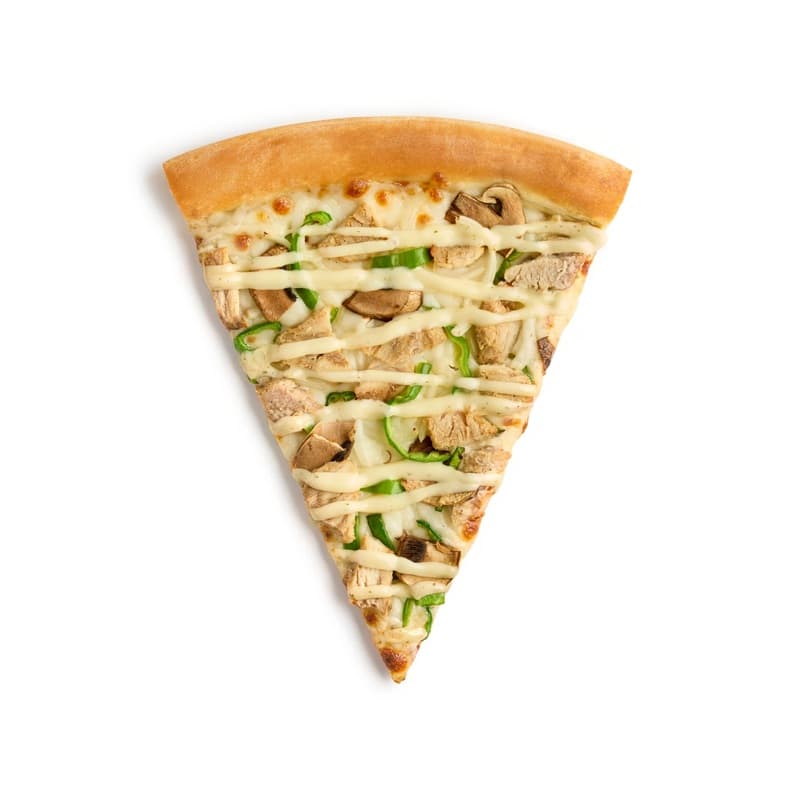
Before
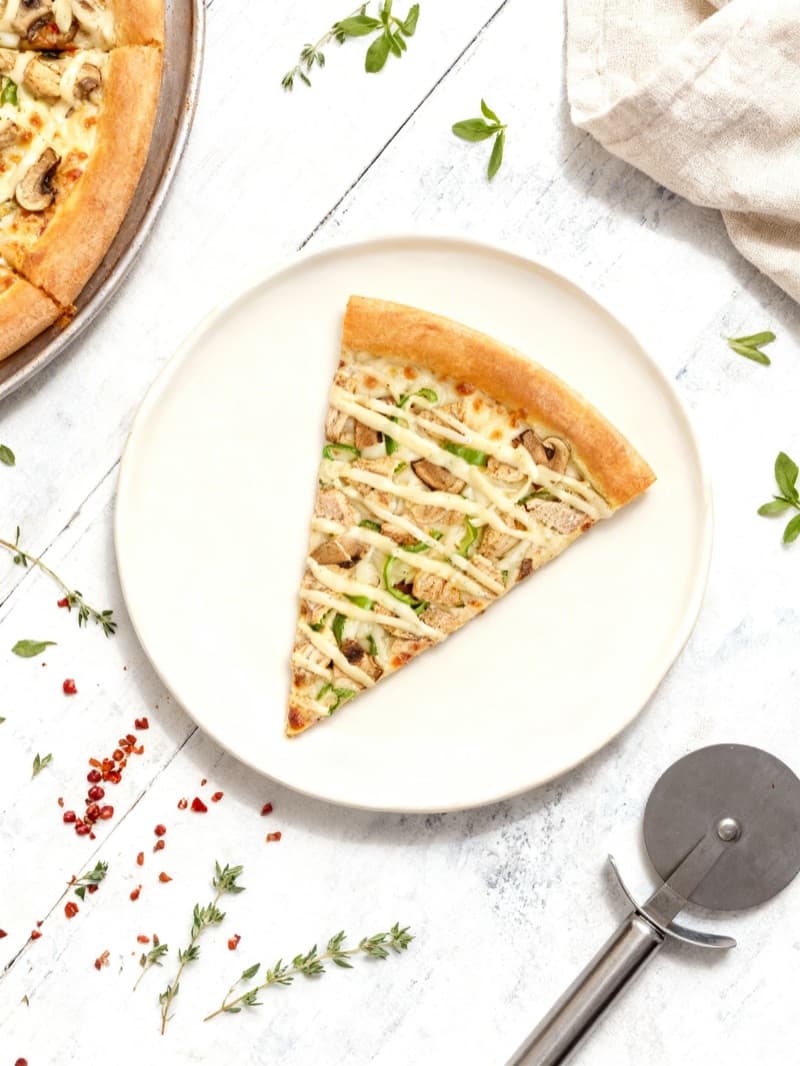
After
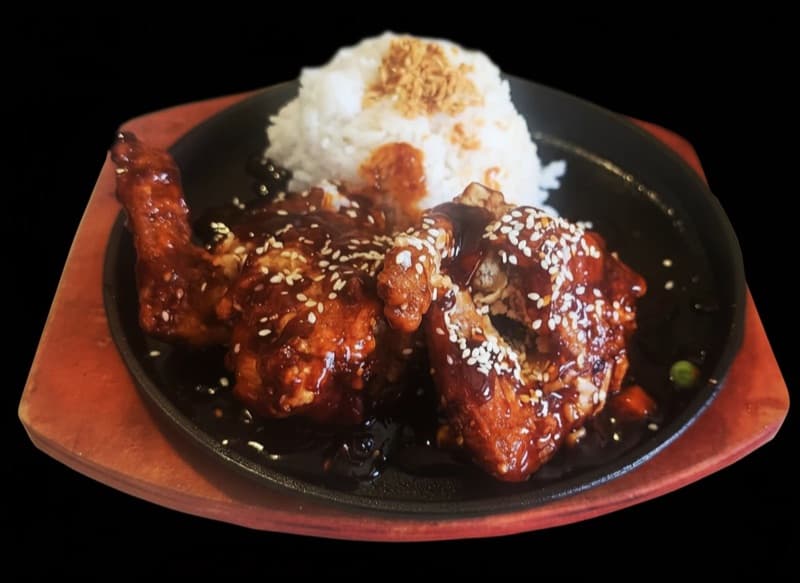
Before
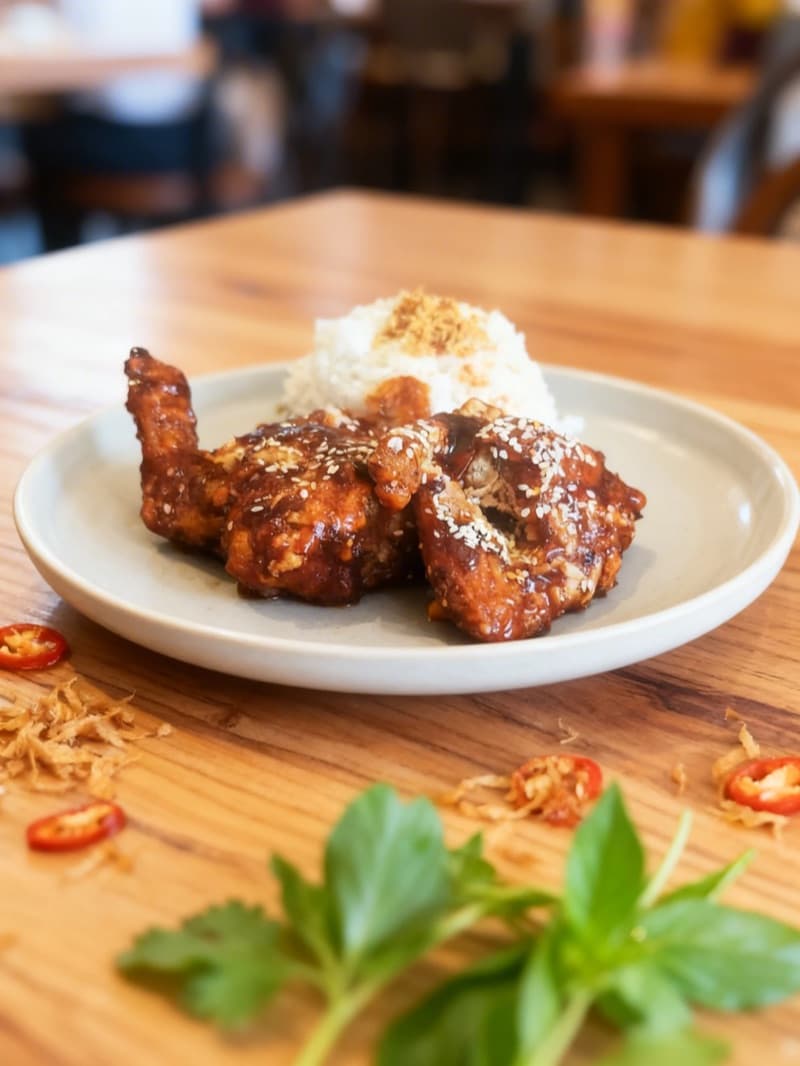
After
| Market share | #1 SMB POS provider in the US |
|---|---|
| Customers | 4 million total Square sellers |
| Partners | 800,000+ food & beverage sellers |
| Commission | 2.9% + 30¢ per online transaction (Plus/Premium); no per-order commission |
| Average order | $35–$45 (online orders) |
| Menu photo | 2000 x 2000 pixels (recommended for crisp display); 1:1 (square) for item thumbnails; 16:9 for hero/banner images |
Why Square Online Matters for Your Restaurant
Square Online is the direct ordering and e-commerce platform built into Square's ecosystem, used by over 800,000 food and beverage sellers across the United States, Canada, Australia, the UK, and beyond. Unlike third-party marketplaces such as DoorDash or Uber Eats that charge 15% to 30% per-order commissions, Square Online lets restaurants accept pickup, delivery, and dine-in orders through their own branded website at a flat processing fee - typically 2.9% plus 30 cents per transaction on paid plans. This fundamental difference means every order you drive through Square Online puts significantly more revenue in your pocket.
Square is not just a payment processor anymore. The platform has evolved into a full restaurant operating system with integrated POS, kitchen display systems, loyalty programs, email and text marketing, QR code tableside ordering, AI-powered voice ordering, and direct integrations with third-party delivery services like DoorDash and Grubhub. Orders from every channel - in-person, online, kiosk, phone, and third-party apps - flow into a single dashboard, eliminating the tablet farm problem that plagues multi-platform restaurants.
For independent restaurant owners, Square Online represents a strategic shift: owning the customer relationship instead of renting it from a marketplace. When customers order through your Square Online site, you capture their contact information, build a direct marketing list, and can retarget them with Square Marketing campaigns and loyalty rewards. Square's own data shows that 74% of first-time online food orders go to items with images, and restaurants with photos and descriptions receive up to 70% more orders. This guide breaks down exactly how to optimize your Square Online presence, leverage every tool in the Square ecosystem, and build a direct ordering channel that reduces your dependence on commission-heavy marketplaces.
How Square Online's Algorithm Ranks Restaurants
Square Online operates fundamentally differently from marketplace platforms like DoorDash, Uber Eats, or Grubhub. There is no competitive marketplace algorithm ranking your restaurant against nearby competitors in search results. Instead, your Square Online ordering page is your own website - and its visibility depends on how effectively you drive customers to it through search engine optimization, Google Business Profile integration, social media, and direct marketing. This means the "algorithm" you need to master is not Square's - it is Google's, combined with Square's built-in tools that amplify your reach.
| Factor | Weight | Details |
|---|---|---|
| Google Business Profile & Order with Google | high | Square Online integrates directly with Google through Order with Google. When your restaurant is categorized as a food and drink business on both Square and Google, and you offer pickup or delivery, your Google Business Profile displays an "Order Online" button that links directly to your Square ordering page. This captures high-intent local search traffic at zero commission - customers searching "pizza near me" can order from you without ever visiting a third-party marketplace. |
| On-Page SEO & Site Content | high | Square Online provides built-in SEO settings for every page, including custom page titles, meta descriptions, and URL slugs. Restaurants that optimize these fields with location-specific keywords (e.g., "Thai food delivery in Austin") rank higher in local search results. Google favors direct ordering sites with unique content, accurate business information, and fast load times - all of which Square Online handles automatically. |
| Menu Photography & Item Descriptions | high | Square's own analysis shows that 74% of first-time online food orders are for items with images. Menu items without photos are essentially invisible to most online customers. High-quality images and detailed descriptions also improve your click-through rate from Google search results, where your Square Online page may appear with rich snippets. |
| Social Media Ordering Buttons | medium | Square Online integrates with Facebook and Instagram, adding "Order Food" buttons to your social profiles and stories. These buttons link directly to your Square ordering page, converting social media followers into paying customers without marketplace commissions. Restaurants with active social media presences drive significantly more direct orders than those that rely solely on search. |
| Customer Reviews & Google Ratings | medium | Since your Square Online orders often originate from Google Business Profile searches, your Google review rating directly impacts how many customers see and click your "Order Online" button. A restaurant with a 4.7-star Google rating and 200+ reviews will capture far more Order with Google traffic than a competitor with 3.9 stars and 30 reviews. |
| QR Code Placement & Physical Touchpoints | medium | Square Online generates unique QR codes mapped to tables, walk-up windows, parking spots, or other ordering locations. Strategic placement of QR codes on table tents, receipts, takeout bags, window signage, and packaging creates a physical-to-digital ordering bridge that drives repeat online orders without any advertising spend. |
| Square Marketing & Loyalty Retargeting | low | Your Square customer directory automatically syncs with Square Marketing and Square Loyalty. Automated email and text campaigns targeting lapsed customers, birthday offers, or loyalty reward milestones drive repeat direct orders. While these do not affect external search ranking, they build a flywheel of returning customers that reduces acquisition costs over time. |
The critical insight for Square Online sellers is that your visibility is not controlled by a platform algorithm - it is controlled by your own marketing execution. On DoorDash or Uber Eats, you compete against every restaurant in your area for algorithmic placement. On Square Online, you compete for Google search visibility, social media attention, and direct customer loyalty. This is both a challenge and an opportunity: there is no shortcut like paying for a higher commission tier to boost ranking, but there is also no ceiling on how visible you can become.
Order with Google is the single most important integration for Square Online restaurants. When properly configured, your Google Business Profile becomes a direct ordering channel - customers can place pickup or delivery orders without ever leaving Google Search or Google Maps. This integration is free and available to all Square Online sellers who meet basic eligibility requirements (food and drink business category, pickup or delivery enabled). The orders flow directly into your Square POS and kitchen display system with no additional fees beyond standard processing.
The compounding effect of direct ordering is powerful. Every customer who orders through your Square Online site enters your customer directory. You can then retarget them with Square Marketing email campaigns, enroll them in your Square Loyalty program, and send automated text messages during slow periods. Over time, this creates a self-reinforcing cycle where your customer acquisition cost approaches zero for repeat orders - a stark contrast to marketplace platforms where you effectively pay commission to re-acquire the same customer every time they order.
Restaurants that treat their Square Online ordering page as a core marketing asset - investing in SEO, photography, social media integration, and customer retention tools - consistently outperform those that set it up once and forget about it.
10 Proven Ways to Increase Your Square Online Orders
1.Add Professional Photos to Every Menu Item
Menu photography is the highest-impact change you can make to your Square Online ordering page. Square's own data reveals that 74% of first-time online food orders are for items with images, and restaurants with photos and descriptions receive up to 70% more orders than those without. On a visual ordering interface where customers scroll through your menu, items without photos are functionally invisible - they exist on the page but rarely make it into the cart.
Square Online displays menu item images prominently in your ordering flow. When a customer lands on your ordering page, the first thing they see is a grid or list of items with photos, names, and prices. Items without photos appear as blank placeholders next to competitors' dishes that are beautifully photographed. The psychological effect is immediate: customers gravitate toward what they can see, and they skip what they cannot visualize.
Square accepts JPEG, PNG, and GIF image files up to 15 MB. For optimal display quality, Square recommends uploading images greater than 2000 x 2000 pixels to ensure clear, crisp imagery across all devices and screen sizes. Since your Square Online ordering page is responsive and displays on everything from desktop monitors to smartphones, high-resolution source images ensure your food looks appetizing at any size.
Unlike marketplace platforms that may offer free professional photography to top-tier merchants, Square does not provide a built-in photoshoot service. This means the quality of your menu photography is entirely in your hands - which is actually an advantage. You own every image outright, you can use them across all channels (your website, social media, printed menus, third-party apps), and there are no exclusivity restrictions.
For restaurants that lack professional photography budgets, AI-powered food photography tools like MenuPhotoAI can transform existing dish photos into professional-quality images that meet Square's specifications. You upload a photo of your dish, and the AI enhances lighting, removes cluttered backgrounds, improves color balance, and produces a studio-quality result in minutes. This approach gives you consistent visual branding across your entire menu without hiring a photographer or setting up a photo studio.
The math is straightforward: if your Square Online page generates $4,000 per month and adding photos to every item drives even a 30% increase (conservative compared to the 70% figure Square cites), that is $1,200 in additional monthly revenue - from a one-time investment in photography. Every item on your menu should have a photo. No exceptions.
74%[1]
of first online food orders are for items with images
2.Enable Order with Google to Capture Local Search Traffic
Order with Google is a free integration that turns your Google Business Profile into a direct ordering channel. When customers search for restaurants on Google Search or Google Maps, your listing displays a prominent "Order Online" button that links directly to your Square Online ordering page. The customer can browse your menu, customize items, and place a pickup or delivery order without ever visiting a third-party marketplace - and you pay zero commission beyond your standard Square processing fee.
To qualify for Order with Google, your business must be categorized as a food and drink business on both Square and Google, you must offer pickup or delivery through Square Online, and your Google Business Profile must be verified. Once enabled through your Square Dashboard (Settings > Online Checkout > Order with Google), the integration is automatic - your menu, prices, and availability sync in real time between Square and Google.
The strategic value of this integration cannot be overstated. Google processes billions of local searches, and food-related queries like "Chinese food near me" or "best pizza delivery [city name]" represent customers with immediate purchase intent. These customers are actively looking to spend money right now. By intercepting them at the Google search level, you capture orders that would otherwise flow to DoorDash, Uber Eats, or Grubhub - where you would pay 15% to 30% commission on the same transaction.
To maximize Order with Google performance, ensure your Google Business Profile is fully optimized. Upload high-quality photos of your dishes (Google displays these alongside your ordering button), respond to Google reviews promptly, keep your hours accurate, and add your full menu to your Google listing. Restaurants with complete Google profiles receive significantly more visibility in local search results than those with sparse information.
Encourage satisfied dine-in customers to leave Google reviews. Every positive review improves your local search ranking, which drives more traffic to your Order with Google button, which generates more direct orders. This creates a virtuous cycle where in-person customer satisfaction directly fuels online order growth. Ask at checkout, include a review request on receipts, or add a QR code at the register that links to your Google review page.
If you are currently spending money on DoorDash Sponsored Listings or Uber Eats ads to acquire customers, consider reallocating some of that budget toward Google Ads for local search. You will acquire the same customers but fulfill their orders at 2.9% processing instead of 15% to 30% commission.
70%[2]
more orders for restaurants with photos and descriptions vs. those without
3.Launch Square Loyalty to Increase Visit Frequency by 57%
Square Loyalty is an integrated rewards program that turns one-time customers into regulars. According to Square's internal data from food and drink businesses, loyalty customers spend 46% more and visit 57% more often than non-loyalty customers. For a restaurant doing $8,000 per month in online orders, converting even 20% of customers to loyalty members could drive an additional $740 per month in revenue from increased spend alone - before factoring in the higher visit frequency.
The program works simply: customers earn points with every purchase (you define the earning rate, such as 1 point per dollar spent), and after accumulating enough points, they unlock a reward you have configured (such as a free appetizer, $5 off, or a complimentary dessert). Customers can enroll at your POS during in-person transactions, through your Square Online ordering page, or via invoices. There is no separate app for customers to download - their loyalty status is tied to their phone number or payment card.
Square Loyalty also offers templated promotions optimized for your business type. For example, you can set up "happy hour" promotions that offer bonus loyalty points during your slowest periods, incentivizing customers to visit when your kitchen has idle capacity. A coffee shop might offer double points between 2 PM and 4 PM; a pizza restaurant might offer triple points on Tuesday evenings. These time-based incentives fill seats and kitchen capacity without permanent discounts.
The integration between Square Loyalty and Square Marketing is where the real power lies. Your loyalty member data feeds directly into your marketing campaigns. You can send automated emails to customers who are close to earning a reward ("You are 15 points away from a free appetizer - order today!"), re-engagement campaigns to lapsed loyalty members who have not visited in 30 days, and birthday rewards that create personal connection.
Square Loyalty pricing starts at $45 per month per location, scaled to your number of loyalty visits. This means smaller restaurants with fewer transactions pay less. The ROI calculation is straightforward: if Loyalty drives even five additional orders per week at your average order value, the program pays for itself multiple times over. The 46% increase in customer spending that Square reports makes Loyalty one of the highest-return investments available to Square Online sellers.
Compare this to marketplace loyalty programs where the platform owns the customer relationship. With Square Loyalty, you own the data, you control the rewards, and every loyalty interaction reinforces your brand rather than DoorDash's or Uber Eats'.
46%[3]
more spending from Square Loyalty customers at food & drink businesses
4.Use Square Marketing to Drive Repeat Orders with Email and Text
Square Marketing transforms your customer directory into a revenue-generating asset. Every customer who orders through Square Online, pays at your POS, or joins your loyalty program is automatically added to your customer directory with their contact information, order history, and spending patterns. Square Marketing lets you send targeted email and text message campaigns to these customers - driving repeat orders at zero commission cost.
Available on the Plus plan ($49/month) and above, Square Marketing includes unlimited email campaigns and automated campaign workflows. You can create one-time blasts (announcing a new seasonal menu, a holiday special, or a limited-time offer) or set up ongoing automated campaigns that trigger based on customer behavior. The most powerful automated campaigns include welcome emails for new customers, win-back campaigns for customers who have not ordered in 30 or 60 days, and birthday offers that create personal connection.
Text message marketing adds immediacy. Your first 500 text messages per month are free, and additional texts cost just 3 cents each. Text campaigns have dramatically higher open rates than email - often exceeding 90% - making them ideal for time-sensitive promotions like "Order in the next 2 hours and get free delivery" or "Tonight only: 20% off family meals." The combination of email for relationship-building and text for urgency creates a multi-channel marketing engine.
Square Marketing also features AI-powered content generation. You write a brief description of your promotion, and the AI generates polished email copy, subject lines, and calls to action. This eliminates the blank-page problem that prevents many restaurant owners from ever sending marketing emails. You can also promote your eGift cards, loyalty program enrollment, and upcoming events directly within email campaigns.
The segmentation capabilities are where Square Marketing outperforms generic email tools like Mailchimp. Because Square Marketing connects directly to your POS and online ordering data, you can segment customers by total lifetime spend, most-ordered items, last visit date, loyalty status, and order frequency. A campaign targeting "customers who ordered pizza in the last 90 days but have not ordered in 30 days" is trivially easy to create in Square Marketing but nearly impossible with disconnected tools.
Track results directly in your Square Dashboard. Square Marketing shows you exactly how much revenue each campaign generated, how many coupons were redeemed, and what your return on investment was. This closed-loop attribution - from campaign send to order placed to revenue captured - lets you continuously refine your messaging and targeting to maximize returns.
5.Deploy QR Code Ordering to Boost Dine-In and Pickup Revenue
Square Online's QR code ordering feature lets customers scan a code with their smartphone, browse your menu, customize their order, and pay - all without downloading an app or waiting for a server. Each QR code is uniquely mapped to a specific location in your restaurant: a table number, a walk-up window, a parking spot for curbside pickup, or a counter position. Orders flow directly into your Square POS and kitchen display system, just like any other order.
The feature is free to use - you pay only the standard online processing fee (2.9% + 30 cents per transaction on paid plans). There are no additional subscription costs, no per-order fees, and no marketplace commissions. This makes QR code ordering one of the most cost-effective ways to increase order volume and average ticket size.
QR code ordering drives revenue in several ways. First, it eliminates ordering friction: customers do not need to flag down a server, wait in line, or call to place a pickup order. This speed reduces walk-aways during busy periods. Second, digital menus with photos and descriptions consistently drive higher average order values than verbal ordering - customers add more items when they can browse visually at their own pace without feeling pressure. Research shows that customers who order through technology spend approximately 20% more than those who order traditionally.
For dine-in restaurants, place QR codes on every table using acrylic stands, table tents, or adhesive stickers. Each code maps to that specific table, so your kitchen knows exactly where to deliver the food. For quick-service restaurants, place QR codes at the counter, on wall-mounted signs, and at the entrance so customers can order before reaching the register. For restaurants offering curbside pickup, print QR codes on parking spot signs so customers can place orders from their cars.
The indirect benefit of QR code ordering is customer data capture. Every QR code order requires the customer to enter their contact information, which feeds directly into your Square customer directory. These customers can then be retargeted with Square Marketing email campaigns and enrolled in Square Loyalty. A dine-in customer who pays cash at the register is anonymous; a dine-in customer who orders via QR code becomes a known, marketable contact.
Promote the QR code option actively. Train servers to mention it: "You can also scan the QR code on the table to browse our menu and order directly from your phone." Place a brief instruction on the QR code stand itself. The goal is to convert as many anonymous cash and card transactions as possible into identified digital orders that build your marketing list.
6.Connect Facebook and Instagram "Order Food" Buttons
Square Online integrates directly with Facebook and Instagram, adding "Order Food" buttons to your business profiles and stories. When a customer browsing your Instagram feed sees a photo of your signature dish and taps the "Order Food" button, they land directly on your Square Online ordering page - not a third-party marketplace. You pay your standard Square processing fee, not a 15% to 30% marketplace commission, and you capture the customer's contact information for future marketing.
Setting up the integration takes minutes. From your Square Dashboard, connect your Facebook and Instagram business accounts. Once linked, "Order Food" buttons are automatically added to your social profiles. You can also add food ordering stickers to Instagram Stories, letting followers order directly from your story content. This turns every post, reel, and story into a potential ordering trigger.
The strategic value of social media ordering buttons lies in where restaurant customers already spend their time. The average American spends over two hours per day on social media, and food content is among the most engaged-with categories on Instagram and Facebook. When your followers see a mouthwatering photo of your new special and can order it with a single tap, you eliminate every friction point between desire and purchase.
To maximize the impact of social media ordering buttons, post consistently and photograph everything. New menu items, daily specials, behind-the-scenes kitchen content, customer testimonials, and seasonal offerings should all appear on your feed. Each post is a potential order trigger, and the "Order Food" button on your profile captures impulse decisions. Use Instagram Reels and Stories to showcase food preparation - the sizzle of a steak, the stretch of fresh mozzarella, the drizzle of sauce on a finished plate - and remind viewers they can order immediately.
Pair your social media ordering integration with Square Marketing. When customers order through your Instagram or Facebook link, they enter your Square customer directory. You can then follow up with a thank-you email, enroll them in your loyalty program, and target them with future promotions. This creates a customer acquisition funnel where social media drives the first order, and Square's marketing tools drive every subsequent order.
Track which social platform generates the most orders using Square's referral source analytics in your Dashboard. Many restaurants find that Instagram drives higher-value orders (customers ordering what they just saw photographed), while Facebook drives more volume (broader audience reach). Allocate your content creation time to the platform that delivers the highest return for your restaurant.
7.Use On-Demand Delivery Without Marketplace Commissions
One of the most common misconceptions about Square Online is that you cannot offer delivery without listing on a third-party marketplace. In reality, Square Online integrates directly with delivery courier services like DoorDash Drive and Uber Direct, allowing you to offer delivery from your own ordering page at a fraction of the cost of marketplace listing.
Here is how it works: a customer places a delivery order on your Square Online ordering page. Behind the scenes, Square dispatches a DoorDash Dasher or Uber courier to your restaurant to pick up and deliver the order. The customer tracks their delivery in real time via a link with a live map. You pay a flat $1.50 per order to Square plus a flat delivery fee to the courier service - but you do not pay the 15% to 30% marketplace commission that you would pay for an order placed through the DoorDash or Uber Eats app.
You can manage delivery costs by passing some or all of the delivery fee to the customer, offering free delivery as a promotion, or setting minimum order amounts for delivery eligibility. Since you control the pricing, you can set delivery fees that balance customer conversion with profitability. Many restaurants offer free delivery above a certain order threshold (e.g., "Free delivery on orders over $30") to incentivize larger orders while covering fulfillment costs.
The customer experience is virtually identical to ordering through a marketplace - they get real-time tracking, delivery status updates, and professional courier service. The difference is that the order is branded as coming from your restaurant, the customer interacts with your website rather than a marketplace app, and you capture their contact information for future marketing.
Compare the economics: a $40 delivery order on DoorDash at 25% commission costs you $10 in fees. The same order through your Square Online page with on-demand delivery costs approximately $1.50 (Square fee) plus $5 to $7 (courier fee), totaling roughly $6.50 to $8.50. You save $1.50 to $3.50 on every single delivery order - and you own the customer relationship.
To set up on-demand delivery, go to your Square Dashboard, click Settings, then App integrations, and add DoorDash Drive or your preferred delivery partner from the App Marketplace. The integration takes minutes and your first delivery can happen the same day.
The ideal strategy combines marketplace presence for customer acquisition with Square Online for retention. Let DoorDash and Uber Eats introduce new customers to your restaurant, then convert repeat customers to ordering directly through your Square Online page with targeted marketing campaigns.
$1.50[4]
flat fee per delivery order through Square (vs. 15-30% marketplace commission)
8.Sell eGift Cards to Generate Upfront Revenue and New Customers
Square eGift Cards are one of the most overlooked revenue tools in the Square ecosystem. They are free to set up, available on all Square plans, and serve as both a revenue generator and a customer acquisition channel. Customers purchase eGift cards through your Square Online ordering page and send them via email to friends, family, or even themselves. The recipient then has a direct reason to visit your restaurant or order online - effectively becoming a new customer acquired at zero advertising cost.
The financial dynamics of gift cards are uniquely favorable for restaurants. When a customer purchases a $50 gift card, you receive $50 in immediate revenue minus the standard processing fee. The recipient then visits your restaurant and, statistically, spends more than the gift card value - industry data consistently shows that gift card redemptions generate additional spending beyond the card balance. Some gift cards are never fully redeemed, resulting in what the industry calls "breakage," which represents pure profit.
Square eGift Cards integrate with your entire Square ecosystem. They sync with your POS so gift card sales appear in your reporting. They can be stored as a card on file in the customer's profile for convenience. They feature scannable QR codes and barcodes for easy redemption. And critically, they never expire, so customers have no urgency pressure that could create a negative experience.
To promote eGift cards effectively through Square Online, add a prominent "Gift Cards" section to your ordering page. Promote them heavily during holiday seasons - Valentine's Day, Mother's Day, Father's Day, Thanksgiving, and December holidays are peak gift card purchase periods. Use Square Marketing to email your customer list with gift card promotions during these windows, and mention them on your social media channels with direct purchase links.
Group gifting is a particularly powerful feature. Square lets multiple contributors add funds to a single eGift card before it is sent to the recipient, making it easy for office teams, friend groups, or families to pool money for a restaurant gift. Promote group gifting for occasions like birthdays, retirements, and teacher appreciation.
For cash flow management, eGift cards provide immediate revenue that is redeemed over time. During slow periods, a targeted eGift card promotion to your email list ("Buy a $50 gift card, get a $10 bonus card free") can generate immediate cash flow while guaranteeing future visits. The bonus card also brings the purchaser back as a customer, doubling the customer acquisition benefit.
9.Engineer Your Online Menu for Higher Average Order Value
Your Square Online menu structure directly impacts how much customers spend per order. Unlike a printed menu where layout is fixed, your digital ordering page can be reorganized, tested, and optimized continuously to drive higher average order values. Small changes to category structure, item placement, descriptions, and modifiers can collectively increase per-order revenue by 15% to 25% without any additional marketing spend.
Start with category organization. Square Online displays menu categories in the order you set them, and customers rarely scroll past the first three or four categories. Place your highest-margin, most visually appealing items in the first category. Label it "Most Popular" or "Chef's Picks" rather than generic headers like "Entrees." This first-category placement captures the attention of customers who are browsing quickly and tend to order from what they see first.
Modifiers are the most powerful revenue tool in your online menu. When a customer adds a burger to their cart, modifiers prompt them to add bacon ($2.50), upgrade to sweet potato fries ($1.50), add a drink ($3), or choose a premium sauce ($1). Each modifier is a low-friction upsell that the customer opts into voluntarily. Build comprehensive modifier groups for every entree: protein additions, side upgrades, drink pairings, sauce selections, and extras. A well-designed modifier tree can add $4 to $8 to every order.
Write descriptions that sell, not just describe. "Grilled Chicken Sandwich" is a category label, not a menu description. "Char-grilled free-range chicken breast on a toasted brioche bun with house-made chipotle aioli, crisp lettuce, and vine-ripened tomato" creates a sensory experience that justifies a premium price point and compels the customer to order. Every description should answer the implicit question: why should I choose this over something else?
Create combo meals and bundles specifically for online ordering. "Weeknight Dinner for Two" ($45) or "Family Taco Night" ($55) packages provide perceived value to the customer while guaranteeing a higher order total for you. Bundles work especially well for delivery because they solve the customer's complete meal need in one click. Square Online makes it easy to create these as distinct menu items with pre-selected components.
Audit your menu monthly using Square's reporting tools. Identify items that get views but few orders (improve the photo or description), items with low margins that sell well (raise the price or restructure), and items that generate complaints (fix execution or remove them). Your online menu should be a living document that evolves based on data, not a static list you set up once and forget.
10.Optimize Curbside Pickup to Compete with Marketplace Convenience
Curbside pickup is the most profitable fulfillment method for online orders - customers get their food quickly without entering the restaurant, and you avoid delivery courier fees entirely. Square Online includes built-in curbside pickup functionality where customers select curbside at checkout, enter their vehicle description, and receive a notification when their order is ready. When they arrive, they text or call your business phone number, and you bring the order to their car.
The challenge with curbside pickup is competing against the convenience of marketplace delivery. A customer can order on DoorDash and have food delivered to their door without moving. For curbside pickup to compete, you need to emphasize the advantages: faster order fulfillment (no waiting for a courier), lower prices (you can pass delivery fee savings to the customer), food quality (no 20-minute ride in a courier's car), and the personal touch of a staff member bringing the order to their window.
Set accurate prep times in your Square Online settings. If your kitchen takes 20 minutes to prepare an average order, do not quote 12 minutes hoping to impress customers. When a customer arrives at 12 minutes and waits an additional 8 minutes in their car, they will not order again. Honest prep time estimates that you consistently beat by a few minutes create a positive experience that drives repeat orders.
Create a dedicated curbside pickup area with clear signage. Numbered parking spots with corresponding signs ("Curbside Pickup - Spot 1, Spot 2, Spot 3") make the process efficient for both customers and staff. If your parking lot layout does not support dedicated spots, designate a specific zone near your entrance with a visible sign reading "Online Order Pickup - Park Here."
Train your staff on the curbside workflow. When a curbside order is ready, it should be packaged, sealed, and placed in a designated staging area. When the customer notifies you of their arrival, a staff member should walk the order out within 60 seconds. This speed and attentiveness is what turns curbside pickup from a compromise into a feature.
Consider offering a small incentive for curbside pickup orders placed through Square Online. A "Save $2 when you choose curbside pickup" promotion costs you far less than marketplace commission and shifts customer behavior toward your direct ordering channel. You can also offer exclusive curbside pickup items or bundles that are not available through third-party apps, creating a reason for customers to order directly.
Promote curbside pickup on your Google Business Profile, social media, and in-store signage. Many customers do not know you offer curbside ordering - especially if they have only ever seen your restaurant on DoorDash or Uber Eats. Every in-store receipt, takeout bag, and table tent should include your Square Online ordering link with a note about curbside availability.
Better menu photos from your own phone photos
MenuPhotoAI turns a photo of your own dish into a professional menu image in minutes. You decide where to use it. Start with 5 free photos (watermarked), no credit card required.
Try MenuPhotoAI FreeSquare Online Photo Requirements
| Minimum resolution | 2000 x 2000 pixels (recommended for crisp display) |
| Aspect ratio | 1:1 (square) for item thumbnails; 16:9 for hero/banner images |
| Max file size | 15 MB |
| Accepted formats | JPEG, PNG, GIF |
| Photos per item | 1 primary item photo (additional via item library) |
| Hero/cover image | 1920 x 1080 pixels (recommended for site banners) |
Square accepts JPEG, PJPEG, PNG, and GIF formats. For item photos, upload images greater than 2000 x 2000 pixels to ensure sharp rendering across all devices. Square Online automatically resizes images for different screen sizes but cannot upscale low-resolution originals. Each image file should have a unique filename to avoid upload conflicts. Square does not provide a free photography service - restaurants are responsible for their own images.
Photography is the most data-backed lever for increasing Square Online orders, and Square's own research quantifies the impact precisely. Their analysis shows that 74% of first-time online food orders go to items with images, and restaurants that include photos and descriptions in their online menus receive up to 70% more orders than those that rely on text alone. These are not theoretical improvements - they represent the difference between a customer ordering from your listing or scrolling past it.
What makes Square Online's photography situation unique is that you are entirely in control. Unlike DoorDash (which provides free photoshoots for Premier merchants) or Uber Eats (which offers photo services in select markets), Square does not provide photography for your menu. This means the quality gap between your listing and a competitor's listing is determined entirely by your investment in photography. A restaurant that uploads dark, blurry smartphone photos will lose orders to a competitor with bright, professionally styled images - regardless of which restaurant has better food.
The technical requirements are straightforward: Square recommends images greater than 2000 x 2000 pixels for clear rendering, accepts JPEG, PNG, and GIF formats, and limits file sizes to 15 MB. Your Square Online ordering page displays item photos at various sizes depending on the customer's device, so high-resolution source images are essential. A photo that looks acceptable on a desktop browser may appear soft or pixelated on a high-resolution smartphone screen.
For multi-location restaurants, consistency is critical. Your Square item library syncs images across all locations and ordering channels, including your POS, kiosk, and online ordering page. If one location has professional photos and another has smartphone snapshots, the inconsistency damages your brand across the board. AI food photography tools like MenuPhotoAI solve this by providing consistent, professional-quality enhancement for all your menu items. You upload an existing photo of your dish, the AI optimizes lighting, removes cluttered backgrounds, and produces a polished result that meets Square's technical requirements - no studio, no photographer, no scheduling.
The bottom line is that every menu item on your Square Online ordering page must have a photo. Square's data is unambiguous: items with images capture the vast majority of first-time orders. Investing in menu photography is the single highest-ROI action most Square Online sellers can take, and the results are visible in your order data within days of uploading new images.
70%[2]
more orders for restaurants with photos and descriptions on Square
Square Online Promotion Tools
Square Marketing (Email & Text)
Included with Square Plus ($49/month) or Premium ($149/month) plansSend unlimited email campaigns and automated text messages to your customer directory. Segment by spending behavior, order frequency, loyalty status, and last visit date. AI-powered content generation helps create professional emails quickly. First 500 texts per month are free, then 3 cents per text.
Square Loyalty
Starting at $45/month per location (scales with loyalty visit volume)Integrated rewards program where customers earn points with every purchase and unlock rewards you define. Loyalty customers at food and drink businesses spend 46% more and visit 57% more often. Includes time-based bonus point promotions for slow periods.
Order with Google
Free (standard Square processing fees apply)Free integration that adds an "Order Online" button to your Google Business Profile in Google Search and Google Maps. Captures high-intent local search traffic at zero commission. Orders flow directly into your Square POS.
Facebook & Instagram "Order Food" Buttons
Free (standard Square processing fees apply)Connect your Square Online ordering page to your Facebook and Instagram business profiles. Adds "Order Food" buttons to your social profiles and enables food ordering stickers in Instagram Stories.
QR Code Ordering
Free (standard Square processing fees apply)Generate unique QR codes mapped to tables, walk-up windows, or parking spots. Customers scan, browse, customize, and pay from their phone. Orders flow directly into your POS and KDS. Works for dine-in, counter service, and curbside pickup.
Square eGift Cards
Free to set up; standard processing fee per purchase + up to 2.5% load feeSell digital gift cards through your Square Online page. Customers can send to individuals or create group gifts. Gift cards sync with POS, never expire, and feature scannable QR codes. Drives new customer acquisition and upfront revenue.
On-Demand Delivery (DoorDash Drive / Uber Direct)
$1.50 flat fee per order to Square + courier delivery feeOffer delivery from your own Square Online ordering page using DoorDash or Uber couriers. Customers get real-time tracking. You avoid marketplace commissions and can pass delivery fees to customers or absorb them as a promotion.
AI-Powered Voice Ordering (Beta)
Included with Square for Restaurants (beta)AI answers 100% of incoming phone calls with conversational ordering. Customers place orders by phone, customize items, and ask menu questions. Confirmed orders go directly to your kitchen or POS. Eliminates missed calls and frees staff during peak hours.
Common Mistakes to Avoid
Not setting up Order with Google
Order with Google is free and captures high-intent local search traffic at zero commission. Many Square Online sellers never enable it, losing hundreds of potential orders per month to marketplace platforms that dominate Google search results for food-related queries.
Leaving menu items without photos
Square data shows 74% of first online food orders go to items with images. A text-only menu competes against photographed competitors and loses every time. Every menu item needs a photo - even a smartphone image enhanced with AI tools outperforms a blank placeholder.
Using the Free plan for online orders
The Free plan charges 3.3% + 30 cents per online transaction versus 2.9% + 30 cents on Plus. For a restaurant doing $5,000/month in online orders, that 0.4% difference costs $20/month. The Plus plan at $49/month also unlocks Square Marketing, loyalty eligibility, and lower processing rates - making it a net positive for most restaurants.
Ignoring the customer directory for marketing
Every Square Online order captures customer contact information, but most restaurants never use it. Without email campaigns, loyalty enrollment, or text promotions, you are paying to acquire customers once and then letting them drift to marketplace platforms for their next order.
Setting inaccurate prep times
Quoting 10-minute prep when your kitchen takes 20 creates negative pickup experiences. Customers who wait in their car or at the counter longer than expected leave bad Google reviews, which reduces Order with Google traffic. Set honest times and aim to beat them.
Not connecting social media profiles
Square Online's Facebook and Instagram integration adds "Order Food" buttons to your social profiles at no cost. Restaurants that skip this integration lose commission-free orders from followers who see food content but have no easy way to order directly.
Treating Square Online as a secondary channel
Restaurants that put effort into marketplace listings but neglect their Square Online page are paying 15-30% commission unnecessarily. Your direct ordering page should be your primary ordering channel, with marketplaces serving only for customer acquisition.
Not offering curbside pickup
Curbside pickup is the most profitable fulfillment method: no delivery fees, fast turnaround, and preserved food quality. Restaurants that offer only dine-in and delivery miss the large segment of customers who want speed and convenience without paying delivery charges.
Your Action Checklist
Menu & Photography
- Add professional photos to every menu item (2000x2000px+ recommended)
- Upload a compelling hero/banner image for your Square Online ordering page
- Write detailed, appetizing descriptions for all menu items (ingredients, cooking method, flavors)
- Add modifier groups to every entree (sides, proteins, sauces, drinks, extras)
- Create online-exclusive combo meals and family bundles
- Organize menu categories with highest-margin items in the first position
- Set accurate prep times for each menu item and adjust for peak hours
Google & SEO
- Enable Order with Google in your Square Dashboard settings
- Verify and fully optimize your Google Business Profile (photos, hours, menu, description)
- Add location-specific keywords to your Square Online page SEO settings
- Encourage satisfied customers to leave Google reviews (add QR code at register)
- Ensure your business name, address, and phone number are consistent across all online listings
Social Media & Marketing
- Connect Facebook and Instagram profiles to enable "Order Food" buttons
- Set up Square Marketing automated email campaigns (welcome, win-back, birthday)
- Launch Square Loyalty with time-based bonus point promotions for slow periods
- Promote eGift cards on your ordering page and through email campaigns
- Post menu items with photos on social media at least 3 times per week
Ordering & Fulfillment
- Enable curbside pickup with dedicated parking spots and clear signage
- Set up on-demand delivery through DoorDash Drive or Uber Direct integration
- Deploy QR codes on tables, counter, and packaging for contactless ordering
- Add your Square Online ordering link to receipts, takeout bags, and printed materials
- Test the complete ordering experience yourself on mobile and desktop weekly
- Set up the Grubhub integration to consolidate third-party orders into your POS
Key Takeaways
- -Add photos to every menu item - Square data shows 74% of first online food orders go to items with images, and restaurants with photos receive up to 70% more orders.
- -Enable Order with Google to capture high-intent local search traffic at zero commission - customers order directly from Google Search and Maps through your Square Online page.
- -Launch Square Loyalty to increase customer spending by 46% and visit frequency by 57%, building a direct relationship you own rather than renting from a marketplace.
- -Use Square Marketing email and text campaigns to drive repeat orders from your customer directory at zero commission cost - first 500 texts per month are free.
- -Offer on-demand delivery through DoorDash Drive at a flat $1.50 per order instead of paying 15-30% marketplace commission on every delivery order.
- -Deploy QR codes on tables, packaging, and signage to capture customer data from anonymous transactions and convert dine-in guests into repeat online orderers.
- -Connect Facebook and Instagram "Order Food" buttons to turn social media followers into direct ordering customers without marketplace commissions.
Frequently Asked Questions
Better menu photos from your own phone photos
MenuPhotoAI turns a photo of your own dish into a professional menu image in minutes. You decide where to use it. Start with 5 free photos (watermarked), no credit card required.
Try MenuPhotoAI FreeSources
- [1] 74% of first orders for food and beverage purveyors are for items with images; online content with good images gets 94% more views. Square - The Bottom Line. Accessed 2026-02-20.
- [2] Restaurants that include photos and descriptions of their menu items receive as many as 70% more orders. Square - 5 Ways Food Photography Can Help Boost Sales. Accessed 2026-02-20.
- [3] Square Loyalty customers at food and drink businesses spend 46% more and visit 57% more often than non-loyalty customers. Square Loyalty. Accessed 2026-02-20.
- [4] Square Online on-demand delivery: sellers pay a flat fee of $1.50 per order to Square plus a flat DoorDash delivery fee. Square Press Release - DoorDash On-Demand Delivery. Accessed 2026-02-20.
- [5] Square analyzes data across more than 800,000 food and beverage Square sellers. Square Q2 Restaurant Industry Report. Accessed 2026-02-20.
- [6] Square Plus plan: $49/month per location with 2.9% + 30¢ online processing; Free plan: 3.3% + 30¢ online processing. Square Pricing. Accessed 2026-02-20.
- [7] Order with Google: free integration that displays an Order Online button on Google Business Profile for pickup and delivery. Square Support Center - Order with Google. Accessed 2026-02-20.
- [8] Square Websites integration with Facebook and Instagram: adds Order Food buttons to social profiles and stories. Square - 6 Marketing Tools to Drive More Restaurant Orders. Accessed 2026-02-20.
- [9] AI-powered voice ordering answers 100% of incoming calls; orders flow directly to POS and KDS. Square Press Release - Food & Beverage Platform Expansion. Accessed 2026-02-20.
- [10] Scaffidi Restaurant Group increased alcohol sales by 22% with Square tableside ordering. Square Case Study - Scaffidi Restaurant Group. Accessed 2026-02-20.
Guides for Other Platforms
This guide is reviewed and updated quarterly. MenuPhotoAI is an AI food photo enhancement platform. While we believe professional food photography helps restaurants succeed on delivery platforms, this guide aims to provide comprehensive, unbiased advice for restaurant owners regardless of the tools they use.